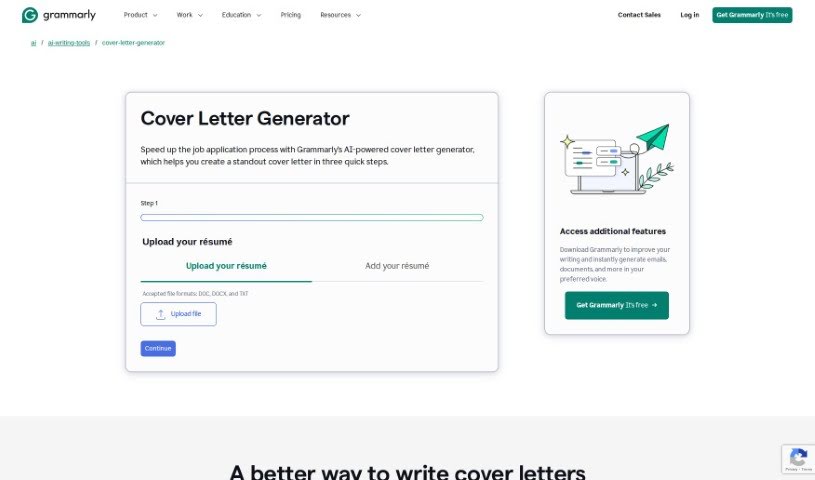
Screenshot of Grammarly AI Cover Letter

Grammarly AI Cover Letter

Discover what Grammarly's AI Cover Letter tool is all about and how you can use it to create standout cover letters in 2025. We'll explore its features and see how it stacks up against other cover letter generators.

Screenshot

What is Grammarly AI Cover Letter?

An AI Cover Letter is essentially a document that’s put together with the help of AI-powered tools. It is a smart assistant designed to help you write personalized cover letters for your job applications. These tools make the whole process much smoother. You just give them some basic info about yourself and the job you’re eyeing, and the AI gets to work, generating a professional cover letter that’s tailored to your background and what the job actually needs. It’s a much quicker and more convenient way to get a custom cover letter written, helping you really show off your qualifications and catch the eye of potential employers. Plus, these AI generators are great at helping you structure your letter just right, making sure to highlight your most relevant experience and skills so you can make a strong impression on hiring managers.

Who created Grammarly AI Cover Letter?

Grammarly is the company behind this AI Cover Letter tool. You might already know Grammarly for its other AI-driven writing helpers, like its popular grammar checker. Specifically, Grammarly’s cover letter generator uses its AI writing assistance to help users create quality cover letters efficiently for whatever positions they’re aiming for.

How to use Grammarly AI Cover Letter?

To get the most out of an AI Cover Letter tool like Grammarly’s, here’s a straightforward way to go about it:

  1. Share Your Details: Start by providing specific information. This includes details about your past work experience, the exact role you’re applying for, the kind of tone you want the letter to have, and any custom bits for the header or footer, like your name, email, the date, and the company’s details.
  2. Get Grammarly: If you haven’t already, sign up and download Grammarly. This will give you access to all the AI writing features, including the ones for cover letters.
  3. Open Up Grammarly: Once it’s installed, launch the Grammarly application. You’ll be able to use its generative AI writing features right there to help you craft your cover letters.
  4. Give It Instructions: Enter a prompt that clearly outlines what you need and includes all the essential information. This helps personalize your cover letter effectively.

By following these steps, you can efficiently use AI to help you create high-quality, personalized cover letters that really stand out for your job applications.

Related AI Tools

Discover more tools in similar categories that might interest you

Adaface AI Resume Parser

Human Resource Recruitment
Learn More

Stay Updated with AI Tools

Get weekly updates on the latest AI tools, trends, and insights delivered to your inbox

Join 25,000+ AI enthusiasts. No spam, unsubscribe anytime.