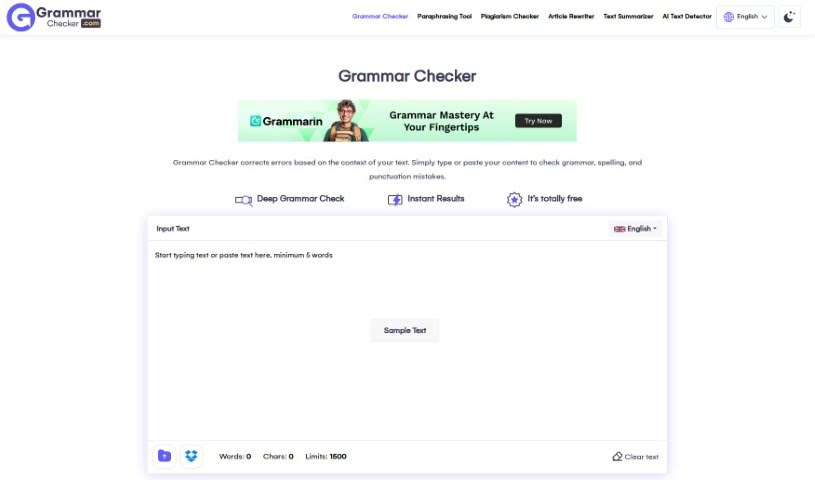
Screenshot of Grammarchecker.com

Grammarchecker.com

Discover what Grammarchecker.com is and learn how to use it effectively in 2025. We'll explore its features and see how it stacks up against other grammar checkers.

Screenshot

What is Grammarchecker.com?

Grammarchecker.com is a handy online tool powered by AI, designed to help you polish your writing. It’s built to catch those pesky grammatical and contextual errors that can sneak into your text. The folks behind Grammar Checker are a mix of designers, developers, and language experts. They’ve worked together to create a really user-friendly interface, making it simple to check your writing efficiently. Whether you’re dealing with a few small slips or bigger mistakes, this website aims to help. It uses smart algorithms to really dig into your text and give you accurate feedback. Ultimately, Grammarchecker.com wants to make your communication clearer by helping you sort out any confusing parts in what you’ve written. Plus, it’s completely free to use, and you don’t even need to sign up, so anyone can jump right in and start improving their writing.

Who created Grammarchecker.com?

Grammarchecker.com was brought to life by a dedicated team of designers, developers, and linguistic experts. They joined forces to build this online grammar checker service, aiming to give users a straightforward way to spot and fix grammatical mistakes in their writing. The service relies on smart algorithms that perform a deep analysis of your text, providing reliable results. The main goal of the platform is to support effective communication by helping people clear up any ambiguities in their writing. It is a digital writing assistant that’s available 24/7, completely free of charge.

How to use Grammarchecker.com?

Ready to make your writing shine? Here’s a simple, step-by-step guide to using Grammarchecker.com:

  1. Get to the Tool:
    • Just head over to Grammarchecker.com using your favorite web browser.
  2. Add Your Text:
    • You can either type directly into the box on the website or paste the text you want to check.
  3. Let It Check for Errors:
    • As soon as you add your text, the tool gets to work, automatically scanning for all sorts of grammar mistakes. This includes common issues like punctuation problems, spelling errors, and general grammar slip-ups.
  4. Spotting Passive Sentences:
    • This checker is also smart enough to point out passive sentences. This is great because it gives you the chance to switch them to active voice, which usually makes your writing much clearer.
  5. Understanding the Tips:
    • Take a look at the suggestions the grammar checker offers. They’re designed to help you improve your text’s overall quality and accuracy.
  6. Making the Fixes:
    • Go ahead and make the changes based on what the tool recommends. This will really boost the clarity and correctness of your writing.
  7. Exploring More:
    • Don’t stop there! Check out other features like sentence structure analysis and word choice suggestions to really polish your work.
  8. One Last Look:
    • After you’ve made your corrections, give your text a final read-through to make sure everything looks good and all the errors are gone.
  9. Save or Send:
    • Once you’re happy with it, you can save your revised text or export it for later.
  10. Got Questions? Check the FAQs:
    • If you’re wondering about anything, the FAQ section on the website is a great place to find answers to common questions about using the tool.

Just remember, Grammarchecker.com is a free, web-based service. No registration or downloads are needed. Happy writing, and enjoy error-free content!

Related AI Tools

Discover more tools in similar categories that might interest you

Academic Help Free Essay Generator

Education Academic Writing
Learn More

Stay Updated with AI Tools

Get weekly updates on the latest AI tools, trends, and insights delivered to your inbox

Join 25,000+ AI enthusiasts. No spam, unsubscribe anytime.