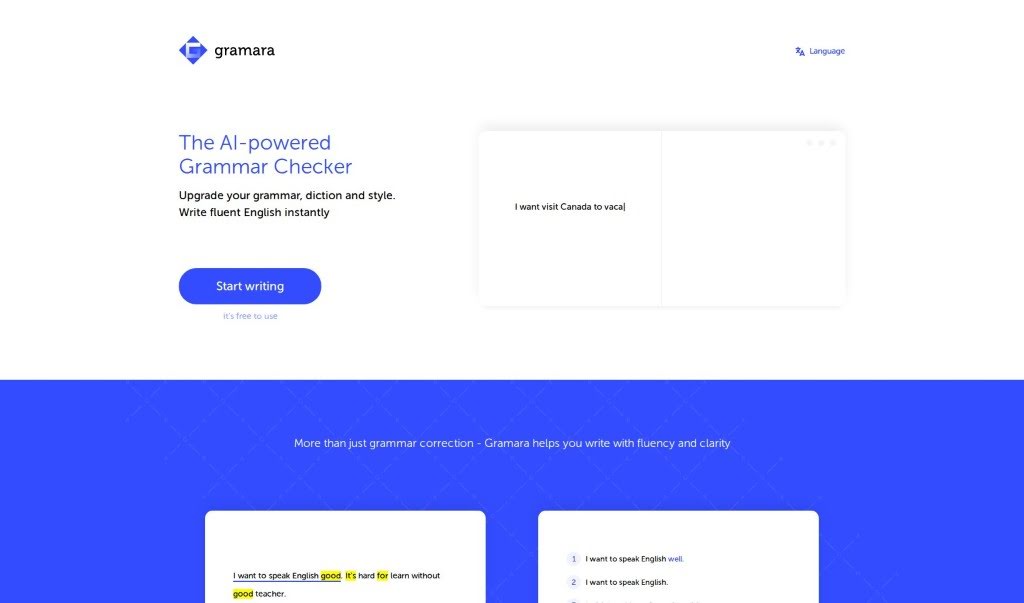
What is Gramara?
Gramara is an AI-powered grammar checker that’s designed to help you write fluent, grammatically correct English right away. It’s pretty neat because it automatically highlights words that are incorrect or just sound a bit awkward. Plus, it can translate those corrected sentences into your native language, which is super helpful for understanding. You can even pick different writing styles, like formal, informal, or concise, to match whatever you’re writing. The best part? Gramara is free to use, making it a really accessible tool for anyone looking to boost their English skills.
Who created Gramara?
Gramara was developed by a founder who remains unnamed, but the company’s main focus is on offering a really versatile AI grammar checker. Their goal is to help people write more fluently and clearly. The tool does a great job of auto-highlighting words that are incorrect or sound awkward. It also offers to translate corrected sentences into your native language, and you can choose from various writing styles – whether you need to sound formal, casual, or just get straight to the point. Gramara is a free tool, so it’s available for anyone wanting to improve their English writing.
What is Gramara used for?
- It’s free to use!
- Helps you compose emails.
- Upgrades your grammar, word choice, and overall style.
- Automatically highlights words that are incorrect or sound awkward.
- Translates sentences that aren’t quite right into fluent, natural-sounding English.
- Lets you choose your writing style and tone of voice.
- Translates corrected sentences into your native language.
- Helps you write with fluency and clarity instantly.
- Useful for crafting essays.
- Great for posting on social media.
- Enhances your English language skills.
- Offers multiple writing styles.
- Auto-highlight Incorrect Words: Gramara automatically points out incorrect or awkward words, making them easy to spot and fix.
- Translation of Corrected Sentences: You can translate your corrected English sentences into your native language, which really helps with understanding.
- Multiple Writing Styles: Pick from formal, informal, or concise styles to perfectly fit the context of what you’re writing.
- Fluency and Clarity: This tool helps you write more fluently and clearly, instantly improving your grammar and style.
- Free to Use: Gramara is available at no cost, so it’s accessible for everyone who wants to get better at writing English.
Who is Gramara for?
- Authors
- Students
- Professionals
- Language Learners
- Content writers
- Job applicants
- Writers
- Professionals looking to sharpen their English writing skills
How to use Gramara?
Using Gramara effectively is pretty straightforward. Just follow these simple steps:
- Access Gramara: Head over to the Gramara platform or app. It’s designed to help you instantly improve your English writing.
- Input Your Text: You can start typing directly or copy and paste your English text into the analysis area.
- Auto-Highlight Incorrect Words: Gramara will automatically highlight any words that are incorrect or sound awkward in your text, making them easy to find.
- Choose Writing Style: Pick the writing style and tone of voice that best suits your needs – options include formal, informal, or concise.
- Review Corrections: Take a close look at the highlighted words and the correction suggestions Gramara provides.
- Translation Feature: If you need it, use the translation feature to convert corrected sentences into your native language. This really helps with comprehension.
- Make Further Corrections: Go ahead and make any adjustments based on the suggestions to boost the fluency and clarity of your writing.
- FAQs: If you have more questions, check out the frequently asked questions section on Gramara. It has extra info about the tool’s features and how it works.
- Enjoy Free Usage: Remember, Gramara is completely free, so make the most of its benefits without any cost.
By following these steps, you can easily and precisely use Gramara to enhance your English writing skills.