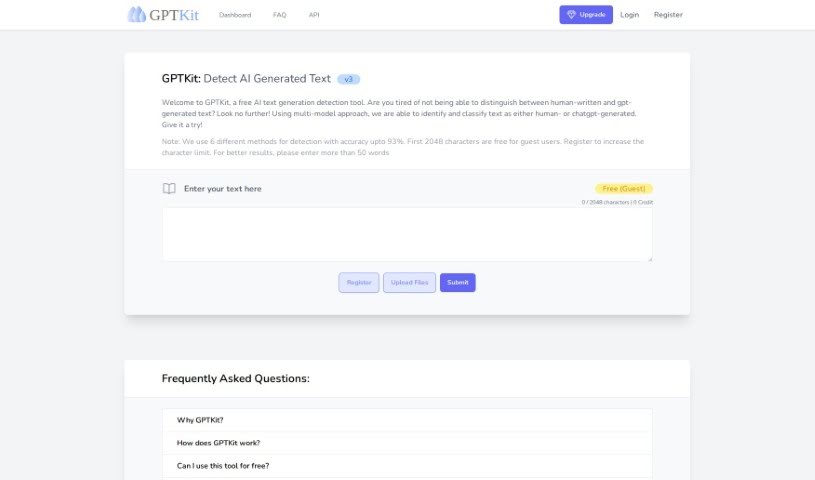
Screenshot of Gptkit.ai

Gptkit.ai

Discover what Gptkit.ai is and learn how to use it effectively in 2025. We'll explore its features and see how it stacks up against other AI detectors.

Screenshot

What is Gptkit.ai?

GPTKit.ai is a handy tool designed to help you tell the difference between text written by a person and text generated by AI. It uses a smart approach, looking at your text with several different detection methods to figure out if it’s human-written or if it came from a chatbot like ChatGPT. This helps you make sure your content is authentic. GPTKit employs six distinct detection techniques, boasting accuracy rates as high as 93%. For guests, the first 4096 characters are free to analyze, and signing up for an account gives you even more room to check longer pieces. By running your text through these various methods, GPTKit gives you a detailed report on how authentic or “real” the content seems, leading to more reliable results.

Who created Gptkit.ai?

Gptkit.ai was started by a dedicated team who wanted to build a top-notch tool for content detection. They developed this platform to offer advanced features that really make a difference. What sets their tool apart is its use of six different AI-powered content detection techniques. This combination ensures greater accuracy and provides users with clear reports on the authenticity and genuineness of the text they’re analyzing.

What is Gptkit.ai used for?

  • Spotting text that was written by a machine.
  • Clearly distinguishing between content created by humans and content generated by AI.

Who is Gptkit.ai for?

  • Journalists keeping an eye on sources.
  • Editors ensuring content quality.
  • Content creators aiming for originality.
  • Academics verifying research integrity.
  • Students checking their work.
  • Marketers protecting brand voice.
  • Legal professionals needing precise documentation.
  • Authors safeguarding their work.
  • Researchers confirming data sources.
  • Social media managers maintaining authenticity.

How to use Gptkit.ai?

Using GPTKit.ai is pretty straightforward. Just follow these simple steps:

  1. Get Started with GPTKit: Head over to the GPTKit website. If you already have an account, just log in. If you’re new, it’s easy to register for free.
  2. Understanding What Makes GPTKit Special:
    • GPTKit really stands out because it uses a multi-model approach. This means it employs six different AI-based content detection techniques, which really boosts its accuracy.
    • It carefully evaluates the authenticity of your text and provides reports that show how credible the content is.
  3. Working with GPTKit:
    • Simply type or paste the text you want to check into the interface provided.
    • The tool then gets to work, analyzing your text using those six different methods to gauge accuracy levels and confirm its authenticity.
    • You’ll see the results, including a detailed report, which helps you achieve accurate outcomes for your content analysis.
  4. Usage Limits to Keep in Mind:
    • When you first start using it as a guest, you can analyze up to 4096 characters for free.
    • If you register for an account, you get a higher limit, allowing up to 6144 characters for each request.
  5. Tips for the Best Results:
    • To get the most accurate outcomes, it’s a good idea to input text that’s longer than 50 words.

By following these steps, you can easily use GPTKit.ai to check the authenticity and accuracy of your text, thanks to its advanced detection mechanisms.

Related AI Tools

Discover more tools in similar categories that might interest you

Academic Help Free Essay Generator

Education Academic Writing
Learn More

Stay Updated with AI Tools

Get weekly updates on the latest AI tools, trends, and insights delivered to your inbox

Join 25,000+ AI enthusiasts. No spam, unsubscribe anytime.