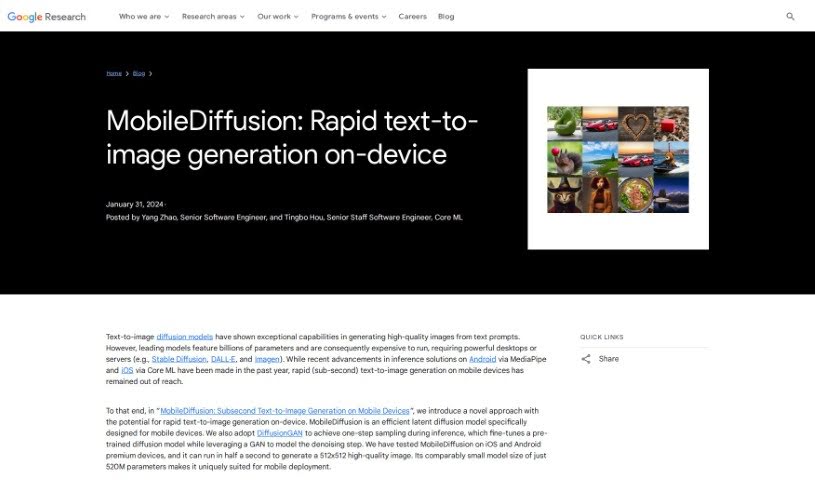
Screenshot of Google MobileDiffusion

Google MobileDiffusion

Discover Google MobileDiffusion, a cutting-edge text-to-image generator for mobile devices. Learn what it is, how it works, and how to use it effectively in 2025, comparing its features against other image generators.

Screenshot

What is Google MobileDiffusion?

MobileDiffusion is a really neat new way to create images from text, specifically designed to work fast on your phone. It is a super-efficient latent diffusion model built from the ground up for mobile use. It’s made up of three main parts: a text encoder, a diffusion UNet, and an image decoder. What’s cool is that MobileDiffusion uses something called DiffusionGAN to generate images in just one step. This means you can get high-quality pictures in about half a second on newer iPhones and Android phones. Plus, it’s pretty small, with only 520 million parameters. This efficiency in speed and size makes MobileDiffusion a really promising tool for creating images right on your device, all while keeping responsible AI practices in mind.

Who created Google MobileDiffusion?

A talented team brought MobileDiffusion to life, including Zhisheng Xiao, Yanwu Xu, Jiuqiang Tang, Haolin Jia, Lutz Justen, Daniel Fenner, Ronald Wotzlaw, Jianing Wei, Raman Sarokin, Juhyun Lee, Andrei Kulik, Chuo-Ling Chang, and Matthias Grundmann. Their main focus was building an efficient latent diffusion model that’s perfect for mobile phones. The goal was to make it possible to generate text-to-image creations quickly on mobile devices, all packed into a compact 520 million parameter model.

How to use Google MobileDiffusion?

Want to create images from text in under a second on your phone using MobileDiffusion? Here’s a simple breakdown of how it works:

  1. The Building Blocks:
    • MobileDiffusion uses a text encoder (specifically CLIP-ViT/L14), a diffusion UNet, and an image decoder to do its magic.
  2. The Diffusion UNet:
    • This part cleverly mixes transformer blocks and convolution blocks, with a special emphasis on using transformer blocks efficiently within the model.
  3. One-Step Image Creation:
    • To generate great images quickly, MobileDiffusion uses DiffusionGAN for a single-step sampling process.
  4. How It’s Trained:
    • When training, they start by setting up the generator and discriminator using a pre-trained diffusion UNet. This smart approach speeds up training by using the existing model’s features.
  5. Making Images:
    • The images MobileDiffusion creates are high-quality and varied, showing it can handle lots of different styles and subjects.
  6. How Well It Performs:
    • MobileDiffusion runs smoothly on both iOS and Android phones. It can create a 512x512 image in about half a second, making text-to-image generation super fast on mobile.
  7. What We’ve Seen:
    • You can see examples of images made with MobileDiffusion and DiffusionGAN’s one-step sampling. They really show how effective the model is and its potential for creating images right on your device.

By following these steps, you can easily use MobileDiffusion to create high-quality images from your text prompts right on your mobile device.

Related AI Tools

Discover more tools in similar categories that might interest you

123RF AI Image Generator

Creative Image Generation
Learn More

Stay Updated with AI Tools

Get weekly updates on the latest AI tools, trends, and insights delivered to your inbox

Join 25,000+ AI enthusiasts. No spam, unsubscribe anytime.