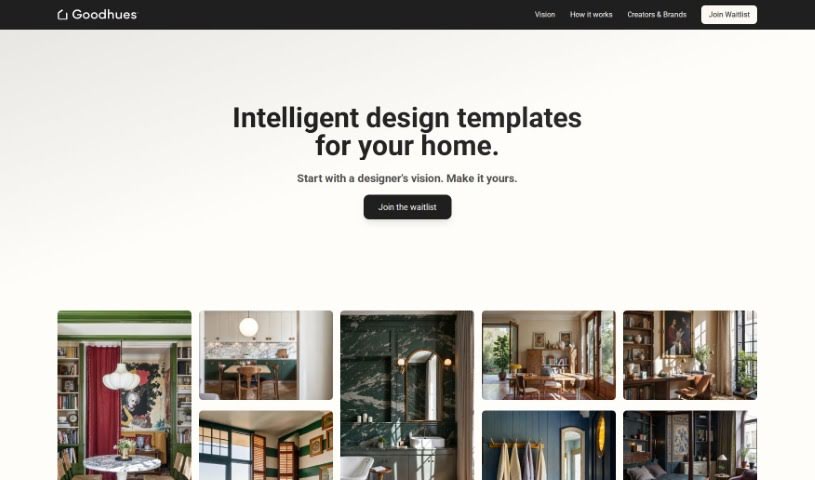
Screenshot of Goodhues

Goodhues

Discover what Goodhues is and how to use it effectively in 2025. We'll dive into its features and see how it stacks up against other interior design tools.

Screenshot

What is Goodhues?

Goodhues.ai is essentially your AI design assistant, built to help you with every step of your interior design projects. It is a smart tool that lets you design, visualize, and manage your ideas all in one place. It uses clever generative AI algorithms to come up with fresh design concepts based on what you tell it. Plus, it has a visual simulator that can create really realistic 3D models of your interior spaces. What’s great is that you can create as many designs as you like, manage your projects, and even use its Smart Search feature to find and shop for interior design items. Whether you’re a seasoned pro or just starting out, Goodhues is designed to be easy to use. It offers a variety of design styles, color palettes, and lighting choices, all aimed at making your creative process smoother and boosting your productivity.

Who created Goodhues?

Goodhues, this AI virtual assistant for interior design, was actually developed to make designing, visualizing, and managing projects much simpler for users. It first launched on May 3, 2023. The founder’s identity hasn’t been shared publicly, but they’ve equipped Goodhues with generative AI algorithms that can create all sorts of design options. It also includes that visual simulator for generating those realistic 3D models we talked about. You get unlimited design creation, handy project management tools, and that helpful Smart Search for shopping. It’s built to support both professional designers and people who are just exploring their creative side.

Who is Goodhues for?

  • Interior Designers
  • Architects

How to use Goodhues?

To really get the most out of Goodhues.ai for your interior design projects, here’s a straightforward way to approach it:

  1. Get Started: First, sign up on the Goodhues website. This will create your account and give you access to all the tools and features available.
  2. Generate Ideas: Next, input your specific design ideas and parameters. The generative AI algorithms will then create new interior design options based on your input.
  3. Visualize in 3D: Use the visual simulator to bring your spaces to life. You can create realistic 3D models, playing around with different color schemes, furniture styles, and lighting options until it looks just right.
  4. Explore Styles: Goodhues offers over 20 different interior design styles. Feel free to experiment and mix and match various design elements to see what works best for your project.
  5. Shop Smart: Make good use of the Smart Search feature. It’s designed to help you efficiently shop for all your Furnishings, Fixtures, and Equipment (FF&E) items.
  6. Save Your Favorites: Don’t forget to save any designs you really like. This makes it easy to refer back to them later or refine them further.
  7. Collaborate (Coming Soon!): There’s a collaboration feature in development, which will allow you to work with others on your design tasks.
  8. Need Help? If you run into any questions or need assistance while using the platform, don’t hesitate to reach out to customer support.
  9. Boost Your Productivity: Users have shared positive feedback, noting how efficient and simple Goodhues is. The tool really helps boost productivity by quickly generating design options based on your input, allowing both professionals and amateurs to bring their creative ideas to life.

By following these steps, you can really use Goodhues.ai to make your interior design projects smoother, more efficient, and more creative.

Related AI Tools

Discover more tools in similar categories that might interest you

123RF AI Image Generator

Creative Image Generation
Learn More

Stay Updated with AI Tools

Get weekly updates on the latest AI tools, trends, and insights delivered to your inbox

Join 25,000+ AI enthusiasts. No spam, unsubscribe anytime.