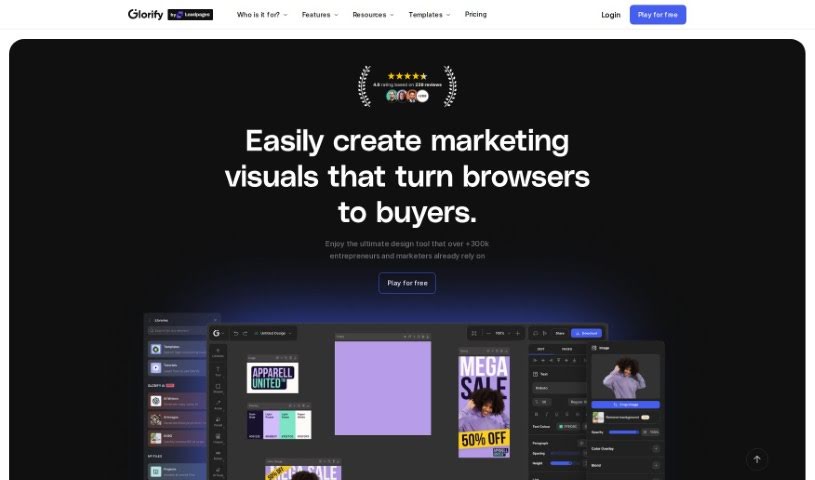
Screenshot of Glorify App

Glorify App

Discover what Glorify App is and how to use it effectively in 2025. We'll explore its features, how it helps e-commerce businesses, and how it stacks up against other design generators.

Screenshot

What is Glorify App?

Glorify App is a really useful design tool built specifically for folks running e-commerce businesses. It is your go-to online graphic design studio, giving you the power to create all sorts of professional-looking materials – from social media posts and ads to infographics and presentations. What makes Glorify App stand out are its AI-powered features. You can generate visuals just by typing in a prompt, place your products into AI-created scenes, and even get help writing compelling copy for your designs. Plus, it comes with a handy Background Remover, batch editing tools for when you need to do a lot at once, access to premium stock photos, and ways for your team to collaborate. Looking ahead, they’re planning to add a video editor, live collaboration, more batch processing options, a plugin marketplace, and even more AI tools.

Who created Glorify App?

Glorify was brought to life by Omar Farook and Harun Rashid, who are the Co-Founders. They officially launched Glorify on September 2, 2023. Their main goal is to give entrepreneurs the design capabilities they need, creating a tool that’s really focused on e-commerce and marketing. It’s pretty impressive – over 300,000 users already trust Glorify to help them create great-looking images quickly and at scale, even if they don’t have advanced design skills.

What is Glorify App used for?

  • Crafting eye-catching images and assets for your e-commerce store.
  • Boosting your e-commerce business through excellent visual content.
  • It’s a highly functional design tool perfect for marketers.
  • A great alternative to Canva for those in the e-commerce niche.
  • Making it simple to create product graphics.
  • Quickly and efficiently removing backgrounds from product photos.
  • Generating images using AI, just by typing in a description.
  • Keeping your design files neatly organized into projects.
  • Getting access to a library of premium stock photos.
  • Looking forward to future updates that will include a video editor.

Who is Glorify App for?

  • Anyone running an e-commerce business.
  • Marketers looking to create better visuals.
  • Owners of CPG (Consumer Packaged Goods) businesses.
  • Templates Managers.
  • Motion Designers.
  • Product Managers.
  • Graphic Designers.
  • UI/UX Designers.
  • Social Media Managers.
  • Support Specialists.
  • Frontend Developers.
  • Senior Developers.
  • SQA Engineers.

How to use Glorify App?

To get the most out of Glorify, here’s a simple guide:

  1. Explore Templates: Glorify has a huge library with over 11,000 templates you can customize. Whether you need something for social media, ads, or presentations, you’ll find a great starting point. Just pick the one that fits what you’re trying to do.
  2. Edit Your Images: Use Glorify’s editing tools to really make your designs pop. You can easily remove backgrounds, add realistic shadows and reflections, insert annotations, and generally make your products look their absolute best.
  3. Batch Editing Power: Need to create a lot of designs quickly? The Batch Editing feature is your best friend. You can generate multiple designs from a single idea and make adjustments across all of them in a flash, perfect for high-volume needs.
  4. Access Premium Stock Photos: Glorify gives you access to premium stock photo libraries. You’ll find a wide variety of high-quality images that are perfect for commercial use.
  5. Teamwork Makes the Dream Work: Collaborate smoothly with your team. You can organize all your design files into projects, create folders, and invite team members to work together seamlessly.
  6. Keep an Eye on Future Updates: Glorify is always improving. They’re planning to add exciting new features like a video editor, live collaboration tools so you can work with others in real-time, more batch processing options, a plugin marketplace for extra tools, and even more AI-focused features.
  7. Tap into AI Capabilities: Dive into Glorify’s AI features. Use AI Images to create visuals from text prompts, AI Product BG to place your products in scenes, and AI Writer to help you craft your content.
  8. Design for E-commerce: Quickly whip up e-commerce ads, banners, and posts. Glorify’s templates, editing tools, and AI features make design production super efficient.
  9. Effortless Background Removal: Use the dedicated Background Remover feature to professionally clean up product images, making your products stand out clearly.
  10. Get Ready for the Plugin Marketplace: Keep an eye out for Glorify’s upcoming Plugin Marketplace. This will let you install extra design tools, giving you even more ways to customize and enhance your work.

By following these steps, you can really harness Glorify’s power to create professional, engaging visuals for all your e-commerce and marketing efforts.

Related AI Tools

Discover more tools in similar categories that might interest you

123RF AI Image Generator

Creative Image Generation
Learn More

Stay Updated with AI Tools

Get weekly updates on the latest AI tools, trends, and insights delivered to your inbox

Join 25,000+ AI enthusiasts. No spam, unsubscribe anytime.