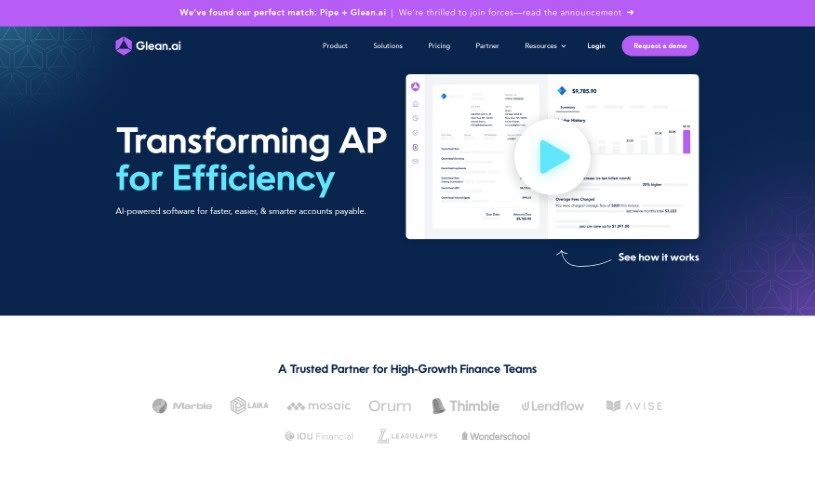
What is Glean Ai?
Glean AI is a smart tool designed to make accounts payable processes much smoother and more efficient. It lets you handle and approve invoices without all the tedious manual data entry. Plus, you can make different kinds of payments and get a clearer picture of where your money is going, spotting chances to save. What really sets Glean AI apart is its knack for automatically catching things like duplicate invoices, errors in billing, unusual spending habits, and even savings you might be missing with your vendors. It even gives you data to compare your prices against what competitors are charging. You can check out case studies that show how finance teams have successfully used Glean AI, leading to significant time savings, better identification of billing problems, and simpler ways to budget for vendor expenses. The tool offers features such as making it easy to onboard new vendors, forecasting your spending, getting alerts for upcoming contract renewals, and detecting those pesky duplicate bills. On top of that, you get unlimited consultations for negotiating with vendors and dedicated, personalized support. Glean AI digs deep into your invoices, capturing detailed information like the specific items you bought, how many you ordered, and the price per item, giving you a really thorough understanding of what drives your costs. People often mention how easy it is to use, with invoices processed quickly and useful insights generated about your vendor spending.
Getting started is simple: just forward your invoices to a special Glean AI email address. The tool then takes over, handling all the data processing and analytics to help your finance team make smarter, more informed decisions.
Who created Glean Ai?
Glean Ai was founded by Howard Katzenberg, who is currently the Founder & CEO. Howard recognized a real need for better visibility into company expenses. This led him to create Glean AI as a solution to effectively tackle that challenge. The company provides AI-powered software that automates accounts payable and helps manage spending more intelligently. Their main focus is on delivering unmatched intelligence, automation, and tools for collaboration, all aimed at empowering finance teams and uncovering more opportunities for savings.
What is Glean Ai used for?
Here’s a look at what Glean AI helps with:
- Automating financial tasks: It handles things like amortization and accruals automatically.
- Streamlining invoice management: You can process and pay invoices without any manual data entry.
- Tracking expenses: Keep a close eye on spending, whether it’s by department or for the whole company.
- Centralizing documents: Keep all your key financial documents in one place for easier audits and internal controls.
- Improving approvals: It offers a collaborative workflow for approving invoices.
- Simplifying month-end: Makes the month-end closing process much more efficient.
- Catching errors: It automatically finds duplicate invoices and overcharges.
- Alerting you to issues: Get notified about billing errors, unusual spending, and potential savings from vendors.
- Benchmarking vendors: Compare your vendor pricing with what competitors are paying.
- Providing savings advice: Get recommendations on how to save money.
- Accrual Automation: Automates the booking and reversal of accruals.
- Deep Spend Insights: Get detailed insights into your spending and recommendations for savings.
- GL System Sync: Bills and payments sync seamlessly with all major General Ledger (GL) systems.
- Document Storage: Keeps all your important documents in one central place.
- Prepaid Amortizations: Automates the process for prepaid amortizations.
- Custom Workflows: Allows for custom approval workflows tailored to your needs.
- Data Extraction & Coding: Automates data extraction from invoices and GL coding.
- Bill Approvals & Payments: Streamlines the entire process of approving bills and making payments.
- Workload Reduction: Significantly cuts down team workload, for example, from 20 hours per week to just 5.
- Audit Support: Centralizes key documents, making audits and internal control reviews much simpler.
- Budgeting & Bill Pay: Simplifies vendor budgeting and bill payment processes for finance teams.
- Invoice Analytics: Provides analytics to help identify overpayments and anomalies.
- Real-time Spend Trends: Offers real-time access to spending trends and alerts for unusual charges or savings opportunities.
- Spend Forecasts: Helps with forecasting and budgeting your expenses.
- Renewal Notifications: Sends reminders for upcoming contract renewals.
Who is Glean Ai for?
Glean AI is a valuable tool for:
- Accounting Teams
- FP&A (Financial Planning & Analysis) Teams
- General Finance Teams
- Finance Leaders
How to use Glean Ai?
Here’s a straightforward guide to using Glean AI effectively:
-
Getting Set Up:
- First, add a dedicated Glean.ai email address to your current Accounts Payable (AP) system.
- Next, connect your General Ledger and your bank account.
- Then, set up your departments and add the users who will need access.
- Finally, map your vendors to the default GL accounts they should be associated with.
-
Key Features and What They Offer:
- You’ll enjoy fully automated invoice processing, meaning no manual data entry is needed.
- Vendor onboarding and management are made simple and easy.
- You get access to one-click analyses for spending changes (flux analyses), forecasts for your spending, budgeting tools, and notifications for upcoming renewals.
- Take advantage of vendor benchmarking data to get pricing insights and easily detect duplicate bills.
- You also benefit from unlimited consultations to help negotiate with vendors, receive personalized support, and enjoy seamless integration with your existing GL systems.
-
The Workflow in Action:
- When you receive an invoice, simply forward it to your unique Glean.ai email address.
- Glean.ai then takes care of all the data processing. This includes extracting line-item details so you can perform a thorough cost analysis.
- Most invoices are processed and appear in the application within minutes. The detailed line-item data is typically added within 24 hours.
- You’ll receive insights, which Glean calls “glean”s, on various aspects of your vendor spending.
-
Pricing and More Details:
- Glean.ai offers different plans, with pricing based on the volume of invoices processed. The Basic plan starts at $295 per month.
- The tool is designed so you won’t be charged extra if you go over your invoice limit. Instead, it will automatically move you to the next tier if you consistently exceed your current invoice allowance.
By following these steps, you can really make the most of Glean AI. It’s designed to streamline your invoice processing, simplify vendor management, and provide valuable insights into your spending, all helping you optimize your financial operations and find more savings.