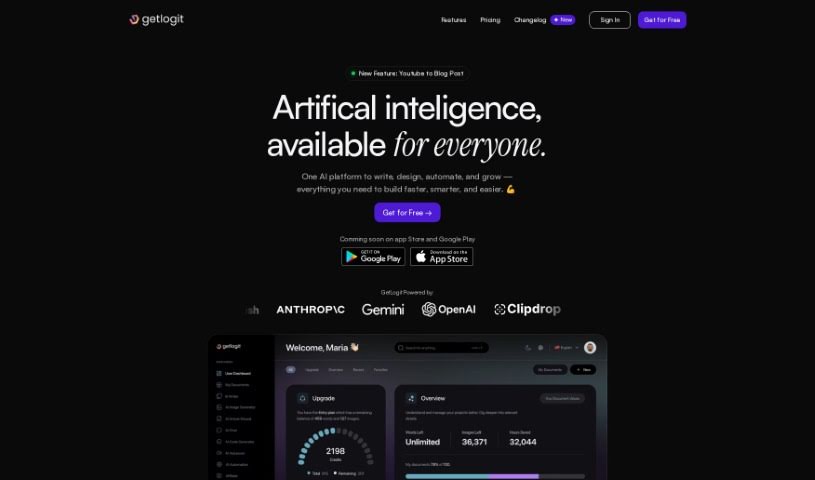
What is GetLogit?
GetLogit is your AI toolkit, making powerful artificial intelligence accessible to everyone – whether you’re a professional, a student, or just someone who likes to tinker. It’s packed with AI-driven tools designed to help you out. You’ve got GetWriter for crafting SEO-friendly, original text content, and GetImages to generate high-quality pictures. Need a chatbot? GetChat offers specialized ones for things like language tutoring or finance advice. Plus, there’s GetSpeech for turning spoken words into text, GetVoiceover to create AI-generated voiceovers in tons of languages, and GetCoder for AI-powered code generation. Beyond that, GetLogit offers transcription services, design tools, and a whole lot more to help with all sorts of content creation needs.
Who created GetLogit?
GetLogit was actually created by a company that really wanted to make AI easy for everyone to use. They aimed to open up AI to a wide range of people, from professionals and students to hobbyists. The platform first launched on November 4, 2021, bringing tools like an Intelligent Writing Assistant and an AI Image Generator to the table, all to make creating and managing digital content simpler. This company is all about keeping users engaged and offers over 30 different templates. You can use these for all sorts of content, like articles, essays, product descriptions, and social media updates.
What is GetLogit used for?
GetLogit is incredibly versatile! Here’s a look at what you can do with it:
- Content Creation: This is a big one. You can create articles, blog posts, product descriptions, social media content, and even email copy. It’s also great for ad copy.
- Code Generation: Need help with coding? GetLogit can generate code for you.
- Advertising: From ad copy to visuals, it supports your advertising efforts.
- Interior Design: There are tools that can help with interior design ideas.
- Social Media: Crafting posts for social media is a breeze.
- Specialized Chatbots: GetLogit offers bots for career counseling, parenting advice, and travel advising.
- Transcription: It’s useful for lecture transcription for students and generating YouTube/video subtitles.
- Personalized Chatbots: Experience a more tailored chatbot interaction.
- Simple Voice-to-Text: A straightforward tool for converting speech to text.
- Learning and Experimenting: It’s a fantastic platform for exploring artificial intelligence and seeing what it can do.
- Web Design: GetLogit can assist with various aspects of web design.
- Finance Advice: Chatbots can provide financial advice.
- AI Contribution: It’s a way to engage with and contribute to the field of artificial intelligence.
- Plagiarism-Free Content: Ensure your written content is original.
- Management: Tools to help manage your digital content.
- Event Planning: It can even assist with event planning.
- Fitness Training & Nutrition: Specialized bots offer fitness training and nutritionist advice.
- High-Quality Graphics: Generate impressive graphics for your projects.
Who is GetLogit for?
GetLogit is designed for a wide audience, really. If you’re involved in any of these areas, you’ll likely find it useful:
- Creative Professionals: Copywriters, marketers, e-commerce professionals, and advertising professionals can all benefit.
- Business Owners: Entrepreneurs and small business owners can use it to streamline content creation and marketing.
- Students and Educators: Students can use it for essays and lectures, while teachers might find it helpful for creating materials.
- Designers: Interior designers and web designers have specific tools available.
- Planners: Event planners can find assistance here.
- Tutors and Advisors: Language tutors, fitness trainers, finance experts, and nutritionists can leverage the specialized chatbots.
- Content Creators: Bloggers and social media managers will find it invaluable for generating posts and articles.
- Programmers: GetCoder is there for those who code.
- Hobbyists: Anyone interested in learning or experimenting with AI will find user-friendly tools.
Essentially, if you work with digital content, need creative assistance, or are curious about AI, GetLogit has something for you.
How to use GetLogit?
Getting started with GetLogit is pretty straightforward. Just follow these simple steps:
- Sign Up: First, head over to getlogit.com/register to create your account. It’s quick and easy.
- Log In and Explore: Once you’re registered, log in at app.getlogit.com. You’ll see all the different AI tools available, like the writing assistant and image generator.
- Get Writing Help: Need to write something? Use GetWriter. It’s great for creating SEO-friendly, original content for blog posts, emails, ads, and more. Plus, there are over 30 templates to choose from, making it super convenient.
- Chat with AI: Want to practice a language or get some advice? GetChat has specialized chatbots for language tutoring, fitness training, and even financial advice.
- Create Images: Need visuals? GetImages lets you generate high-quality images just by describing what you want. It’s perfect for web design, ads, or social media.
- Transcribe Speech: Use GetSpeech to easily convert spoken words into text. This is handy for transcribing interviews or creating subtitles for videos.
- Make Voiceovers: With GetVoiceover, you can turn your text into AI-generated voiceovers. You can pick from more than 50 languages and over 100 different voices.
- Get Coding Help: If you’re coding, GetCoder can help you generate code efficiently. It’s useful whether you’re a seasoned developer or just starting out.
Overall, GetLogit offers a user-friendly experience with a wide variety of AI tools to help professionals, students, and hobbyists with all their digital content creation needs.