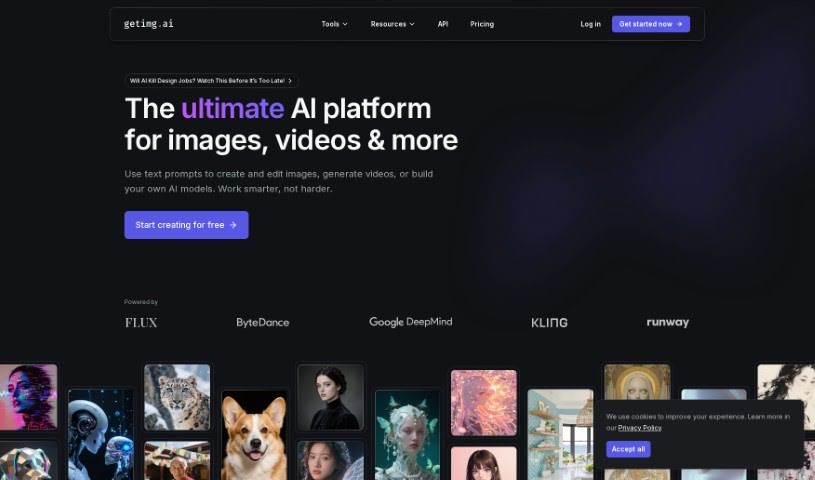
Screenshot of Getimg AI

Getimg AI

Discover Getimg AI in 2025! Learn what it is, how to use its features like background removal and image enhancement, and see how it stacks up against other AI image generators.

Screenshot

What is Getimg AI?

Getimg AI is a really cool artificial intelligence tool designed to help you create high-quality images without any fuss. It uses AI to do things like remove backgrounds, make your images look better, and edit them easily. You can enhance your pictures with just a few clicks! This tool is a lifesaver for anyone, whether you’re an individual or running a business, who wants to speed up image editing and create amazing visuals without needing to be a tech wizard. Basically, Getimg AI offers a simple and effective way to handle all sorts of image editing tasks, making it a great resource for anyone wanting to quickly improve their visual content.

Who created Getimg AI?

Getimg AI comes from Everart, a platform that specializes in creating personalized art using advanced AI. Everart’s goal is to bring together traditional art techniques and artificial intelligence, offering a unique space for artists, designers, and other creatives. They use carefully trained AI models, which means users can really let their creativity flow and produce stunning artworks that truly capture their individual artistic style.

What is Getimg AI used for?

Getimg AI is super versatile and can be used for a bunch of things:

  • Architecture: Visualize designs and concepts.
  • Animation: Bring characters and scenes to life.
  • Text-to-Image Creation: Turn your words into unique visuals.
  • Image to Video Conversion: Animate static images into short video clips.
  • AI Image Editing: Modify and improve images with smart tools.
  • AI Canvas: Create expansive artworks on an infinite canvas using outpainting.
  • Rapid Image Generation: Get images quickly in real-time.
  • Custom AI Models (DreamBooth): Train your own AI models for personalized results.
  • Character Generation: Create unique characters for your projects.
  • Realistic Art: Produce lifelike and detailed artwork.
  • AI-Driven Editing: Edit images with intelligent, AI-powered tools.
  • Architecture Design: Aid in the visualization and design process.
  • Real-time Generation: Generate images on the fly.
  • AI-Powered Editing: Edit images using smart, AI-driven capabilities.
  • Infinite Compositions: Work on an endlessly expanding canvas.
  • Custom Model Training: Personalize AI models by uploading your own images.
  • Animation Creation: Develop animated sequences.
  • Prompt-to-Image: Convert text prompts into unique images using over 60 community-trained models.
  • Image-to-Video: Transform static images into 4-second animated video clips with AI.
  • AI Editing Tools: Edit and modify images using tools like inpainting.
  • Outpainting: Extend artworks beyond their original borders on an infinite canvas.
  • Quick Custom Models: Customize AI models swiftly by uploading images for personalized creations.
  • Personalized Model Training: Train custom AI models using just 10 pictures.
  • ControlNet: Guide AI image generation with your own reference images.
  • API Integration: Seamlessly integrate image generation and editing with the latest Stable Diffusion models.
  • Motion Fluidity: Enhance the smoothness of movement in short videos using AI.
  • Personalized Models: Create custom AI models for things like AI avatars or product images.

Who is Getimg AI for?

Getimg AI is a fantastic tool for a wide range of professionals and creatives, including:

  • Graphic Designers
  • Social Media Managers
  • Photographers
  • Marketing Professionals
  • Content Creators
  • Web Designers
  • E-commerce Entrepreneurs
  • Real Estate Agents
  • Advertising Specialists
  • Bloggers

How to use Getimg AI?

Using Getimg AI is pretty straightforward! Just follow these simple steps:

  1. Get Started: Head over to the Getimg AI website. You might need to create an account first.
  2. Upload Your Images: Bring your images into the platform. You can upload the ones you want to improve or edit.
  3. Pick Your Tools: Choose from the various editing options available, like removing backgrounds, enhancing image quality, or taking out unwanted objects.
  4. Tweak the Settings: Adjust the editing parameters until you get the exact look you want.
  5. See a Preview: Before you commit, take a look at a preview of your edited image to make sure it’s just right.
  6. Save Your Work: Once you’re happy, save your edited image to your computer in your preferred file format.
  7. Try More Features: Don’t stop there! Explore advanced options like filters, special effects, or even batch editing if you have multiple images.
  8. Use AI Suggestions: Let the AI offer recommendations for even further improvements to your images.
  9. Share or Use It: Share your polished images on social media or use them for whatever personal or professional projects you have in mind.
  10. Give Us Your Thoughts: If you have a moment, sharing your feedback on the editing experience really helps us make the platform even better for everyone.

Following these steps will help you use Getimg AI effectively to enhance and edit your images with both ease and accuracy.

Related AI Tools

Discover more tools in similar categories that might interest you

123RF AI Image Generator

Creative Image Generation
Learn More

Stay Updated with AI Tools

Get weekly updates on the latest AI tools, trends, and insights delivered to your inbox

Join 25,000+ AI enthusiasts. No spam, unsubscribe anytime.