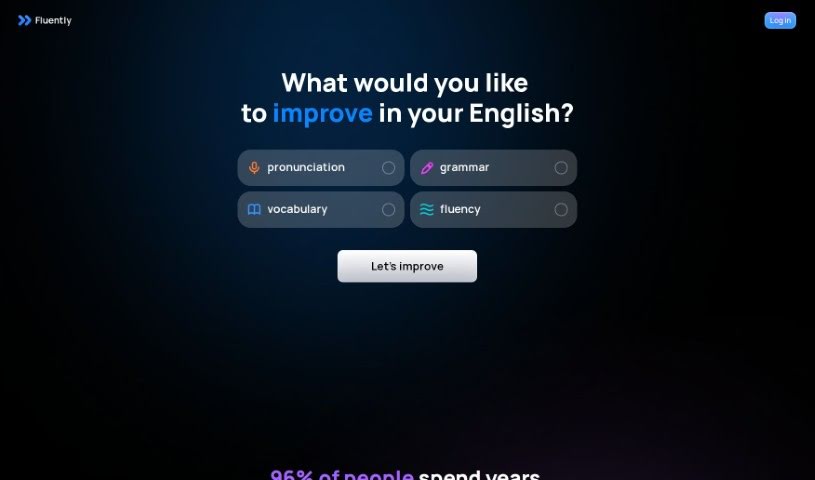
Screenshot of GetFluently

GetFluently

Discover what GetFluently is and how to use it effectively in 2025. We'll explore its features and see how it stacks up against other language learning tools.

Screenshot

What is GetFluently?

GetFluently is a handy tool designed to help you improve your English. After every online call you take, it gives you personalized feedback to help you really master your English skills. With GetFluently, you can get help spotting and fixing those common mistakes non-native speakers often make. It also helps you improve your pronunciation with specific tips based on your actual calls. You can easily track how you’re progressing over time and dive into different exercises to boost your English. The best part? It works automatically without any setup, and your privacy is totally protected thanks to data encryption and recordings being stored locally. Basically, GetFluently is used by professionals who aren’t native English speakers to build their confidence and become much better speakers.

Who created GetFluently?

Fluently was actually created by a team of people who are really passionate about making it easier for users to improve their English. They’ve built a platform where you get personalized feedback right after each online call, which really helps boost your English skills. Fluently aims to cut out the need for tutors or separate learning apps by giving you feedback automatically as you chat in English. Their focus is on helping you make fewer mistakes, sound clearer, track your progress, and generally get better at speaking. Plus, they really prioritize your privacy, using encryption and storing your data locally.

What is GetFluently used for?

Here’s a quick rundown of what GetFluently helps you do:

  • Spot and fix common mistakes you might make when speaking English.
  • Improve your pronunciation with personalized tips based on your real conversations.
  • Keep an eye on your progress over time, with exercises tailored just for you.
  • Sharpen your grammar and grow your active vocabulary.
  • It works automatically, so no setup is needed.
  • You can practice speaking anytime, 24/7.
  • Your privacy is safe, thanks to data encryption and local storage.
  • Make your speech sound cleaner and feel more confident speaking English.
  • Just join your English calls, and GetFluently gives you feedback automatically.
  • It works with all your meeting platforms, and no bots will join your calls.

Who is GetFluently for?

  • Professionals who aren’t native English speakers.

How to use GetFluently?

Want to use Fluently to get better at English? It’s pretty straightforward:

  1. First, install the Fluently app on your computer or device.
  2. When you’re on calls where you’re speaking English, Fluently kicks in automatically as you talk.
  3. After the call wraps up, Fluently will analyze your speech and give you personalized feedback to help you improve.
  4. You’ll get to use features like identifying and correcting errors, getting tips to improve your pronunciation, tracking your progress, and working with personalized exercises.
  5. Enjoy how it works automatically without any setup, making it super easy to use.
  6. Remember, Fluently supports all sorts of meeting platforms, and you won’t have bots joining your calls.
  7. Your privacy is key, so data is transferred securely with encryption, and you have control over recordings stored locally.
  8. Ultimately, you’ll boost your confidence by becoming a better English speaker, thanks to Fluently’s support.

Lots of non-native professionals are already using Fluently during their daily English calls to improve their language skills and feel more confident speaking. You can join them!

Related AI Tools

Discover more tools in similar categories that might interest you

Academic Help Free Essay Generator

Education Academic Writing
Learn More

Stay Updated with AI Tools

Get weekly updates on the latest AI tools, trends, and insights delivered to your inbox

Join 25,000+ AI enthusiasts. No spam, unsubscribe anytime.