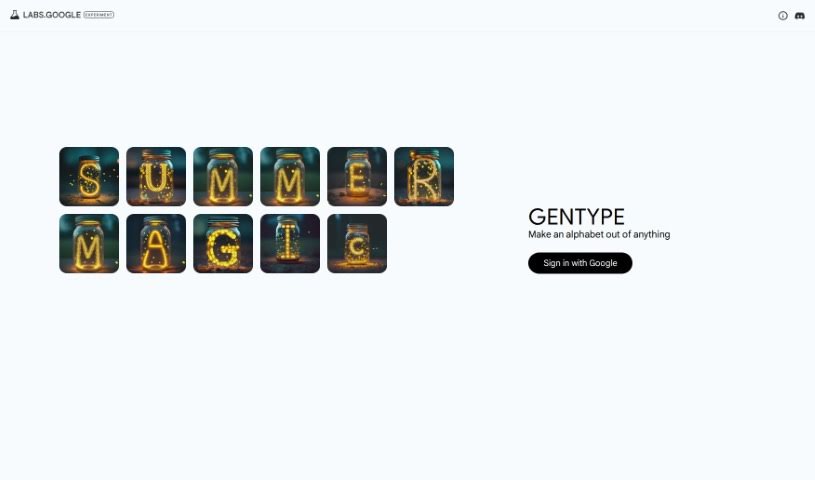
Screenshot of GenType by Google

GenType by Google

Discover GenType by Google in 2025! Learn what this design tool is, how to use its features to create unique alphabets, and see how it stacks up against other design generators.

Screenshot

What is GenType by Google?

GenType by Google is a really cool project that lets you build your own alphabets using all sorts of different elements. It is a creative playground where you can design unique letterforms by combining various objects or patterns. The platform gives you the freedom to craft personalized alphabets by mixing and matching a wide array of visual elements in creative ways. With GenType, you can really let your imagination run wild, turning everyday objects into something as fundamental as alphabet characters. This neat tool from Google offers a fun and engaging way to play around with design and typography, making the whole process of creating custom alphabets an enjoyable and artistic adventure.

Who created GenType by Google?

It’s a bit of a mystery who exactly created GenType by Google! The project was developed by an individual or team behind the scenes, but the available information doesn’t give us specific names for the founder or the company behind GenType.

How to use GenType by Google?

Ready to dive in and create some unique alphabets? Here’s a simple guide to get you started with GenType by Google:

  1. First off, head over to the GenType website. You’ll see a button to “Sign in with Google.” Click that to get going – it’s the easiest way to start using the tool.
  2. Once you’re signed in, the fun really begins! You can start crafting alphabets using all sorts of visual elements. Whether you want to use images you’ve found or simple shapes, the choice is yours.
  3. Want to see some examples? Just click on the different options provided. You might find presets like “fireflies” that show you how the generated alphabets look.
  4. Don’t be afraid to play around! Experiment with the settings and the different presets available. This is how you’ll really customize the look and feel of your alphabet creations.
  5. Once you’ve made something you’re proud of, you can save your work directly or share it with friends and family using the platform’s built-in features.

By following these straightforward steps, you can easily navigate GenType by Google and start creating your own unique alphabet designs that perfectly match your style and preferences.

Related AI Tools

Discover more tools in similar categories that might interest you

123RF AI Image Generator

Creative Image Generation
Learn More

Stay Updated with AI Tools

Get weekly updates on the latest AI tools, trends, and insights delivered to your inbox

Join 25,000+ AI enthusiasts. No spam, unsubscribe anytime.