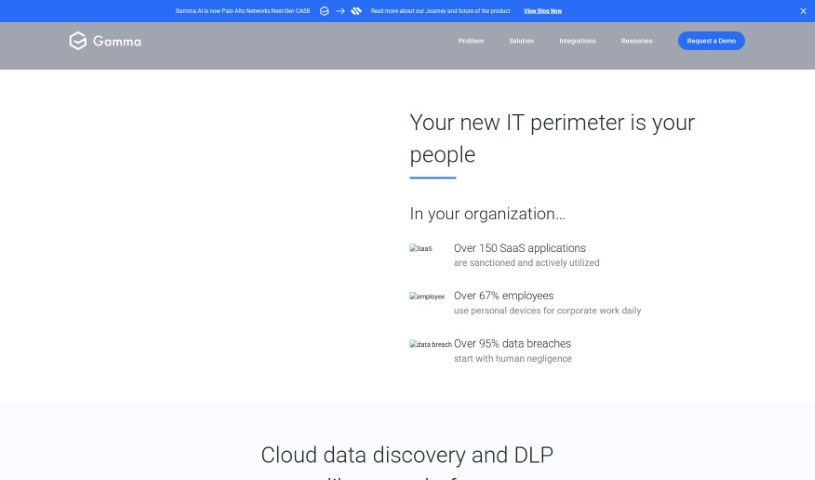
Screenshot of Gamma.AI

Gamma.AI

Discover what Gamma.AI is and how to make the most of its features in 2025. We'll cover its capabilities, how it compares to other professional tools, and provide a simple guide to using it.

Screenshot

What is Gamma.AI?

Gamma.AI is a smart, cloud-based tool designed to stop data loss. It’s now a key part of Palo Alto Networks’ Next-Generation Cloud Access Security Broker (CASB). What makes it special is its use of AI to keep a constant eye on what employees are doing across different SaaS platforms, right as it happens. If it spots a security mistake, it sends an alert immediately. This way, it helps stop data breaches that might happen because of simple human errors, really beefing up your organization’s IT security by focusing on the people involved and making security tighter.

Its integration with Palo Alto Networks shows they’re serious about staying ahead and developing new cloud security solutions.

Who created Gamma.AI?

Gamma.ai was actually started by a team whose risk assessment skills really impressed people, which eventually led to them being acquired. Now that it’s part of Palo Alto Networks, the company offers top-notch Cloud Data Loss Prevention (DLP) solutions. They use AI to boost security awareness. Their platform actively watches employee actions across various SaaS platforms, flagging security errors right away. This helps prevent data breaches that often start with human mistakes.

What is Gamma.AI used for?

  • AI-Powered Monitoring: It keeps an eye on things using artificial intelligence.
  • Event-Driven Notifications: You get alerts exactly when something happens.
  • Integration with Next-Gen CASB: It works seamlessly with advanced Cloud Access Security Broker tools.
  • Focus on Human Factors: It specifically looks at how people interact with systems to find risks.
  • Proactive Data Breach Prevention: It helps stop data breaches before they can even start.

Who is Gamma.AI for?

  • Security analysts
  • IT professionals
  • Compliance Officers
  • Risk Management Professionals

How to use Gamma.AI?

To really get the most out of Gamma.AI, here’s a simple, step-by-step guide:

  1. Access the Gamma.AI Platform: First, head over to the Gamma.AI website and sign up for an account. This gives you access to everything.
  2. Log In and Get Familiar: Once you log in, take a moment to look around. Get comfortable with where everything is and how to navigate the platform.
  3. Start Monitoring: Turn on the AI-powered monitoring. This will begin the process of tracking employee actions across your different SaaS platforms.
  4. Real-Time Detection: You’ll get instant alerts when potential security errors pop up, thanks to the event-driven notifications.
  5. Integrate with Next-Gen CASB: To really boost your security, try using Gamma.AI as part of Palo Alto Networks’ Next-Generation Cloud Access Security Broker.
  6. Understand Human Factors: It’s important to remember that people play a big role in IT security. Focusing on this helps make your organization’s defenses much stronger.
  7. Prevent Data Breaches: Use Gamma.AI’s proactive approach to stop data breaches that might happen because of human error.
  8. Use Training Tools: Check out the security awareness training, quizzes, simulations, and reporting features. They’re great for boosting your team’s security knowledge.
  9. Consider Other Options: It’s always a good idea to look at other tools, both free and paid, to make sure Gamma.AI is truly the best fit for what your organization needs.

By following these steps, you can use Gamma.AI really well to improve how your organization prevents data loss in the cloud and make your overall cybersecurity much stronger.

Related AI Tools

Discover more tools in similar categories that might interest you

Stay Updated with AI Tools

Get weekly updates on the latest AI tools, trends, and insights delivered to your inbox

Join 25,000+ AI enthusiasts. No spam, unsubscribe anytime.