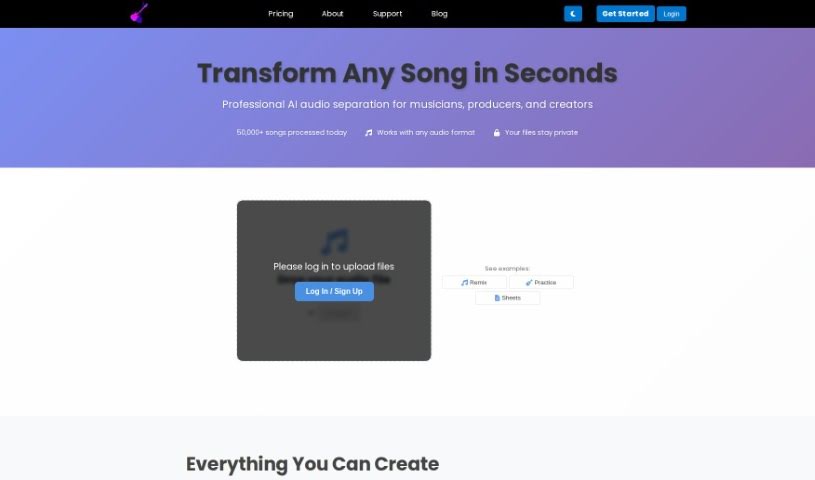
Screenshot of Freemusicdemixer

Freemusicdemixer

Discover Freemusicdemixer, an AI tool for splitting songs into stems. Learn how to use it effectively in 2025, explore its features, and see how it stacks up against other audio tools.

Screenshot

What is Freemusicdemixer?

Freemusicdemixer is a really neat AI tool that lets you break down songs into their individual parts, which we call ‘stems.’ Think of it like separating the vocals, bass, drums, guitar, or piano from a mixed track. What’s great is that this tool runs right on your computer, so your privacy is totally protected – nothing gets stored or sent anywhere else. It’s built to be super easy to use, whether you’re a musician, a DJ, or just someone who loves music. If you want even better audio separation, their Pro version uses higher-quality AI models without any limits.

Music demixing, or stem separation as it’s also known, is all about pulling out those isolated components from a song. This opens up a world of creative possibilities, like remastering tracks, making new remixes, creating karaoke versions, and so much more.

Who created Freemusicdemixer?

Sevag H is the founder behind Freemusicdemixer. He’s the one who developed and keeps the Demucs Hybrid Transformer AI model, which powers the platform, up-to-date. Sevag has been diving into music demixing since 2021, with a clear focus on creating powerful AI models that run efficiently on your own device, ensuring your work stays private and offline.

What is Freemusicdemixer used for?

  • Remastering: Give old tracks a fresh sound.
  • Remixing: Isolate parts to create new versions of songs.
  • Karaoke: Easily pull out vocals for sing-alongs.
  • Instrumental extraction: Get just the instrumental tracks.
  • Backing tracks creation: Make your own accompaniment.
  • Music education: Help students understand song structure.
  • Music analysis: Study how songs are put together.
  • Music transcription: Aid in writing down music by ear.

How to use Freemusicdemixer?

Using Freemusicdemixer is pretty straightforward. Here’s how you can get started:

  1. Head to the Website: First, just visit the Freemusicdemixer website. You can demix songs here into vocals, bass, drums, guitar, piano, and other parts. Remember, all the processing happens right on your computer, so your data stays private.
  2. Pick Your Song: Once you’re there, choose the song you want to work with. Freemusicdemixer can separate tracks into common stems like vocals, drums, bass, and melody. If you subscribe to PRO, you can even get more specialized stems.
  3. Demix It: Go ahead and start the demixing process. You can select the options you need. There’s also a handy MAX MEMORY feature that lets you give the tool more memory, which can really speed things up.
  4. Watch It Process: You’ll see the song you chose being processed right away on your device. Since nothing is ever uploaded to a server, you get 100% privacy.
  5. Check Out Extra Features: Freemusicdemixer offers a PRO subscription that includes higher-quality AI models. Plus, there are special features for their Android app, and you can even record directly from your microphone or export custom mixes.
  6. Got Questions?: If anything is unclear, the website has a frequently asked questions section that might help. For any questions, bug reports, or if you have ideas for new features, you can reach out via email or Instagram.
  7. Use It As Much As You Want: The best part? You can use Freemusicdemixer as much as you like, with no limits at all, and your files always stay private.

So, by following these simple steps, you can easily break down songs into their individual stems with Freemusicdemixer. It’s a great tool for musicians, DJs, or anyone who’s passionate about music.

Related AI Tools

Discover more tools in similar categories that might interest you

Stay Updated with AI Tools

Get weekly updates on the latest AI tools, trends, and insights delivered to your inbox

Join 25,000+ AI enthusiasts. No spam, unsubscribe anytime.