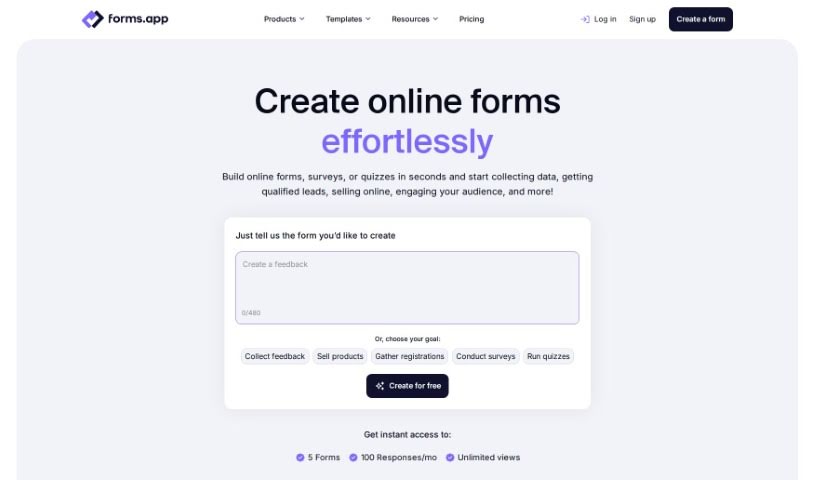
Forms.app is a really handy platform that lets you create professional-looking web forms, surveys, and quizzes online. And the best part? You can do it easily and even for free! It’s got this super user-friendly form builder, so you can design and launch your custom forms in a flash, no coding skills needed whatsoever. You’ll find all sorts of features here, like forms you can really make your own, advanced analytics to see how they’re doing, over 25 different types of form fields, and it even connects with more than 500 popular apps you probably already use. Lots of organizations around the world trust Forms.app, and they offer ready-to-go templates for all sorts of forms. Plus, they take data security seriously, and you can share your forms using a special link or even embed them right into your own website’s landing pages.
Forms.app was actually started by a team with their main office in the UK. They also have a Global Marketing Center over in Estonia and an R&D Center in Turkey. This company is really focused on making things better for users. They’re always working to improve their product, adding new features and integrations to make Forms.app even more effective and easier to use.
Forms.app is incredibly versatile! You can use it for:
- Automating tasks: Let forms handle repetitive jobs for you.
- Creating quizzes: Make fun or informative quizzes for engagement.
- Automating workflows: Streamline processes by connecting forms to other tools.
- Saving time: Cut down on manual work with efficient form creation.
- Creating web forms: Build any kind of online form you need.
- Building surveys: Gather feedback and insights from your audience.
- Designing quizzes: Craft engaging quizzes for learning or fun.
- Accepting payments: Easily collect payments directly through your forms.
- Integrating with over 500 popular apps: Connect Forms.app to your favorite tools like Google Sheets, Mailchimp, and more.
- Tailoring forms to fit brand image: Customize the look and feel to match your brand perfectly.
- Understanding your audience with robust analytics: Get detailed insights into how people interact with your forms.
- Creating customized and functional online forms: Design forms that are both unique and work exactly as you need them to.
- Creating professional web forms: Make a great impression with polished online forms.
- Designing surveys: Collect valuable information efficiently.
- Developing quizzes: Create interactive quizzes for educational or entertainment purposes.
- Providing diverse templates: Start quickly with a wide range of pre-designed templates.
- Offering robust analytics: Dive deep into your data with detailed statistics.
- Creating surveys: Gather feedback and opinions from your target audience.
- Analyzing data with detailed statistics: Understand your results with in-depth data analysis.
- Creating customized online forms: Build forms that are uniquely yours.
- Building quizzes online: Make interactive quizzes easily.
- Accepting payments through forms: A simple way to collect payments.
- Offering robust analytics for audience understanding: Gain valuable insights into your audience’s behavior.
- Customizing online forms without coding knowledge: Anyone can create great forms.
- Tailoring form designs to match brand image: Ensure your forms look consistent with your brand.
Forms.app is a great tool for a wide range of people and professions, including:
- Virtual Art Instructors
- Practice Managers
- Designers
- Business Owners
- Co-coordinators
- Anyone in Education Management
- Medical Practices
- Health, Wellness, and Fitness professionals
To really make the most of Forms.app, here’s a simple guide:
-
Getting Started:
- First off, head over to forms.app and sign up for your free account. It’s quick and easy.
- Then, dive into the intuitive form builder. You can create web forms, surveys, and quizzes without needing any coding skills at all.
-
Customizing Forms:
- Make your forms truly yours by tailoring the designs to match your brand image. You can add images and tweak the layouts.
- Pick from over 25 different field types. This helps you collect data efficiently and keeps everything organized.
-
Sharing Forms:
- Sharing is a breeze! You can generate a unique weblink for your form or embed it directly onto your website.
- You can also adjust privacy settings to target specific audiences or control who gets to see your forms.
-
Analyzing Data:
- Once you start getting responses, you can easily review and analyze them using the detailed statistics provided right on the platform.
- You can get your form responses in spreadsheet format or have them sent to your email inbox, making data management super simple.
-
Integration and Security:
- Take advantage of the more than 500 app integrations available. These are fantastic for automating your workflows and streamlining your tasks.
- You can feel confident about your data security. Forms.app uses technical measures to protect user data and makes sure to comply with privacy laws.
-
Pricing Options:
- Forms.app offers different plans to suit your needs. There’s a free tier with basic features, and then premium plans that unlock more advanced functionalities.
- You can choose to pay monthly or yearly, and they even offer discounts for educational institutions and nonprofit organizations.
By following these steps, you’ll be able to create, customize, share, and analyze online forms effectively with Forms.app. It’s a really versatile tool that many organizations worldwide rely on, thanks to its user-friendly interface and strong set of features.