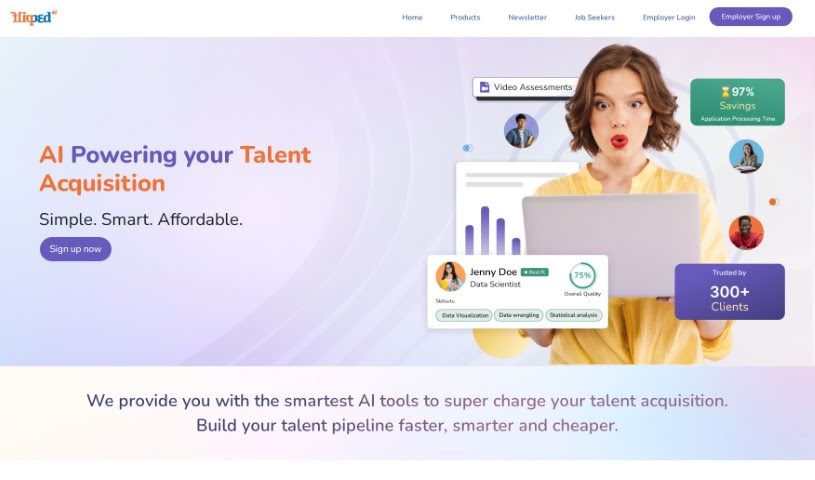
Screenshot of Flipped

Flipped

Discover what Flipped is and how to use it effectively in 2025. We'll explore its features and see how it stacks up against other recruitment tools.

Screenshot

What is Flipped?

Flipped is a platform designed to make hiring smoother. It connects directly with major job boards and applicant tracking systems (ATS). This means you can instantly find candidates from popular paid and free job sites like LinkedIn, Indeed, Dice, and Monster. Plus, Flipped integrates seamlessly with top ATS. By linking your ATS to Flipped.ai, you can tap into AI technology to help assess and select candidates more efficiently, really optimizing your entire hiring process.

Who created Flipped?

Flipped was created by Gaius, who launched it on June 20, 2024. Gaius is the founder, and you can find more company details on their LinkedIn page, “Flipped by Gaius”.

What is Flipped used for?

  • It helps with finding candidates.
  • It provides data analytics and insights.
  • It’s built using patented privacy-preserving language models.

Who is Flipped for?

  • Recruiters
  • Human Resources Managers
  • Talent Acquisition Specialists
  • Hiring Managers
  • Onboarding Coordinators
  • Career Coaches
  • Job Board Administrators
  • Recruitment Analysts
  • Staffing Specialists

How to use Flipped?

Here’s a straightforward guide to using the Flipped tool effectively:

  1. Get Started: First, head over to the Flipped website. If you don’t have an account yet, create one. Then, log in to access all the features.
  2. Set Up Your Project: Begin by creating a new project. It’s a good idea to give it a clear name so you can easily find it later.
  3. Add Your Content: Upload the documents or files you need to work with for this project. This could be anything from articles and reports to any text you want to analyze.
  4. Analyze the Text: Use Flipped’s text analysis tools to dig into your uploaded content. You might look at things like sentiment, extract keywords, or understand the main topics.
  5. Work Together: If you’re collaborating with a team, invite them to your project. You can also set specific roles and permissions to manage who can see and do what.
  6. Visualize Your Data: Take advantage of Flipped’s visualization options to present your findings clearly and engagingly. Think graphs, charts, or interactive dashboards.
  7. Export Your Findings: Once you’ve analyzed your content and uncovered valuable insights, you’ll want to export the results. This could be in the form of reports, spreadsheets, or presentations.
  8. Connect with Other Tools: If it makes sense for your workflow, see how Flipped can integrate with other tools or platforms. This can really help streamline how you share data and manage tasks.
  9. Gather Feedback and Refine: It’s always good to get feedback on the insights you’ve generated. If needed, use that feedback to refine your analysis and improve the quality of your work.
  10. Save Your Work: When you’re happy with the analysis and the results you’ve achieved, make sure to save your project in Flipped. This way, you can easily refer back to it later.

By following these steps, you can really make the most of the Flipped tool to analyze text data and get valuable insights for your projects.

Related AI Tools

Discover more tools in similar categories that might interest you

Adaface AI Resume Parser

Human Resource Recruitment
Learn More

Stay Updated with AI Tools

Get weekly updates on the latest AI tools, trends, and insights delivered to your inbox

Join 25,000+ AI enthusiasts. No spam, unsubscribe anytime.