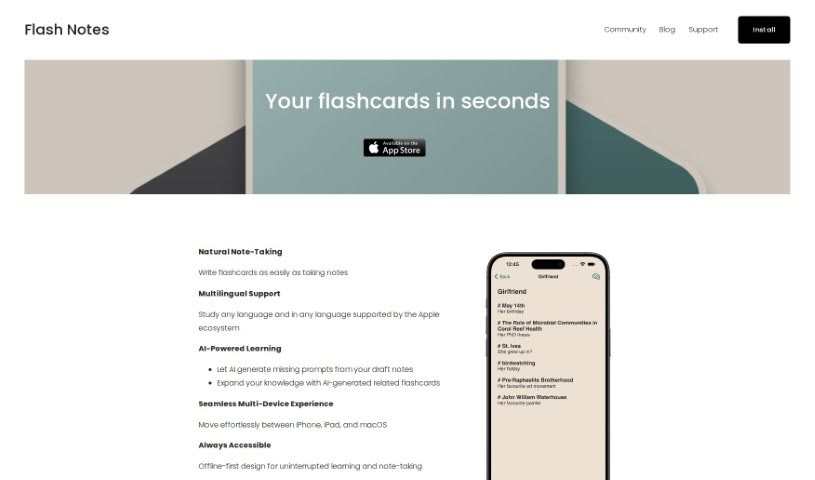
Screenshot of Flash Notes

Flash Notes

Discover what Flash Notes is and how to use it effectively in 2025. We'll explore its features and see how it stacks up against other student tools.

Screenshot

What is Flash Notes?

Flash Notes is a learning tool built specifically for those who like to dive deep into their studies. It uses AI to turn your own notes into interactive flashcards, making learning more engaging. What’s really neat is that it has smart learning algorithms that adjust to how you learn best, at your own speed. Plus, it syncs across all your devices, and your data is kept safe and sound in iCloud. These AI-powered flashcards are designed to transform your notes into something much more dynamic, helping you learn effectively and personally.

The learning algorithms are based on the spaced repetition method. This means the system is custom-built to adjust to your pace, giving you a truly bespoke learning experience.

Who created Flash Notes?

A company focused on personalized learning tools for advanced students developed Flash Notes. It first launched on April 7, 2024. The core of the tool is its AI-powered flashcards, which take your notes and turn them into interactive study aids. The company was founded with a clear vision: to create tailored learning algorithms, ensure seamless multi-device syncing, and prioritize user privacy. That’s why your data is stored securely in iCloud.

What is Flash Notes used for?

  • Privacy First: It’s designed with your privacy in mind.
  • Your Learning, Your Way: Get a learning experience that’s truly tailored to you.
  • Smart Algorithms: Uses personalized learning algorithms.
  • Adapts to You: It adjusts to your learning speed.
  • Spaced Repetition: Built on the spaced repetition method.
  • Note Transformation: Turns your notes into flashcards.
  • Syncs Everywhere: Multi-device synchronization with CRDT keeps everything updated.
  • Study Smarter: Helps you study more efficiently.
  • Smart Repetition: Features a Prioritized Repetition function.
  • Automatic Prompts: Generates flashcard prompts automatically.
  • Long-Term Memory: Boosts your long-term memory retention.
  • Seamless Experience: Enjoy a smooth experience across devices.
  • Quick Conversion: Converts notes swiftly.
  • Apple Ecosystem: Supports iOS and MacOS.
  • Secure Storage: Data is stored securely in iCloud.
  • For Advanced Learners: It’s ideal for those who want to go deeper.
  • Personal Access: Get personal access on iOS and MacOS.
  • Swiftly Transform Notes: Quickly turn structured notes into interactive flashcards.
  • Better Digital Learning: Enhance your digital learning with personalized AI flashcards.
  • Custom Learning: Create a unique learning environment with algorithms based on spaced repetition.
  • Adaptable Learning: It helps learning adapt to your pace and preferences.
  • Sync Across Devices: Seamlessly sync notes across iOS and MacOS devices.
  • Secure Data: A privacy-focused design ensures data is stored securely in iCloud.
  • Track Progress: Get insights into your learning progress with custom algorithms.
  • Respects Your Time: Adapts learning to your pace so you don’t waste time.
  • CRDT Sync: Synchronizes notes across multiple devices using Conflict-free Replicated Data Type (CRDT) technology.
  • Secure Data Handling: Provides highly secure data handling to protect your privacy and data integrity.
  • AI Flashcards: Uses AI-powered flashcards for a personalized learning experience.
  • Efficient Learning: Leverages the spaced repetition method for better learning efficiency.
  • iCloud Security: Ensures data security by storing it securely in iCloud.
  • CRDT Sync: Supports multi-device synchronization with CRDT technology.
  • Tailored Algorithms: Uses tailored learning algorithms for individual pace and preferences.
  • Seamless Apple Experience: Offers seamless learning across iOS and MacOS devices.
  • Privacy Design: Features a privacy-centric design for secure data handling.

Who is Flash Notes for?

  • Students
  • Educators
  • Professionals looking for personalized study aids
  • Researchers
  • Academic Professionals
  • Professionals in general
  • Language Learners
  • Self-learners
  • Academic Researchers
  • Teachers
  • Professionals across various fields
  • Advanced learners

How to use Flash Notes?

Here’s how to get the most out of Flash Notes:

  1. Download and Install:
    • First, grab Flash Notes from the Apple App Store.
    • Then, install it on your iOS or MacOS device.
  2. Sign Up:
    • You’ll need to create an account, or just log in if you already have one.
  3. Make Your Flashcards:
    • Start by taking notes or writing down your study material right in the app.
    • Flash Notes will quickly turn these notes into interactive flashcards powered by AI.
  4. Personalize Your Learning:
    • Take advantage of the smart learning algorithms that adjust to your pace and how you prefer to learn.
    • The spaced repetition method is key here; it makes sure you remember and reinforce information effectively.
  5. Sync Across Devices:
    • Enjoy seamless syncing of your notes across all your iOS and MacOS devices.
  6. Keep Your Data Safe:
    • You can relax knowing your data is stored securely in iCloud, meaning it’s private and only accessible from your own devices.
  7. See How You’re Doing:
    • Keep an eye on your learning progress and the insights Flash Notes provides to see how you’re advancing.
  8. Boost Your Efficiency:
    • Use the AI-generated prompts and related flashcards to expand your knowledge more efficiently.
  9. Keep Learning:
    • Make use of the optimized retention features to improve your long-term memory using spaced repetition techniques.

By following these steps, you can really make Flash Notes work for you, offering a personalized and efficient way to learn, especially if you’re an advanced learner.

Related AI Tools

Discover more tools in similar categories that might interest you

Academic Help Free Essay Generator

Education Academic Writing
Learn More

Stay Updated with AI Tools

Get weekly updates on the latest AI tools, trends, and insights delivered to your inbox

Join 25,000+ AI enthusiasts. No spam, unsubscribe anytime.