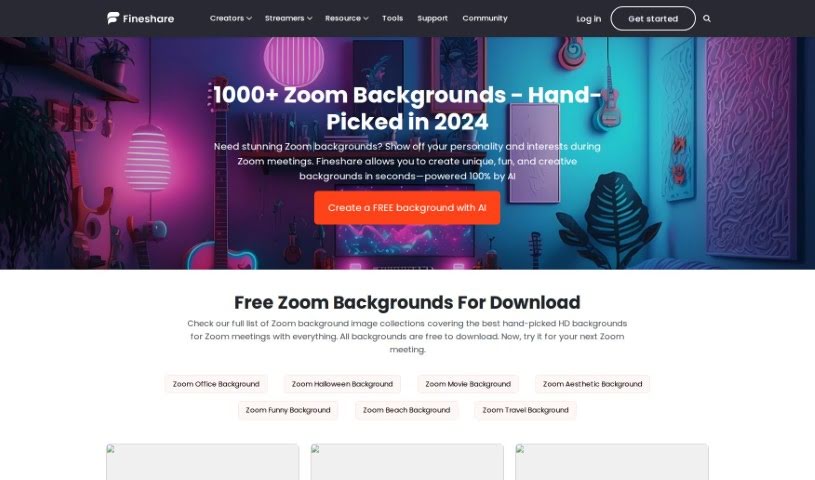
Screenshot of FineShare Zoom Background

FineShare Zoom Background

Discover what FineShare Zoom Background is and how to use it effectively in 2025. We'll explore its features and how it stacks up against other design generators, plus give you a simple guide to setting it up.

Screenshot

What is FineShare Zoom Background?

A Zoom Background is basically a digital picture or video you can use instead of your actual surroundings during a Zoom call. It is a customizable digital backdrop that lets you add a personal touch or a bit of fun to your virtual meetings. You can choose anything from a professional office look to a beach scene, a movie backdrop, or even something festive like a Halloween theme. It’s a great way to make your online presence more engaging and entertaining for everyone involved, and you can easily download or create your own to really make your video calls your own.

Who created FineShare Zoom Background?

FineShare is the company behind the Zoom Background tool. While the document doesn’t give us specific details about the company’s founders, we know FineShare is the creator of this handy tool.

Who is FineShare Zoom Background for?

This tool is perfect for a wide range of people who use Zoom regularly:

  • Remote Workers: To create a more professional or personalized home office environment.
  • Teachers: To make online classes more engaging or to hide a cluttered background.
  • Consultants: To maintain a polished and professional image during client calls.
  • Sales Professionals: To create a strong first impression and brand consistency.
  • Content Creators: To add visual interest and branding to their online content.
  • Therapists: To offer a calming or neutral background for clients.
  • Marketers: To showcase brand visuals or create engaging campaign backdrops.
  • Event Planners: To set a theme or provide a branded space for virtual events.
  • Real Estate Agents: To present properties virtually or maintain a professional appearance.
  • Customer Service Representatives: To ensure a consistent and professional look across all interactions.

How to use FineShare Zoom Background?

Setting up your custom Zoom background is pretty straightforward. Here’s a simple, step-by-step guide:

  1. Get Your Background Ready: First, download the image or video you want to use. Zoom actually supports both! If you’re looking for high-quality video, you might want to check out FineCam.
  2. Open Zoom Settings: On your desktop Zoom app, find and click the Settings button. Then, navigate to Background & Filters.
  3. Upload Your Background: Look for the plus (+) icon. Click it to upload the image or video you downloaded in step 1.
  4. Start a Meeting: Now, launch the Zoom app and start a new meeting, or join an existing one.
  5. Access Backgrounds & Effects: Once you’re in the meeting, click on the More icon, which is usually in the bottom right corner. From the options that pop up, select Backgrounds & Effects.
  6. Add Your Custom Background: Again, click the plus (+) icon. This is where you’ll upload your custom virtual background.

A quick note on file types and sizes: For images, Zoom works best with GIF, JPG/JPEG, or PNG files. Make sure they have a 16:9 aspect ratio and are at least 1280x720 pixels. If you’re using a video, MP4 or MOV files are the way to go, with resolutions ranging from 480x360 pixels (360p) up to 1920x1020 pixels (1080p). Following these simple steps should help you use Zoom Background effectively for all your meetings and presentations!

Related AI Tools

Discover more tools in similar categories that might interest you

123RF AI Image Generator

Creative Image Generation
Learn More

Stay Updated with AI Tools

Get weekly updates on the latest AI tools, trends, and insights delivered to your inbox

Join 25,000+ AI enthusiasts. No spam, unsubscribe anytime.