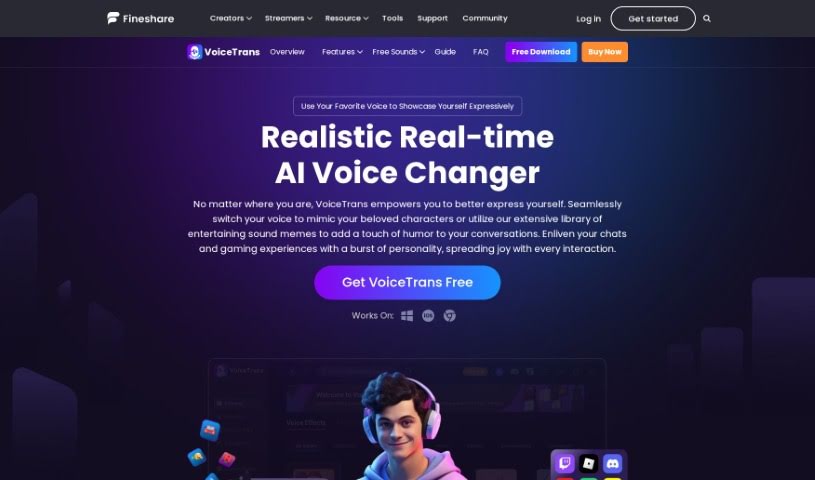
Screenshot of FineShare VoiceTrans

FineShare VoiceTrans

Discover FineShare VoiceTrans in 2025! Learn what this AI voice changer and soundboard does, how to use its features, and how it stacks up against other voice generators.

Screenshot

What is FineShare VoiceTrans?

VoiceTrans is a really neat AI voice changer and soundboard. It’s designed to make your conversations more fun and expressive by letting you play with your voice. You can choose from a bunch of different voice effects, customize them, and even try out AI voice cloning. It’s especially great for online gaming, where it can really boost your experience with real-time voice changing and sound memes. What’s cool is that VoiceTrans lets you change your voice instantly, without any lag, even if your computer isn’t super powerful. Plus, they offer free voice packs, sound effects, and voice effects every day, with an option to upgrade if you want quicker access to even more content.

Who created FineShare VoiceTrans?

Jordan Mitchell is the person behind VoiceTrans. His company is all about making online interactions better, especially through personalized AI voice changers and soundboards. They aim to help out folks who game, teach online, or do anything that involves using their voice online. The platform itself is packed with features like changing your voice on the fly, adding sound effects, and giving you access to a huge library of sounds to make things more engaging and enjoyable.

Who is FineShare VoiceTrans for?

  • Gamers
  • Streamers
  • Content creators
  • Voice Actors
  • Podcasters
  • Comedians
  • Educators
  • Customer service representatives
  • Social media influencers
  • Audio Engineers

How to use FineShare VoiceTrans?

Here’s a straightforward guide to get you started with VoiceTrans:

  1. Download and Install It:
    • First, head over to the VoiceTrans website at fineshare.com and grab the setup file.
    • Once it’s downloaded, just run the file to get VoiceTrans installed on your computer.
  2. Try Out Basic Voice Effects:
    • Open up VoiceTrans and take a look at the free basic voice effects it offers. You don’t need to pay anything to start playing around.
    • Simply click on a voice effect in the Voicebox, and you’ll hear your voice change right away, with no noticeable delay.
  3. Explore Advanced Features:
    • If you want to dive deeper, you can upgrade your plan. This unlocks cool stuff like custom voice effects and AI voice cloning.
    • You can check out the pricing page on the VoiceTrans site to see all the details about their premium subscription.
  4. Change Your Voice in Games:
    • You can use VoiceTrans directly on online gaming platforms. It’s perfect for changing your voice in real-time or playing sound memes during your games.
    • You’ll find it really enhances your gaming sessions, offering a great sound experience across many online games.
  5. Get Voice Packs and Sound Effects:
    • Don’t forget, you can get different voice packs, sound effects, and voice effects for free every single day.
    • You can even set up custom key bindings, which makes it super easy to drop sound effects into your games and apps without missing a beat.
  6. It’s More Than Just a Voice Changer:
    • You can even send voice messages or short sound memes directly through VoiceTrans in your games and chats.
    • Dive into AI voice packs, try out effects from popular anime voice actors, and explore the extensive sound libraries for a truly immersive experience.
  7. Make It Personal and Have Fun:
    • Want to customize your voice messages? You can pick your favorite character’s voice or even create your own unique sound.
    • VoiceTrans is a fantastic way to add personality and a bit of playfulness to your chats and gaming interactions.
  8. It’s Safe and Supported:
    • You can use VoiceTrans with confidence; it’s safe, doesn’t have ads or viruses, and they take your personal information security seriously.
    • If you ever have any questions about security or privacy, their support team is there to help.
  9. What About the Future?:
    • Right now, VoiceTrans doesn’t offer an API for developers. If that’s something you’d really like to see, feel free to reach out and let them know!

Ready to have some fun? Download VoiceTrans from the official website today and enjoy a more expressive and engaging way to communicate, whether you’re gaming, chatting, or creating content.

Related AI Tools

Discover more tools in similar categories that might interest you

Stay Updated with AI Tools

Get weekly updates on the latest AI tools, trends, and insights delivered to your inbox

Join 25,000+ AI enthusiasts. No spam, unsubscribe anytime.