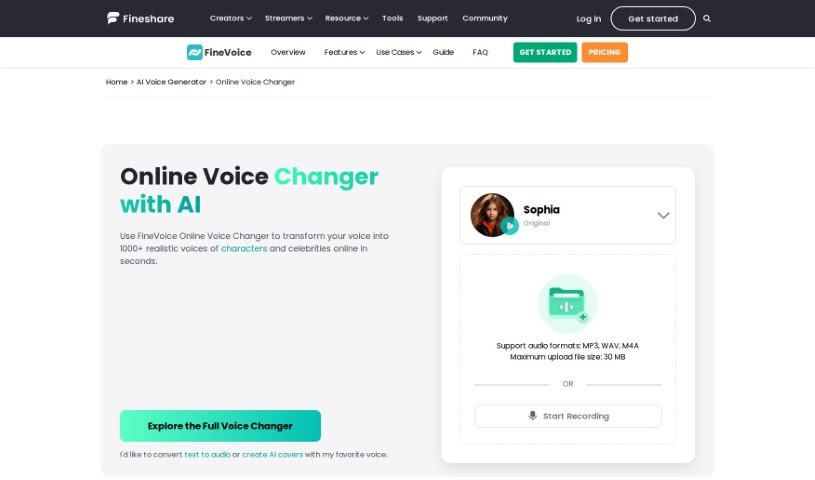
Screenshot of FineShare Online Voice Changer

FineShare Online Voice Changer

Curious about FineShare Online Voice Changer? We'll walk you through what it is, how to use its 1000+ AI-powered voice effects, and how it stacks up against other voice generators in 2025.

Screenshot

What is FineShare Online Voice Changer?

An online voice changer is a digital tool that lets you play with your voice, morphing it into all sorts of different sounds using technology. FineShare’s AI Voice Changer is a great example of this. It boasts a massive library of over 1000 voice effects, so you can easily tweak your voice’s pitch, switch between genders, or even sound like iconic characters like Darth Vader or Morgan Freeman. What’s really neat is that it uses AI Cloning technology. This means you can really step into different characters by completely changing your voice. You can switch genders, make your voice sound human with real emotions, and get your new voice almost instantly, all without needing to download any software. It’s super handy for fun, creating content, and works across pretty much any device or platform you use.

Who created FineShare Online Voice Changer?

While the specific founder isn’t mentioned in the details I have, FineShare Online Voice Changer is operated by FineVoice. They’ve put together a huge collection of over 1000 voice effects, making voice conversions incredibly fast. What really makes this platform stand out is not just the sheer number of voices, but how easy it is to change your voice gender, the power of its AI Cloning, and how quickly it works. You can transform your voice into all sorts of styles without ever needing to download or install anything, which makes it a really convenient option for whatever you need it for.

How to use FineShare Online Voice Changer?

Here’s a straightforward guide to getting started with the Online Voice Changer:

  1. First off, just open the FineVoice web app on your computer or phone.
  2. Next, you can either record your voice directly using your microphone or upload an audio file you already have.
  3. Then, click on “Select a voice” to browse and pick the voice you’d like to sound like.
  4. Once you’ve chosen, just hit the button to start the voice conversion.
  5. When it’s done converting, you can download your newly transformed audio file.
  6. This tool lets you change your voice into all sorts of fun styles – think ghost, demon, robot, girl, kid, old man, and many more!
  7. It’s especially useful if you’re a gamer, a video creator, a vlogger, or a filmmaker. You can add a really unique touch to your content and connect with your audience in a more creative way.

By following these simple steps, you can easily use the Online Voice Changer to give your voice a whole new character and create content that really grabs attention.

Related AI Tools

Discover more tools in similar categories that might interest you

Stay Updated with AI Tools

Get weekly updates on the latest AI tools, trends, and insights delivered to your inbox

Join 25,000+ AI enthusiasts. No spam, unsubscribe anytime.