What is Fina Money?
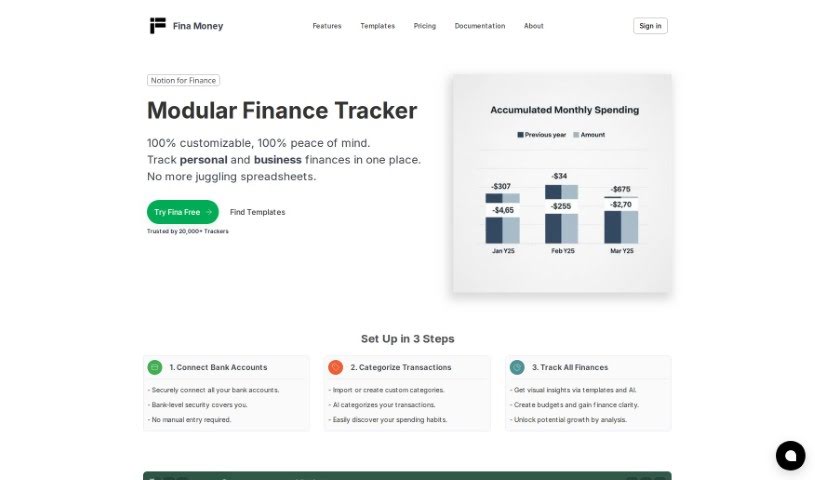
Fina Money is a really handy tool for managing your finances. It lets you build your own systems to keep track of your money exactly how you want. You can connect it to your financial accounts for live data, set up your own categories and rules for transactions, and even share your tracking systems with others. Plus, it’s designed with security in mind – it never stores your financial account login details. Fina Money gives you a lot of freedom, whether you’re budgeting, managing different profiles (like for business and personal finances), creating custom pages that look like documents, or sharing templates you’ve made. It uses Plaid to connect to banks and supports a wide range of financial accounts. You can set up rules and automations to make transaction tracking a breeze. If you’re looking to try it out, Fina Money offers a 7-day free trial for its paid plans, and it’s completely free if you prefer to import your data manually.
Who created Fina Money?
The specific creator of Fina isn’t mentioned in the information I have. What I can tell you is that Fina is presented as an AI financial advisor designed to help people manage their money and get proactive advice. It offers features like flexible budgeting, personalized tracking of key metrics, and strong connections to financial institutions via Plaid. Fina also includes tools for automatically categorizing transactions using rules and automations, and it has an AI assistant ready to answer your financial questions. If you’re curious about who founded Fina, you might need to look beyond these documents for that detail.
What is Fina Money used for?
Here’s a look at what you can do with Fina Money:
- Track Personalized Metrics: Set up and track the financial details that matter most to you.
- Flexible Budgeting & Scenario Planning: Create budgets that fit your life, including custom scenarios beyond basic categories.
- Multi-Profile Segmentation: Organize your finances into different profiles for separate tracking, perfect for managing business and personal accounts together.
- Doc-style Pages & Blocks: Build custom pages with your financial tracking setups or key information, offering unique insights.
- Create & Share Templates: Import and customize tracking systems, or share your financial strategies with the Fina community.
- Robust Financial Connections: Easily link to your financial institutions through Plaid.
- Rules & Automations: Set up automatic rules to categorize your transactions, saving you time and improving accuracy.
- Ask Fina AI: Get quick answers to financial questions or explore pre-made tracking setups by typing ’/’ to engage the AI.
- Only Pay For Live Connections: You only pay for the features that require live data connections.
- Fina for Financial coaches, CFP’s, & advisors: It’s a tool built with professionals in mind.
- Essential and Premium Paid Plans: Choose the plan that best suits your needs.
- Unlimited Custom Categories: Create as many categories as you need.
- The Fastest, Most Flexible Way To Track: Experience a streamlined and adaptable approach to financial tracking.
Who is Fina Money for?
Fina Money is particularly well-suited for:
- Financial coaches
- Certified Financial Planners (CFPs)
- Advisors
- CFP’s
- Certified Financial Planners (CFP)
- CFP’s (Certified Financial Planners)
How to use Fina Money?
Here’s a straightforward guide to getting the most out of Fina:
- Track Personalized Metrics: Start by customizing the metrics to perfectly match your financial situation. You can also rearrange them to make everything clear and easy to see.
- Flexible Budgeting & Scenario Planning: Go beyond basic budgeting by creating different scenarios that fit your lifestyle. You can set up budgets that are as simple or as detailed as you need, even using custom metrics instead of just categories.
- Multi-Profile Segmentation: This feature is great for keeping different parts of your finances separate. You can group accounts into profiles, which allows for separate accounting while still giving you a consolidated overview. It’s ideal if you need to track business finances alongside personal ones.
- Doc-style Pages & Blocks: You can create custom pages that function like documents. Use them to outline your financial tracking scenarios or highlight the specific blocks of information that are most important to you, leading to unique insights.
- Create & Share Templates: If you find a tracking system that works well, you can import templates to customize your setup. You can also share your own financial methodologies with the wider Fina community.
- Robust Financial Connections: Fina makes it easy to connect to your financial institutions using Plaid. It supports a variety of accounts for users in both the US and Canada.
- Rules & Automations: To make tracking more efficient and accurate, you can set up rules that automatically categorize your transactions. This saves a lot of manual effort.
- Ask Fina AI: Need a quick answer or want to explore a pre-built scenario? Just type ’/’ to ask Fina AI a financial question or to access ready-made tracking setups.
- Subscription Plans: Fina offers a free trial for its paid plans, with different tiers like Essential and Premium available. You can choose the plan that best fits your financial management needs.
By following these steps, you’ll be able to effectively use Fina to manage your finances and gain valuable insights.