Fetcher (Human Resource)
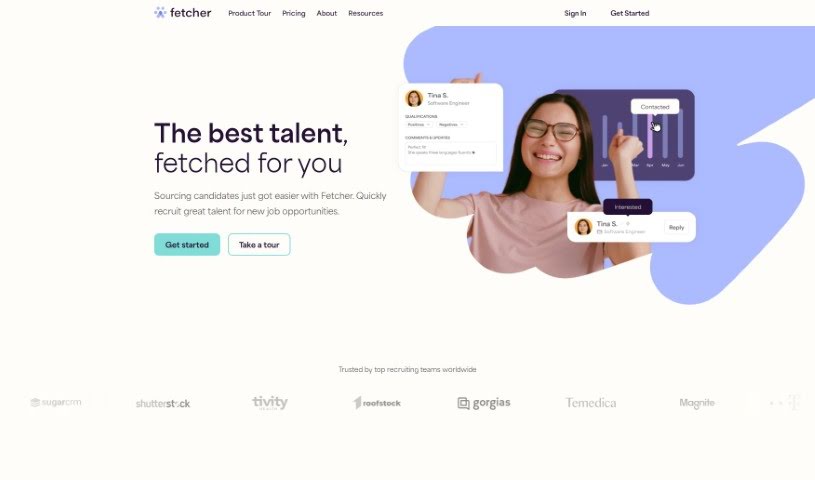
Screenshot of Fetcher

Fetcher

Discover what Fetcher is and how it automates candidate sourcing and outreach for recruiters, with diversity search criteria and integrations for your

Screenshot

What is Fetcher?

Fetcher is an AI-powered recruiting tool designed to help you find passive candidates. It connects with tools you likely already use, including your Applicant Tracking System (ATS), CRM software, email, calendar, and Slack, to make your hiring process smoother and improve team productivity. Fetcher also lets you set specific diversity search criteria, which is useful for recruiting talent from underrepresented groups and improving the candidate experience. It’s built for companies of all sizes and across many industries.

It has limitations, though: it doesn’t cover every professional field, it lacks a mobile app, and there are potential data privacy concerns worth noting.

Who created Fetcher?

Fetcher was founded by Andres and Chris in 2016 and officially launched on January 17, 2019. Its mission is to help companies connect with top talent through personalized, automated sourcing and outreach. Fetcher has raised $40 million and has worked with over 1,000 organizations across four continents.

What is Fetcher used for?

  • Find passive candidates: Reach people who aren’t actively job hunting but may be a good fit.
  • Recruit underrepresented talent: Target and engage candidates from diverse backgrounds.
  • Promote your brand: Get your company name in front of knowledge workers.
  • Automate talent sourcing: Let the AI handle finding candidates.
  • Assure high-quality candidate profiles: Get reliable information on potential hires.
  • Enhance candidate experience: Make outreach and the application process smoother.
  • Fit into your workflow: Integrate with your existing systems.
  • Replace traditional sourcing methods: Move beyond older, less efficient sourcing approaches.

Who is Fetcher for?

Fetcher is particularly useful for teams hiring in these areas:

  • Engineering
  • Finance
  • Product
  • Operations
  • Marketing
  • Sales
  • Customer Service

How to use Fetcher?

  1. Sign up and explore: Create an account on the Fetcher website, then review its features for managing candidate relationships, email integration, ATS connections, and talent sourcing.
  2. Customize your profile: Set up personalized diversity search criteria and clearly define your hiring requirements and candidate preferences.
  3. Connect your tools: Integrate Fetcher with your ATS, CRM, email client, calendar, and Slack to streamline operations.
  4. Start sourcing: Fetcher’s AI automatically sources candidate profiles matching your needs, pulling from a wide range of databases and job boards.
  5. Improve the candidate experience: Automated, personalized outreach keeps the process smooth for candidates while your team focuses on engagement.

Related

Related AI Tools

Discover more tools in similar categories

Adaface AI Resume Parser

Human Resource Recruitment
Learn more
AI Conver Letter Creator

Human Resource Cover Letter Generation
Learn more

New tools, in your inbox.

Weekly picks of the best AI tools we've researched and added — no spam, unsubscribe anytime.

Join 25,000+ AI enthusiasts. No spam, unsubscribe anytime.