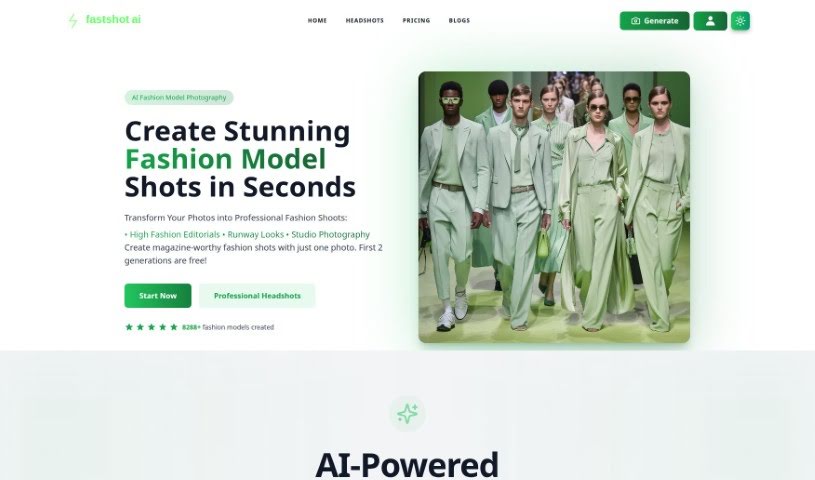
Screenshot of Fastshot Ai

Fastshot Ai

Discover what Fastshot AI is and how to use it effectively in 2025. Explore its features, customization options, and how it stacks up against other AI headshot generators.

Screenshot

What is Fastshot Ai?

FastShot AI is a really neat tool that uses artificial intelligence to whip up personalized headshots for you, and get this – it does it for free in under 30 seconds! You can tweak your headshots to look just right, choosing different outfits, backgrounds, and even expressions. Plus, you get your first five headshots completely free. It makes getting a great headshot super simple, no need for fancy training or complicated software. You can really tailor the look with various clothing styles, backdrops, poses, and expressions, making sure your headshot is perfect for your business profile, social media, or personal brand. They also offer professional upgrades if you want even more detail, and you can download your finished shots without any watermarks.

Who created Fastshot Ai?

FastShot AI was developed with the goal of completely changing how we get professional headshots, offering a Fast & Free Headshot Generator. While the specific founder and company details aren’t shared in the information I have, the core idea behind FastShot AI is to provide personalized, AI-generated headshots quickly and for free. You can get these custom shots in less than 30 seconds, with options to change clothing, backgrounds, and expressions. If you’re looking for specific details about who founded FastShot AI or more about the company itself, you’d likely need to check out their official website or other company resources.

What is Fastshot Ai used for?

  • Sharing on social media
  • Building your personal brand
  • Creating professional business profiles
  • Getting great headshots for business profiles
  • Snagging eye-catching social media headshots
  • Boosting your personal branding efforts

Who is Fastshot Ai for?

  • Business professionals looking polished
  • Social media influencers wanting to stand out
  • Anyone focused on personal branding

How to use Fastshot Ai?

Ready to create your personalized headshots with FastShot AI? It’s pretty straightforward:

  1. First, upload a clear, close-up photo of your face. Make sure there aren’t any shadows obscuring your features.
  2. Next, head over to the FastShot AI platform and start customizing. You can pick your gender, clothing style, the backdrop you want, your pose, expressions, body type, and even choose your preferred quality and whether you want a watermark.
  3. Really play around with the customization options! Try out different clothing styles, experiment with various backdrops, and select poses and expressions that best suit you to make your headshot truly yours.
  4. Once you’re set, generate your AI headshot. Thanks to FastShot AI’s speedy processing, you’ll have it in less than 30 seconds.
  5. Finally, download your high-quality headshot right from the platform. It’s a seamless experience, and best of all, there are no watermarks.
  6. Just a quick reminder: follow the photo guidelines for the best results. Avoid photos where faces are too far away, have strong shadows, or are blurry.

FastShot AI generously offers the first five headshots for free, so you can really test it out and see what it can do without spending a dime. If you find you need more shots or want access to advanced features, they do have paid plans available, often with special discounts for a limited time. Currently, you can make one-time payments for bundles of headshots, and you have the flexibility to cancel whenever you need to.

Related AI Tools

Discover more tools in similar categories that might interest you

123RF AI Image Generator

Creative Image Generation
Learn More

Stay Updated with AI Tools

Get weekly updates on the latest AI tools, trends, and insights delivered to your inbox

Join 25,000+ AI enthusiasts. No spam, unsubscribe anytime.