Extendmusic.ai (Audio)
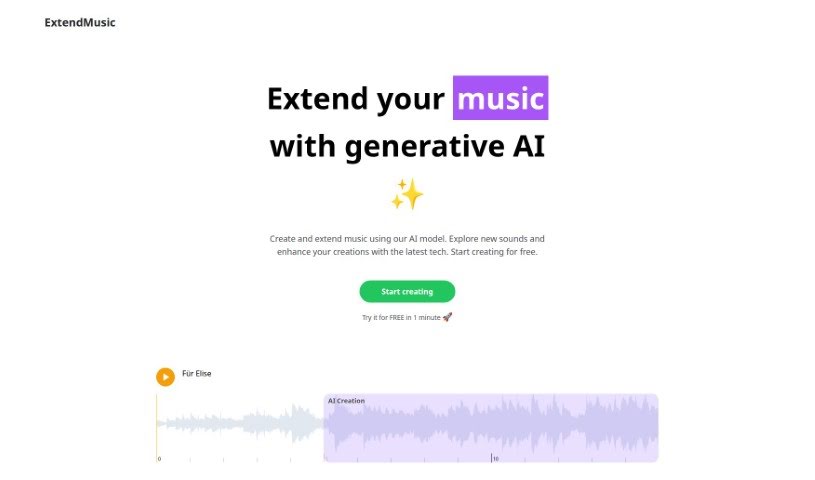
Screenshot of Extendmusic.ai

Extendmusic.ai

ExtendMusic.AI extends your own songs with AI-generated audio based on prompts you control, starting from a 10-second clip.

Screenshot

What is Extendmusic.ai?

ExtendMusic.AI is an AI application for extending your own music. You upload a song, select a starting point, and the platform generates an AI extension that continues the piece. You can guide the output with a prompt describing the mood or theme you want, and choose how long the extension should be — starting from a 10-second clip. The site showcases what the AI can do with examples like “Für Elise,” “Electronic Variation #1,” and “Electronic Variation #2.”

Key features:

  1. AI-generated extensions — advanced AI continues and amplifies your music.
  2. Easy upload and generation — upload your track and pick the starting point for the extension.
  3. Customizable prompts — set prompts to steer the style of the generated music.
  4. Flexible duration — choose the length of the extension, starting from 10 seconds.
  5. Interactive examples — listen to demos like “Für Elise” and “Electronic Variation” before using the tool.

Who created Extendmusic.ai?

The source material doesn’t name a specific founder. The company’s stated focus is using advanced AI technology to seamlessly extend music compositions, with customizable extensions and interactive examples to spark creativity.

What is Extendmusic.ai used for?

  • Extending and enriching your own music with AI.
  • Uploading a track and selecting a specific clip to guide the extension.
  • Shaping the generated music’s style through prompts.
  • Controlling the length of extensions, starting from 10 seconds.
  • Exploring the AI’s capabilities through interactive demo examples.

Who is Extendmusic.ai for?

  • Musicians
  • Producers
  • Creators

How to use Extendmusic.ai?

  1. Upload your music to the platform.
  2. Pick your context — select a 10-second clip as the starting point.
  3. Write a prompt describing the mood or theme you want.
  4. Choose the length of the extension.
  5. Generate — the AI creates an extension that flows from your chosen clip.
  6. Explore the examples like “Für Elise” or “Electronic Variation” to see what the AI can do.

Related

Related AI Tools

Discover more tools in similar categories

New tools, in your inbox.

Weekly picks of the best AI tools we've researched and added — no spam, unsubscribe anytime.

Join 25,000+ AI enthusiasts. No spam, unsubscribe anytime.