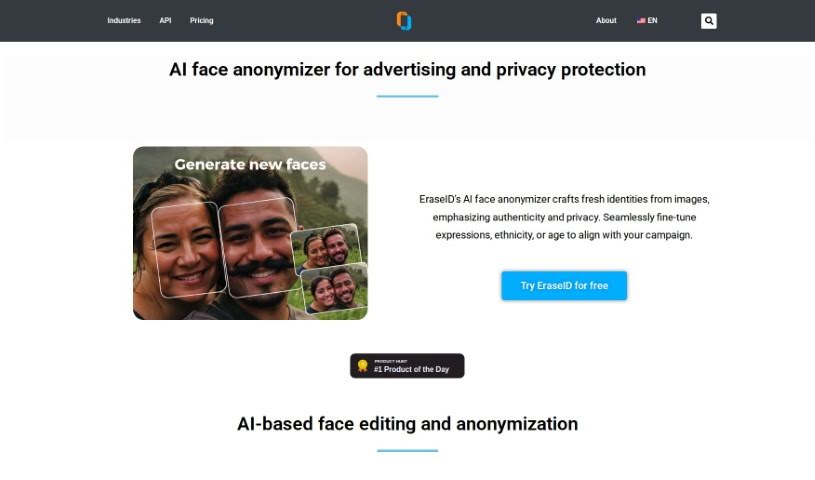
Screenshot of Eraseid AI Face Anonymizer

Eraseid AI Face Anonymizer

Discover what Eraseid AI Face Anonymizer is and how to use it effectively in 2025. We'll explore its features and how it stacks up against other marketing tools.

Screenshot

What is Eraseid AI Face Anonymizer?

EraseID is a specialized technology designed for face anonymization and editing. It’s a really neat tool that lets you create entirely new faces, complete with all sorts of expressions, ethnicities, and hairstyles. This is super handy for things like global marketing campaigns, targeted advertising, or even A/B testing. It is a way to skip the hassle of endless photo shoots, avoid using the same old stock photos, and sidestep those tricky model release forms. EraseID uses AI to anonymize and edit faces, generating synthetic identities that respect privacy rights. It’s a smart way to make sure your images are both visually appealing and compliant with privacy laws.

Who created Eraseid AI Face Anonymizer?

PiktID is the company behind EraseID. They offer a whole suite of AI-powered visual content solutions. Besides EraseID for face anonymization and editing, they also have products like TagID and SuperID. Their platform makes it easy for users to upload images, create custom backgrounds, and generally tweak visual content without much fuss. PiktID really emphasizes privacy and makes sure their image processing is GDPR compliant, giving you lots of options for your creative projects.

What is Eraseid AI Face Anonymizer used for?

  • Tailored Imagery for Global Outreach: Create unique visuals for worldwide campaigns without needing model releases.
  • AI-Powered Image Anonymization: Keep the look and feel of your images while ensuring privacy.
  • Amplify Your Image Assets: Expand your collection of stock photos by using AI-generated fills to replace faces with high-resolution, unique options.
  • AI-Assisted Model Editing: Give portraits a fresh look with AI-generated faces or modify existing ones to perfectly match what your clients need.
  • Fuel Creativity with AI-Generated Faces: Quickly retouch faces with AI or choose from a library of unique facial expressions.
  • Prioritizing Students’ Privacy: Capture school life moments while staying compliant with GDPR guidelines, so you can use photos worry-free.
  • Face anonymization and editing for graphic designers: This helps designers get creative and produce unique visuals.
  • Anonymizing photos in educational institutions: This ensures compliance with GDPR rules.
  • Creating diverse and unique faces: Perfect for global campaigns and marketing efforts.
  • Bypassing model release issues: Use AI-generated faces instead of real models.
  • Integration with secure APIs: Connect EraseID to your own systems for advanced creative workflows.
  • Facilitating image comparisons: Use vector search to find similar images, making it easy to explore related visuals.
  • Auto-tagging software: Organize and describe images automatically using object detection.
  • Enhanced visual insight: Compare images using embeddings to find similarities and differences more effectively.
  • Efficient image tagging and captioning: Tag and caption images easily with TagID.
  • Revolutionizing visual content management: Use AI tools like EraseID to transform how you handle visuals.
  • Revamp portraits with AI-created faces: Photographers can refresh their portrait work.
  • Crafting custom model personas: Create consistent brand identities with unique AI models.
  • Anonymizing images for social media: Respect individual privacy rights online.
  • Removing personal identities from images: Ensure GDPR compliance and protect privacy.
  • Crafting new identities: Create authentic and private advertising visuals.
  • Generating unique models for face replacement: Easily swap faces in images with AI-generated ones.
  • Editing face features, origin, age & hair style: Customize facial attributes with AI.
  • Tailored imagery for global outreach: Marketing teams can create visuals without model release concerns.
  • AI-powered image anonymization: Maintain visual appeal while ensuring privacy and GDPR compliance.
  • Broadening stock photo spectrum for Enterprises: Companies can access a wider range of visuals.
  • Fueling Creativity with AI-Generated Faces for Graphic Designers: Designers get a powerful tool for inspiration.
  • Capturing school life while adhering to GDPR guidelines: Educational institutions can document events safely.
  • Replacing identities in pictures for privacy protection: A straightforward way to anonymize images.
  • Generating unique models with AI for Identity Generation: Create new identities for various uses.
  • Editing face features, origin, age, and hairstyle using AI: Fine-tune facial details.
  • Creating consistent custom model personas for branding purposes: Brands can develop a unified look.

Who is Eraseid AI Face Anonymizer for?

  • Marketing professionals
  • Privacy advocates and protectors
  • Businesses and Enterprises
  • Photographers
  • Graphic designers
  • Educational institutions

How to use Eraseid AI Face Anonymizer?

Using EraseID for face anonymization and editing is pretty straightforward. Here’s a simple breakdown of the steps:

  1. Upload Your Image: Start by uploading a JPG or PNG file. The platform accepts images up to 50 megabytes and with a resolution as high as 7,000 x 7,000 pixels.
  2. Anonymize the Image: EraseID’s AI will automatically detect faces and even hairstyles in your image. It then replaces them with algorithmically generated ones, effectively anonymizing the picture to meet privacy standards like GDPR.
  3. Adjust the Image: Once anonymized, you can fine-tune the results. The tools let you customize things like expressions, ethnicity, age, and hairstyle to perfectly match what you need.
  4. Generate and Fill Details: You can mask specific areas of the image and use AI to generate and fill in details, giving you the exact level of anonymity and visual style you’re aiming for.
  5. Download or Integrate: When you’re happy with the edited image, you can download it directly for your projects. If you want a more integrated workflow, you can also connect EraseID to your existing platforms using the provided API.
  6. Storage and Safety: Your generated photos are kept securely on third-party servers located in the European Union for 24 hours. You have the option to keep them longer if you wish.

By following these steps, you can easily use EraseID’s powerful features to anonymize faces in your images, ensuring privacy compliance and allowing for custom edits for all sorts of purposes.

Related AI Tools

Discover more tools in similar categories that might interest you

Stay Updated with AI Tools

Get weekly updates on the latest AI tools, trends, and insights delivered to your inbox

Join 25,000+ AI enthusiasts. No spam, unsubscribe anytime.