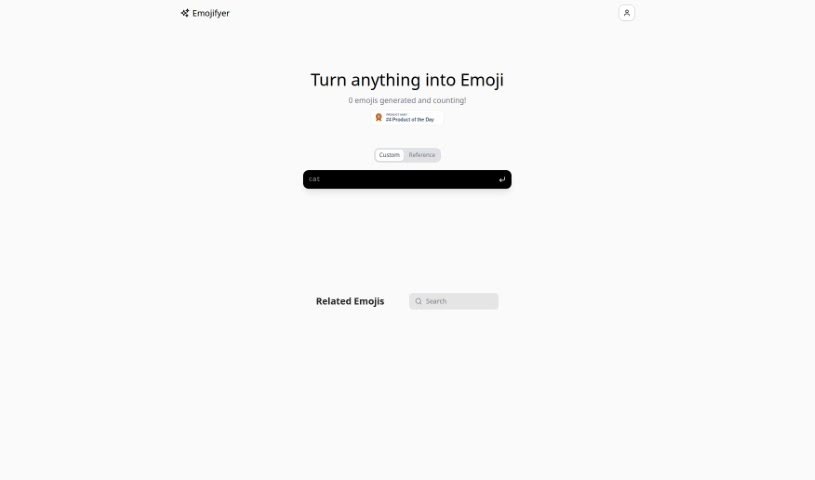
Screenshot of Emojify

Emojify

Discover what Emojify is and how to use it effectively in 2025. We'll explore its features and see how it stacks up against other Image Generators.

Screenshot

What is Emojify?

Emojify is a neat AI tool that turns your selfies, or even pictures of objects and animals, into emojis. It’s a fun way to express yourself in your digital chats. Emojify uses smart AI to process images, recognizing different features to create matching emoji versions. It’s not just for faces, though; it can handle objects and animals too. The goal is to be really accurate, making sure the emojis look a lot like the original photos, so you can really show your personality online.

Who created Emojify?

Emojifyer was created by someone who prefers to stay anonymous, and it first launched on February 9, 2024. The company hasn’t shared details about its founder or specific company information.

What is Emojify used for?

  • It’s great for personal use.
  • It really makes digital communication more engaging.
  • You can turn your selfies into emojis.
  • It lets you create custom emojis.
  • It can also generate emojis for objects.
  • And it can create emojis for animals, too!
  • It’s also suitable for community use.
  • It adds a unique, personal touch to your messages.
  • It really helps promote individual expression.
  • Transforming images is super easy.
  • You can turn your selfies into emojis.
  • Create your own custom emojis.
  • Generate emojis for objects.
  • Generate emojis for animals.
  • It’s a fantastic way to enhance digital communication.
  • It works well for both personal chats and community interactions.
  • Add a personal touch to your conversations.
  • It can help boost interaction in your chats.
  • Promote your own unique style of expression.
  • It really helps increase chat interaction levels.

Who is Emojify for?

  • Graphic designers
  • Digital marketers
  • Content creators
  • Social media influencers
  • Photographers
  • Social media managers
  • Brand strategists

How to use Emojify?

Using Emojifyer is pretty straightforward. Just follow these steps:

  1. Upload Photos: First, upload photos of faces, objects, or animals to Emojifyer. Remember, it’s not just for human faces; it handles all sorts of images.
  2. AI Image Processing: Emojifyer uses AI to process your photos. This AI system looks at all the different features in your images to accurately turn them into corresponding emojis.
  3. Generate Emojis: After the photos are processed, Emojifyer creates emojis based on the features it found. The tool aims to be very accurate, making emojis that look a lot like your original photos.
  4. Personalize Communications: Emojifyer lets you make your digital messages more personal by creating custom emojis right from your own selfies. It really adds a unique touch to your conversations.
  5. Community Use: You can use Emojifyer for your personal chats or even for community groups. The custom emojis you create can make conversations more engaging and fun.
  6. Ease of Use: Don’t worry if you’re not tech-savvy! You don’t need any special experience to use Emojifyer. It’s designed to be really intuitive and user-friendly, making it easy to turn images into emojis.
  7. Best Results: For the best emojis, try uploading clear photos where the features are easy to see. While they haven’t specified exact photo requirements, clearer images usually mean better emoji quality.
  8. Professional Settings: You might even be able to use emojis created with Emojifyer in professional settings, depending on whether emojis are appropriate and accepted in that specific context.
  9. Messaging Apps: It’s not clear yet if the emojis work on all messaging apps. You might need to find out more about compatibility to know exactly where you can use them.
  10. Limitations: Some limitations to be aware of with Emojifyer include the possibility of inaccurate emoji representations, a lack of varied emoji styles, and potential privacy concerns. Also, the tool mainly focuses on selfie transformations and might not offer a huge range of customization options.

By following these steps, you can easily use Emojifyer to create custom emojis from various images and make your digital communication experience much better.

Related AI Tools

Discover more tools in similar categories that might interest you

123RF AI Image Generator

Creative Image Generation
Learn More

Stay Updated with AI Tools

Get weekly updates on the latest AI tools, trends, and insights delivered to your inbox

Join 25,000+ AI enthusiasts. No spam, unsubscribe anytime.