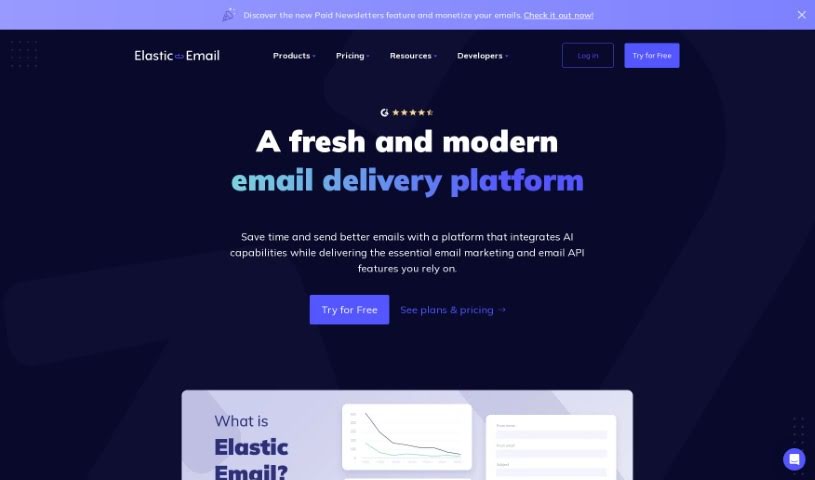
Screenshot of Elastic Email

Elastic Email

Discover Elastic Email in 2025! Learn what this cost-effective email marketing platform offers, how to use its features, and how it stacks up against other Email Marketing Tools.

Screenshot

What is Elastic Email?

Elastic Email is a reliable and budget-friendly email marketing platform that’s been around for 14 years, sending billions of emails every month. What’s really neat is that they’ve built their own Mail Transfer Agent, which is designed to make sure your emails actually reach people’s inboxes without needing any outside software. You can pick what works best for you: their Email Marketing product is perfect for sending out newsletters and promotional campaigns, while the Email API product is great if you just need to send emails via SMTP relay or use their API. Getting started with SMTP using Elastic Email is super quick and easy – you don’t need to be a coding whiz. The platform also comes with handy features like integrations that connect with your content management systems, webhooks so you can link email events to other services, and you can even invite other people to help manage your email communications. Elastic Email really shines because of its solid tools, clear pricing, how simple it is to use, and, importantly, its excellent track record for getting emails delivered.

Who created Elastic Email?

Elastic Email was actually founded by Tomer Aharon, who also co-founded Poptin. The current CEO of Elastic Email is Lukáš Zídka, who comes from TType. This company is well-known for its pricing that’s both affordable and can scale as you grow, a really user-friendly API, and some great features in their email editor. People often praise Elastic Email for how well their emails get delivered and for the fantastic support they offer. Businesses like Quicko, for instance, rely on it; their Founder, Vishvajit Sonagara, even calls Elastic Email their go-to partner for growth.

Who is Elastic Email for?

  • Digital Marketers
  • Content Creators
  • E-commerce Managers
  • Small Business Owners
  • Web Developers
  • Nonprofit Organizers
  • Sales Professionals
  • Social Media Managers
  • Event Planners
  • Freelancers

How to use Elastic Email?

Ready to dive in? Here’s a simple breakdown of how to get the most out of Elastic Email:

  1. Sign Up and Log In: First things first, head over to Elastic Email’s website to create your account. Once that’s done, just log in to start exploring everything the platform has to offer.
  2. Create Your Email Campaigns: You can design really eye-catching emails using the Email Designer tool. Whether you prefer a simple drag-and-drop interface or want to write your own HTML, it’s all there. Plus, they have a great selection of pre-made templates that look good on any device.
  3. Manage Your Contacts Smartly: Keep your contact lists organized with their segmentation features. You can even set up dynamic segments that update automatically, helping you send more relevant campaigns and connect better with your audience.
  4. Automate Your Emails: Want to boost your return on investment? Set up automated email sequences! You can build multi-step sales funnels that react to what your audience is doing in real-time, all through an easy-to-use interface.
  5. Make Your Emails Personal: Give your emails that personal touch by using custom fields. When you tailor your messages like this, you’ll likely see much better engagement from your contacts.
  6. Connect with API Integration: Need to link Elastic Email to other tools, your online store, or custom apps? You can do that easily via their API or SMTP relay. This connection lets you send both your marketing messages and important transactional emails smoothly.
  7. Get Detailed Reports: Keep a close eye on how your email campaigns are performing with detailed reports and analytics. You can see what’s working in real-time and tweak things as needed to get even better results.
  8. Count on Customer Support: Elastic Email offers 24/7 customer support, and you’ll be talking to real people who can help you through every step of your email marketing journey.
  9. Understand Costs and Plans: They offer competitive pricing, so you can find a plan that fits your budget and your needs. Elastic Email has various features designed to support all your email marketing efforts.
  10. Time to Get Started: Just follow these steps, and you’ll be well on your way to using Elastic Email effectively. You’ll soon see the benefits of having a powerful email marketing tool in your corner.

By taking these steps, you can really make the most of Elastic Email for all your email marketing campaigns and communication strategies.

Related AI Tools

Discover more tools in similar categories that might interest you

Stay Updated with AI Tools

Get weekly updates on the latest AI tools, trends, and insights delivered to your inbox

Join 25,000+ AI enthusiasts. No spam, unsubscribe anytime.