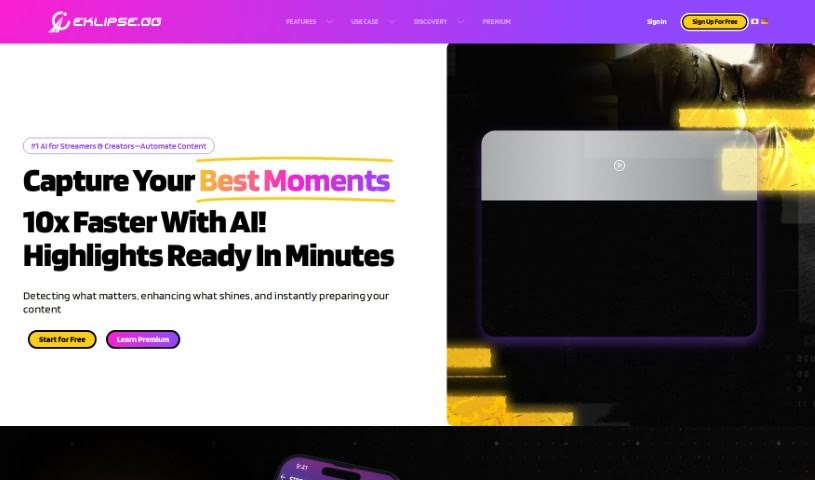
Screenshot of Eklipse

Eklipse

Discover what Eklipse is and how to use it effectively in 2025. We'll explore its features and see how it stacks up against other content creator tools.

Screenshot

What is Eklipse?

Eklipse is your AI assistant for content creation. It’s built specifically for people who stream on platforms like Twitch. Its main job is to take those exciting moments from your streams and turn them into short, shareable clips for other social media sites. We’re talking about places like TikTok, Instagram Reels, and YouTube Shorts. Eklipse handles the heavy lifting, automatically converting your Twitch clips into the right format for these platforms. This really saves you a ton of time and effort. Plus, it’s super easy to use, offering instant and free services. You don’t have to worry about any complicated manual editing, which makes it a fantastic choice if you’re a streamer wanting to reach a wider audience across different platforms.

Who created Eklipse?

Eklipse was developed with a clear goal: to help content creators easily share their best Twitch stream moments on social media. The tool itself was created by a company called Eklipse, which is all about using AI to make converting Twitch clips into formats perfect for TikTok, Instagram Reels, and YouTube Shorts as simple as possible. This means you can forget about tedious manual editing. Instead, you can focus on creating great content, while Eklipse takes care of generating and sharing those clips for you, making the whole process feel effortless.

What is Eklipse used for?

Eklipse is designed to make your life as a content creator much easier. Here’s a breakdown of what it can do for you:

  • It’s completely free to use.
  • Automated Clips: It uses an AI-powered system to automatically turn your Twitch streams into clips.
  • Share Everywhere: You can easily share these clips across TikTok, Instagram Reels, and YouTube Shorts.
  • Instant Conversion: The process is speedy, transforming your streams into shareable content in no time.
  • Super Easy to Use: No manual editing is needed, making it accessible for everyone.
  • Clip from Multiple Sources: You can clip not just Twitch, but also YouTube and Facebook streams and VODs.
  • Automatic Gaming Highlights: It can automatically find and create highlights from your gaming sessions.
  • Convert Twitch Clips to TikTok & More: Easily transform your Twitch clips for platforms like TikTok.
  • Manual Editing Options: You also have the ability to manually edit and trim clips if you prefer.
  • Easy Export & Share: Export your clips and share them directly to your social media platforms.
  • Speedy Stream Transformation: It’s a quick process that turns your streams into content ready for sharing.
  • Clip Creation Made Simple: You won’t need to do any manual editing for clip creation.
  • Generate Highlights Automatically: It can automatically generate highlights from Twitch, YouTube, and Facebook streams and videos.
  • Download High-Res Clips: You can download high-resolution clips for sharing on platforms like Instagram and Facebook, and even YouTube.
  • Customization Options: You can manually edit clips, use custom templates, and even add copyright-free music.
  • Viral Moments: It helps transform those longer videos into short, viral moments.

Who is Eklipse for?

Eklipse is a fantastic tool for anyone involved in creating content online, especially:

  • Content creators
  • Streamers
  • Creators in general
  • Social media influencers
  • Digital marketers

How to use Eklipse?

Using Eklipse is pretty straightforward. Here’s how you can get the most out of it:

  1. Automatically Clip Your Twitch/YouTube/Facebook Streams:

    • First, sign up and create your Eklipse account.
    • Next, connect your Twitch, YouTube, or Facebook Gaming account to Eklipse.
    • Then, make sure to enable “Auto-processing” in your account settings.
    • Just stream as you normally would, and your AI-generated clips will be ready for you in just a few minutes. You can find them under the Clips > Streams section.
  2. Convert Kick Clips to TikTok/Reels/Shorts:

    • Start by signing up for an Eklipse account if you haven’t already.
    • On the Home menu, click “Start Converting.”
    • Upload your Kick clip. You can then edit it using templates and layers to make it just right.
    • Once you’re happy, finalize and confirm the changes.
  3. Clip Kick Stream Automatically with AI:

    • Sign up for Eklipse.
    • After you’ve finished streaming, copy your Kick VOD URL.
    • Import that stream URL into Eklipse by going to Clips > Stream.
    • To start the automatic clipping process, just click “Get Clip.”
  4. Sharing Highlights on Social Media Platforms:

    • Eklipse makes it super easy to share highlights directly to TikTok with just one click.
    • If you want to share on Instagram, Facebook, or YouTube, you can download high-resolution clips directly from Eklipse.

Overall, Eklipse really helps content creators by providing AI-generated highlights, free templates you can customize, scheduling options, and simple sharing to popular social media platforms like TikTok, Instagram, and YouTube. It streamlines the whole process by automating clip generation, meaning you don’t have to do any manual editing. It’s a quick, free, and really accessible tool that makes sharing your content much better.

Related AI Tools

Discover more tools in similar categories that might interest you

Stay Updated with AI Tools

Get weekly updates on the latest AI tools, trends, and insights delivered to your inbox

Join 25,000+ AI enthusiasts. No spam, unsubscribe anytime.