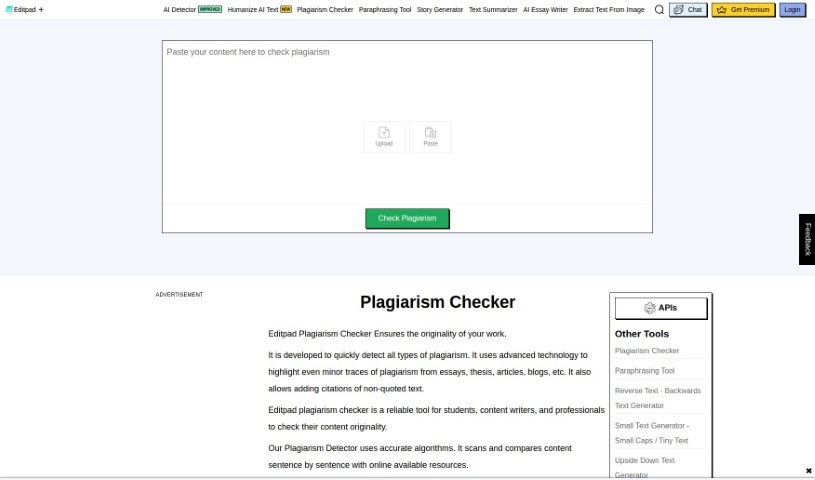
Screenshot of Editpad AI Plagiarism Checker

Editpad AI Plagiarism Checker

Discover what the Editpad AI Plagiarism Checker is and how to use it effectively in 2025. We'll explore its features and see how it stacks up against other plagiarism checkers.

Screenshot

What is Editpad AI Plagiarism Checker?

An AI plagiarism checker is a digital detective for your text. It’s designed to scan what you’ve written and compare it against a vast ocean of online content and published works to spot any accidental copying. You can either type your text straight into the tool or upload a document. Once it’s done scanning, it’ll give you a clear percentage of how much of your work is unique and how much might be similar to existing sources. It even points out where the potential matches are, so you can check them out yourself. Plus, you can grab a detailed report to share, maybe with a client or for your own records. This is super handy for students, bloggers, and SEO folks who need to make sure their work is original before they submit it or put it out there, helping them avoid any trouble down the line.

Who created Editpad AI Plagiarism Checker?

Editpad.org is the team behind this AI Plagiarism Checker. They offer a free online tool that makes checking for plagiarism really straightforward. What’s great about it is that it gives you accurate percentage results, does a deep dive search, works with over 20 languages, and best of all, it’s completely free to use. Students, bloggers, and SEO experts find it incredibly useful for making sure their content is original before they share it.

How to use Editpad AI Plagiarism Checker?

Using an AI Plagiarism Checker is pretty simple. Here’s how you can get started:

  1. Head over to the tool: First, just visit the AI Plagiarism Checker website. It’s easy to find.
  2. Pop in your text: You can either type your content directly into the box provided on the site, or if you already have it written, just copy and paste it in.
  3. Or, upload a file: If you prefer, you can also upload a file directly from your computer. Just look for the file upload option on the website.
  4. Start the check: Once your text is in, hit that “Check Plagiarism” button to kick off the process.
  5. See your results: The tool will then scan your content, comparing it against online databases and published material across the internet to find any matching text. You’ll get a clear percentage showing how much is unique and where any potential plagiarism might be.
  6. Grab your report: When the scan is finished, you’ll have the option to download a detailed report. This is great for sharing with clients or for your own records.
  7. Keep word limits in mind: Just a heads-up, the free version usually has a word limit, so you can check a certain number of words at a time.
  8. It uses smart tech: This tool uses advanced technology to do a really thorough search across the internet and archives, looking for any duplicate content.
  9. Extra helpful features: You might also find other useful features, like the tool pointing out the exact sources of potential plagiarism, offering a paraphrasing tool to help make your content unique, and supporting various file types like DOC, DOCX, TXT, and PDF.
  10. Who uses it?: This AI Plagiarism Checker is a lifesaver for students, bloggers, and SEO experts who need to confirm their work is original before submitting or publishing it.

By following these straightforward steps, you can easily use the AI Plagiarism Checker to make sure your content is completely original before you share it with the world.

Related AI Tools

Discover more tools in similar categories that might interest you

Academic Help Free Essay Generator

Education Academic Writing
Learn More

Stay Updated with AI Tools

Get weekly updates on the latest AI tools, trends, and insights delivered to your inbox

Join 25,000+ AI enthusiasts. No spam, unsubscribe anytime.