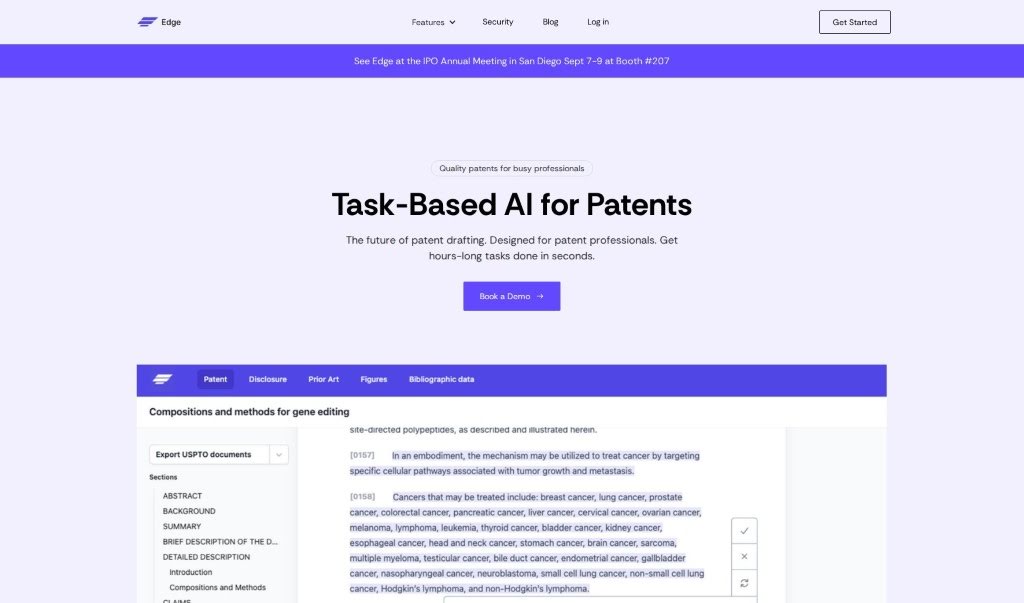
Screenshot of Edge

Edge

Discover what Edge is and how to use it effectively in 2025. Explore its features and see how it stacks up against other patent tools.

Screenshot

What is Edge?

Edge is a patent assistant tool designed to automate and simplify the entire patent writing and management process. It is a way to cut down on tasks that usually take hours, freeing up patent attorneys and inventors to focus on the really important stuff – like critical thinking. It helps you generate draft claim sets, create embodiments, and write boilerplate text, significantly cutting down the time you spend on detailed writing. Plus, it makes handling patent figures a breeze. You can easily edit them, add labels, and organize them all in one place, so you won’t need to rely on draftspeople for these often-complex drawing tasks. Edge also helps catch common reference errors when you’re preparing patents and even assists inventors in nailing down their inventive concept with built-in brainstorming features.

Who created Edge?

Edge was developed to automate and improve how patents are written and managed. When it launched, the main goal was to simplify tasks that typically eat up a lot of time. Edge helps patent attorneys and inventors save valuable hours. It’s packed with features for creating draft claim sets, managing patent figures, reducing those pesky reference errors, helping you brainstorm and formulate inventions, making disclosures simpler, and offering workflow management to keep everything organized and easy to share.

What is Edge used for?

  • It automates and streamlines the whole patent writing and management process.
  • It simplifies tasks that usually take hours, so patent attorneys and inventors can save time.
  • You can use it to generate draft claim sets and create embodiments and boilerplate text.
  • It makes handling patent figures much easier, letting you edit, add labels, and organize drawings.
  • It helps reduce common reference errors when preparing patents.
  • It assists inventors in formulating their inventive concept through brainstorming functionality.
  • It simplifies disclosures, cutting down on manual writing during the drafting process.
  • It provides workflow management to organize and categorize disclosures efficiently.
  • The aim is for it to be every patent professional’s personal patent assistant.
  • It’s designed with the understanding that patent expertise is a key part of using the tool effectively.
  • It helps generate draft claim sets and produce embodiments and boilerplate text, saving you time.
  • It streamlines handling patent figures by offering an easy platform for editing, labeling, and organizing drawings.
  • It assists inventors in formulating their inventive concept through brainstorming functionality.
  • It helps simplify disclosures and the drafting process, reducing manual writing.
  • It serves as a personal patent assistant for patent professionals, and yes, you’ll need patent expertise to get the most out of it.
  • It generates draft claim sets and produces embodiments and boilerplate text, cutting down on writing time.
  • It streamlines handling patent figures with an easy platform for editing, labeling, and organizing drawings.
  • It helps reduce common reference errors during patent preparation.
  • It aids in formulating inventive concepts through brainstorming functionality.
  • It simplifies disclosures and the drafting process to decrease manual writing.
  • It provides workflow management to organize and categorize disclosures for efficiency.
  • It acts as a personal patent assistant for patent professionals.
  • It offers capabilities for critical thinking by reducing the time spent on intricate writing.
  • You can manage all your disclosures in one place and share them with outside counsel when needed.
  • It generates draft claim sets, produces embodiments, and boilerplate text to save time.
  • It streamlines handling patent figures, including editing, labeling, and organizing drawings.
  • It helps reduce common reference errors in preparing patents.
  • It aids inventors in formulating inventive concepts through brainstorming functionality.
  • It provides workflow management to organize and categorize disclosures efficiently.
  • It supports critical thinking with features that let you focus on intricate writing tasks.
  • It helps simplify the invention formulation process by asking critical questions upfront.

Who is Edge for?

  • Patent attorneys
  • Inventors
  • Draftspersons

How to use Edge?

To really make Edge work for your patent drafting and management, here’s a simple breakdown of how to use it:

  1. Drafting Patents: Use Edge’s patent drafting software to create high-quality patents efficiently. You can draft claims, detailed descriptions, backgrounds, and more, all within a user-friendly interface.
  2. Patent Figures: Edge uses artificial intelligence to help you generate flow charts, edit figures, and easily track element names. This feature really simplifies working with complex patent drawings.
  3. Invention Disclosure: Speed up how you get disclosures from inventors. Edge uses AI to quickly parse content and create disclosures in just minutes.
  4. Patent Workflows: Get a handle on things with Edge’s workflow management. You can create templates, organize drafts, and generally streamline your entire patent drafting process.
  5. Data Security: Edge takes data security seriously. They use leading practices like SOC 2 Type II certification, encrypt data during transmission and storage, and offer options for where your data is kept, depending on your practice location.
  6. Expertise: To get the most out of Edge, it’s important to have a good grasp of patent concepts and practices. Remember, it’s designed to be your personalized patent assistant.

By following these steps, you can effectively use Edge to automate and improve your patent writing and management. It’s a great way to save time and simplify those complex tasks in the patent drafting workflow.

Related AI Tools

Discover more tools in similar categories that might interest you

Stay Updated with AI Tools

Get weekly updates on the latest AI tools, trends, and insights delivered to your inbox

Join 25,000+ AI enthusiasts. No spam, unsubscribe anytime.