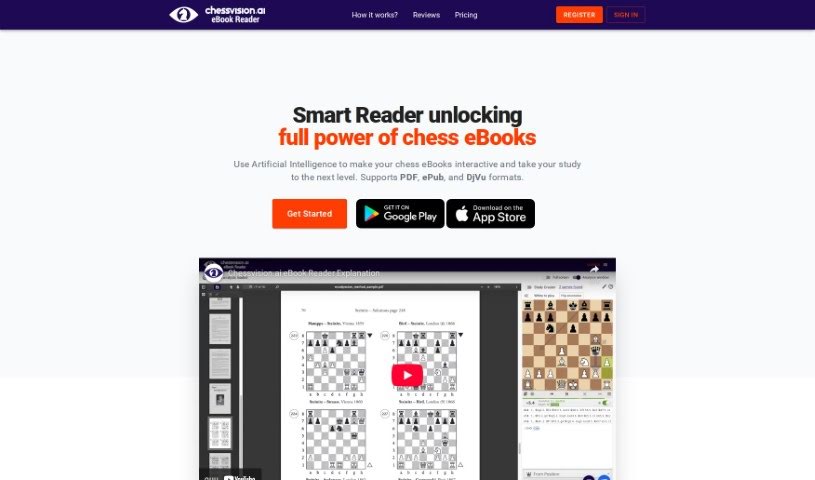
Screenshot of Ebook Chessvision

Ebook Chessvision

Discover what the Chessvision.ai Ebook Reader is and how to use it effectively in 2025. We'll explore its features, how it compares to other student tools, and who it's for.

Screenshot

What is Ebook Chessvision?

Chessvision.ai’s eBook Reader is a pretty neat tool, created by Pawel Kacprzak. It uses Artificial Intelligence and Computer Vision to bring chess eBooks to life, making them much more interactive and useful. You can actually add your own notes right into the eBooks! Plus, it has handy features like scanning positions and looking them up in online databases, or even analyzing them with an engine. The tool works with eBooks in PDF, EPUB, and DJVU formats. Once you process an eBook, you’re all set for any future readings – no need to do it again. They also offer a free trial, and if you decide to become a member, you get updates included. It’s pretty cool that it even won the Best Chess Startup 2020 Award!

Who created Ebook Chessvision?

Pawel Kacprzak, the founder of chessvision.ai, is the brilliant mind behind the Chessvision.ai eBook Reader. He launched it on January 1, 2020, and it quickly made a splash, earning the Best Chess Startup 2020 Award at the Chesstech2020 Conference. This tool really shines by applying Artificial Intelligence and Computer Vision to chess eBooks, making them super interactive and easy for chess players, no matter their skill level, to use.

What is Ebook Chessvision used for?

  • It lets you study your existing chess eBooks.
  • You get interactive chess diagrams.
  • There’s a handy position scanning feature.
  • It supports adding your own comments.
  • You can search for positions online.
  • It includes a built-in engine for analysis.
  • It’s designed for chess players at all levels.
  • Members get lifetime free updates.
  • Members also receive priority support.
  • You can analyze multiple pages for free.

Who is Ebook Chessvision for?

  • Chess players of all levels.

How to use Ebook Chessvision?

Using Chessvision.ai is pretty straightforward. Here’s how you can get started:

  1. First, just open any PDF, EPUB, or DJVU chess book using the Chessvision.ai eBook Reader.
  2. Then, let the tool do its thing and process the book. It uses AI and Computer Vision to make everything interactive.
  3. See a chess diagram you want to look at more closely? Just double-click it to open it up for analysis.
  4. Feel free to use all the interactive features! You can add your own comments, scan positions, look up positions in online databases, and analyze them with the built-in engine.
  5. Before you commit, definitely check out the free trial Chessvision.ai offers. If you like it, you can subscribe to their membership plans. These plans give you full access for unlimited eBooks – it’s $599 per month or $3499 per year.
  6. As a member, you’ll get lifetime free updates included, which is a great perk.
  7. You’ll find the Chessvision.ai eBook Reader’s interface really user-friendly; people often praise how well it works for studying chess books.
  8. Don’t forget, once Chessvision.ai has processed a book, you won’t need to do it again if you open it later.
  9. You can even search for positions from online databases without having to buy new versions of eBooks.
  10. Basically, if you’re a chess player looking to study and improve your game, the Chessvision.ai eBook Reader is a great fit.

Overall, the Chessvision.ai eBook Reader offers a really complete and interactive way to make studying chess books much better, all thanks to AI technology.

Related AI Tools

Discover more tools in similar categories that might interest you

Academic Help Free Essay Generator

Education Academic Writing
Learn More

Stay Updated with AI Tools

Get weekly updates on the latest AI tools, trends, and insights delivered to your inbox

Join 25,000+ AI enthusiasts. No spam, unsubscribe anytime.