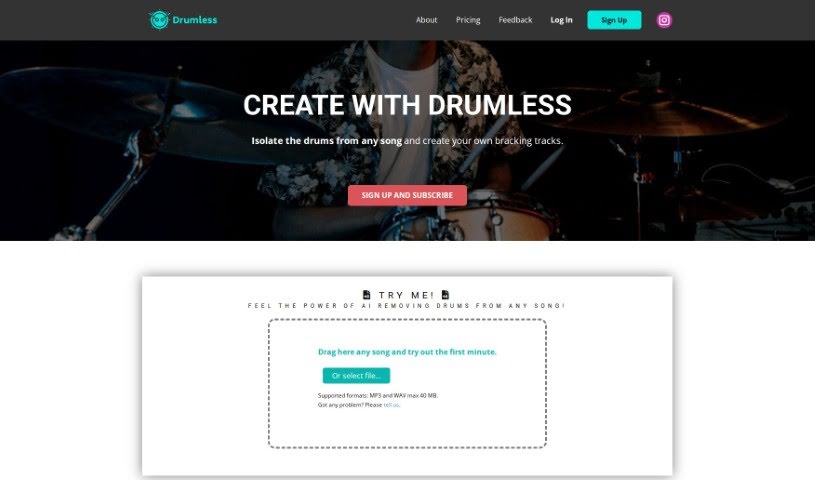
What is Drums Remover?
Drums Remover is a really neat AI tool built specifically for drummers. It lets you pull out the drum sounds from songs so you can play along with your favorite bands, but in your own unique style. It is a way to create your own personalized practice sessions. The tech behind it uses AI to carefully separate and remove the drum parts from music, giving you drumless backing tracks perfect for practicing. You can use it with MP3 and WAV files, and it even offers cloud storage for the tracks you process. It’s aimed at anyone who loves drumming – whether you’re a student, a teacher, a hobbyist, or even a streamer. It’s changing how we practice by letting us put our own drum beats over songs we love. To make a backing track, you just upload your song to the platform, keeping in mind there’s a 40 MB file size limit. The AI is smart enough to understand the song’s structure, which is how it knows which drum sounds to extract, making it super easy to practice with your favorite tunes.
Who created Drums Remover?
Drumless, the platform that offers this cool tool for drummers to play along with music without the original drums, actually launched on August 6, 2023. The idea behind it was to bring together a passion for drumming with the power of AI, creating new ways for people to practice music in a way that really suits them.
What is Drums Remover used for?
- It helps you practice music in a way that’s all your own.
- It makes learning music more creative and engaging.
- It opens up new and interesting ways to practice drumming.
- It’s a great tool for students and their teachers.
- It’s perfect for hobbyists who just love playing.
- It’s also ideal for streamers who want to share their drumming.
- You can extract drum sounds from any song.
- You can remove drums as many times as you need.
- Your subscription includes space in the cloud to store your files.
- There’s a limit on how many you can remove each day.
- You can give feedback on your experience.
- It lets drummers play along with their favorite bands, putting their own unique spin on the music.
- It creates backing tracks without drums, which are perfect for practice.
- You can use it with both MP3 and WAV file formats.
- It offers cloud storage for all the files you’ve processed.
- It lets you interact with music more creatively by adding your own drum styles to your favorite songs.
- You’re limited to 10 removals per day.
Who is Drums Remover for?
- Students
- Teachers
- Hobbyists
- Streamers
How to use Drums Remover?
Using Drumless is pretty straightforward. Here’s a simple guide to get you started:
- Sign Up or Log In: First things first, you’ll need to create a Drumless account or just log in if you’re already a member.
- Upload Your Music: Once you’re logged in, it’s time to upload the music tracks you want to work with. This is the music you’ll be removing the drums from.
- Pick Your Track: From the files you’ve uploaded, select the specific song you want to edit.
- Remove the Drums: Now, use the Drumless tool to find and remove the drum track from your chosen song. This really helps you focus on the other parts of the music.
- Tweak the Settings: Feel free to explore the settings. You can adjust them to make the drum removal process just right for you.
- Preview and Save: Before you lock it in, take a moment to preview the edited track. This way, you can make sure the drum removal sounds good. Once you’re happy with it, save your changes.
- Download or Share: After saving, you can download the drumless version of your song. If you want to share it with friends or bandmates, you can do that too.
- Check Out Other Features: Take some time to explore what else Drumless offers. There are other features that can help you customize and improve your music tracks even further.
By following these steps, you’ll be able to use Drumless really well to create awesome drum-free versions of your music for whatever you need them for.