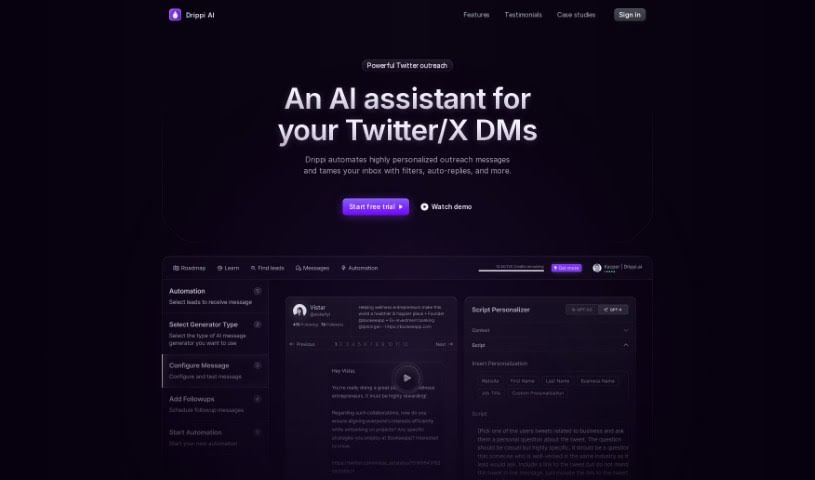
Screenshot of Drippi.ai

Drippi.ai

Discover Drippi.ai, a powerful AI tool for Twitter outreach. Learn what it is, how to use its features for prospecting, and how it stacks up against other tools in 2025.

Screenshot

What is Drippi.ai?

Drippi.ai is a smart AI tool designed to completely change how businesses reach out to people on Twitter. It uses advanced AI to automatically create really personalized direct messages, making sure every message feels unique and is made just for the person receiving it. This automation doesn’t just save you time and resources; it also makes it much more likely that you’ll get a reply. Drippi.ai also offers features like top-notch lead scraping, detailed analytics, and helps you keep your inbox organized with its CRM capabilities, simplifying the whole process of connecting with potential clients. The platform is easy to use, has clear pricing, and lets you manage several Twitter accounts at once. It’s a must-have for serious users and businesses wanting to scale their Twitter outreach campaigns efficiently.

Who created Drippi.ai?

Drippi.ai was developed by James Ustby, who is the CEO and Founder at openGravity. This company provides Drippi, a software specifically for Twitter outreach. Users have really liked Drippi, with @jaencarrodine even being mentioned for building something special using it. If you’re a business owner looking to book more meetings, you’re encouraged to check out the Drippi.ai platform for more details.

What is Drippi.ai used for?

  • Sending personalized outreach messages automatically
  • Managing your inbox with helpful features like filters and auto-replies
  • Improving your campaigns based on data
  • Scraping leads more efficiently
  • Getting detailed analytics for your campaigns
  • Analyzing profiles with AI to tailor messages
  • Organizing your inbox using CRM tools
  • Setting up automated follow-up messages
  • Engaging effectively with leads based on their job, industry, and interests
  • Automatically liking, commenting on, and retweeting posts
  • Sending personalized outreach messages on Twitter automatically
  • Managing your inbox with CRM tools to track conversations
  • Personalizing messages beyond basic templates using AI
  • Scraping leads efficiently based on industry and interests
  • Optimizing campaigns with data and analytics
  • Using AI for lead filtering and checking activity
  • Automating engagement like likes, comments, and retweets
  • Sorting replies with AI so you can focus on what matters
  • Scraping leads for targeted outreach campaigns
  • Sending personalized outreach messages on Twitter automatically
  • Managing your inbox with CRM tools to track conversations
  • Scraping leads efficiently based on industry, occupation, and interests
  • Optimizing campaigns with data and analytics
  • Going beyond basic templates with advanced AI personalization
  • Using automated follow-up sequences to get more replies
  • Filtering and automatically classifying leads for smoother communication
  • Sorting replies with AI to help you focus on relevant messages
  • Getting comprehensive insights to improve how your campaigns perform

Who is Drippi.ai for?

  • Sales Representatives
  • Marketing professionals
  • Business Development Managers
  • Social media managers
  • Entrepreneurs
  • Freelancers
  • Customer Success Managers
  • Recruiters
  • Consultants
  • Networking specialists

How to use Drippi.ai?

Here’s how you can effectively use Drippi.ai:

  1. Sign Up: First, head over to the Drippi.ai website and create your account. You’ll just need to provide your email and pick a password.
  2. Dashboard: Once you log in, you’ll land on the main dashboard. From here, you can easily see options for starting a new project, accessing ones you’ve already begun, and setting up your personal preferences.
  3. Creating a Project: Click on “New Project.” You’ll then enter a name and description for your project. You can also choose the type of project, whether it’s for generating text, analyzing sentiment, or another task available on the platform.
  4. Input Data: Next, you’ll input the data you want Drippi.ai to work with. This could be text for content generation, customer feedback for sentiment analysis, or any other relevant information.
  5. Select Model: Choose the right AI model for your project. Drippi.ai has various models designed for different jobs, so pick the one that best suits what you need to do.
  6. Run Analysis: Begin the process by clicking the “Run” or “Generate” button. Drippi.ai will then process your data using the model you selected to give you the output you’re looking for.
  7. Review Results: After the analysis is done, take a look at the results Drippi.ai provides. This might be generated text, sentiment scores, or whatever outcome your project type was designed for.
  8. Refine and Iterate: If the results aren’t quite right, don’t worry! You can adjust your project settings, the data you input, or even the model you chose. Going through this process a few times can really help improve the accuracy and relevance of the outputs.
  9. Download or Use Output: Depending on what you need, you can download the analyzed data, the content that was generated, or the insights you gained. You can then use these in your work.
  10. Feedback and Improvement: Share your thoughts and feedback with Drippi.ai about your experience and the results you got. This helps the platform get better and make future updates that are more useful for everyone.

By following these steps, you can really make the most of Drippi.ai for all sorts of AI-driven tasks and projects, which should help boost your workflow and productivity.

Related AI Tools

Discover more tools in similar categories that might interest you

Stay Updated with AI Tools

Get weekly updates on the latest AI tools, trends, and insights delivered to your inbox

Join 25,000+ AI enthusiasts. No spam, unsubscribe anytime.