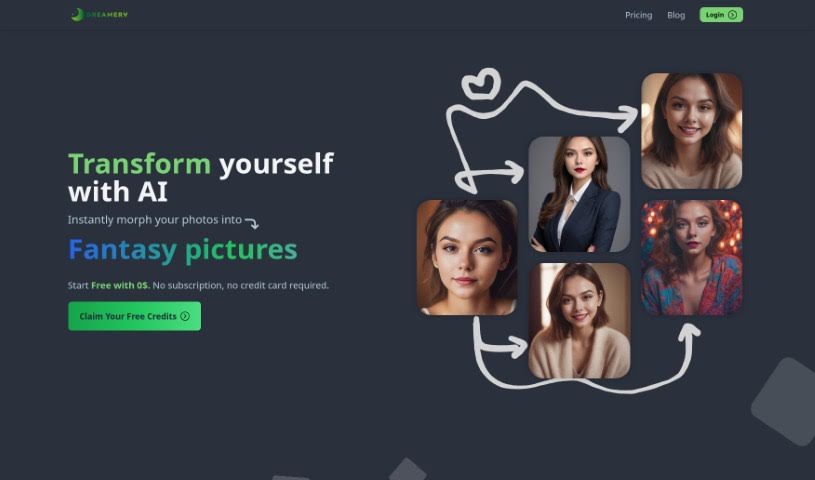
What is Dreamery?
Dreamery is a really neat platform that uses artificial intelligence to transform your photos. It is your personal AI photo studio! You can upload a clear picture of yourself, and then use it to create all sorts of cool things – like professional-looking headshots, fun cartoon versions of yourself, or even themed images perfect for platforms like Instagram. What’s great is that it’s completely free to sign up; you just pay for the images you actually generate. Plus, they’re serious about your privacy. They don’t keep your data longer than 24 hours, and they even have a referral program where you can earn credits by inviting friends who then use the service.
Who created Dreamery?
Dreamery was actually started by a single individual, though their name isn’t publicly shared. This founder’s company focuses on creating AI solutions for businesses, including things like chatbots and data analysis tools. Dreamery itself stands out with features like customizable AI prompts, meaning you have a lot of control over the final image. And as mentioned, it’s subscription-free – you only pay for what you use. They’ve also put a lot of thought into data safety, using a cleanup scheduler to ensure your information isn’t stored indefinitely. What really sets Dreamery apart, though, is that they’ve built their own backend using Stable Diffusion technology and don’t share your data with any outside parties.
What is Dreamery used for?
Dreamery is super versatile! Here’s a rundown of what you can do with it:
- Create professional AI headshots: Get that polished look for your professional profiles.
- Cartoonize yourself for fun: Turn your photos into playful cartoon characters.
- Create fancy images for social media: Make your posts stand out.
- Enhance images for Instagram: Give your photos that extra professional touch.
- Generate high-quality images: Produce crisp, clear visuals.
- Customize prompts for desired output: Tailor the AI’s creations to exactly what you envision.
- Turn selfies into beautiful images: Transform everyday shots into something special.
- Produce polished online presence: Make a great impression wherever you appear online.
- Update LinkedIn profile pictures: Keep your professional image current.
- Impress colleagues and clients with headshots: Show you mean business with great photos.
- Save time and money on professional headshots: Get studio-quality results without the studio cost.
- Transform selfies into beautiful images: (Yes, it’s that good, you can do it multiple ways!)
- Generate images for Instagram: Perfect for your feed.
- Enhance online presence with polished images: Look your best online.
- Impress colleagues and clients with high-quality images: Make a strong visual impact.
- Play with custom prompts for endless creative possibilities: Experiment and discover new looks.
- Easy and intuitive interface for image editing: It’s simple to use, even if you’re not tech-savvy.
- Pay-per-use model with no subscription necessary: You’re in control of your spending.
Who is Dreamery for?
Dreamery is a fantastic tool for a variety of people:
- Freelancers: Especially if you need a professional look for your online profiles and client interactions.
- Professionals updating their LinkedIn profiles: Get a fresh, modern headshot that makes you stand out.
- Marketing professionals: Create engaging visuals for campaigns and social media.
- Creatives for Instagram: Generate unique, eye-catching images for your feed.
- Anyone requiring a polished online presence: If you want to make a great first impression online, Dreamery can help.
How to use Dreamery?
Using Dreamery is straightforward. Just follow these simple steps:
- Visit the Website: Head over to Dreamery at https://app.dreamery.ai. You can start with a free trial right away – no subscription or credit card needed to begin.
- Upload Your Image: Pick a clear photo of your face. This is what the AI will use to create all sorts of transformations, whether you’re aiming for a professional AI headshot or a fun cartoon look.
- Customize Your Prompt: This is where you get creative! Add specific keywords to guide the AI. You can mention things like age, specific emotions, or even the style you’re going for to really tailor the output.
- Generate Your Image: Once you’ve set up your prompt, just let the AI do its magic. It will process your input and transform your image. You’ll get high-quality results that are ready to use for whatever you need.
- Data Safety: Dreamery takes your privacy seriously. They don’t store any of your information permanently. All your data gets deleted after 24 hours. The only things they keep are your email address and credits, which are necessary for tracking your account.
- Explore Additional Features: Beyond just headshots, Dreamery offers a wide range of image transformations that are perfect for social media platforms like Instagram.
- Get Help: If you ever have questions or run into any issues, you can reach out to [email protected]. They also have a helpful FAQ section on their website that might have the answers you’re looking for.
By following these steps, you’ll find it’s really easy to create unique and personalized images with Dreamery.