What Exactly is Dotbrand?
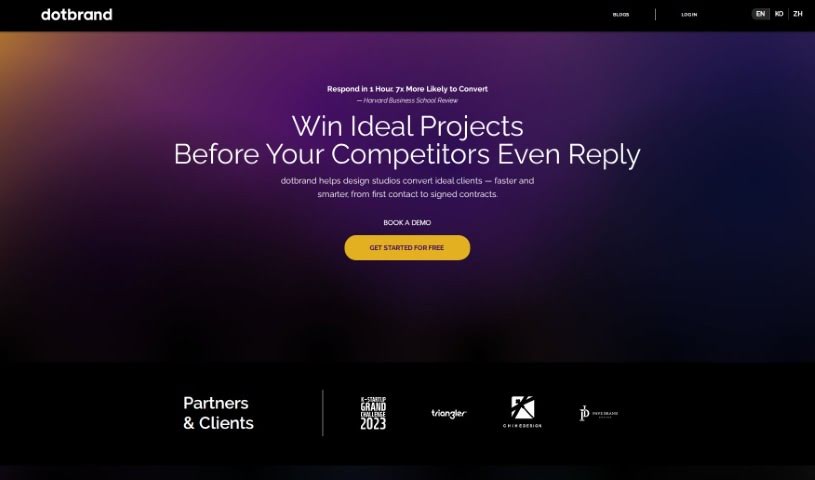
Dotbrand is an AI-powered tool designed to help designers automate their sales process. It is a smart assistant that handles client interviews, gathers all the necessary information, helps align on design styles, and even generates project briefs. This means designers can save a ton of time on client communication, writing proposals, and planning projects. Ultimately, it’s built to help them win projects faster and grow their business more effectively.
The whole idea for Dotbrand came from Kevin Lu, who’s a graphic designer himself. He really felt the pain of all the back-and-forth communication needed before clients would commit to a deposit. Dotbrand’s main goal is to make that whole process, from the initial client input right through to the design proposals, much smoother. It’s all about making designer-client interactions better and leading to more successful projects.
So, Who’s Behind Dotbrand?
Dotbrand was founded by Kevin Lu, who’s a graphic designer with a solid 13 years of experience under his belt. The company is based in Taipei, Taiwan, specifically at 9F, Sec. Building, No.96, Sec. 2, Zhongshan N. Rd. Dotbrand offers AI-driven services specifically to automate the sales side of things for designers. The aim here is pretty clear: help designers save valuable time and boost their efficiency when talking to clients.
What Can Dotbrand Do for Designers?
Dotbrand is packed with features to streamline the sales process:
- Quickly Gathers Client Info: It helps designers easily collect client information, files, and their specific preferences.
- Automates Sales: It takes over many of the repetitive sales tasks for designers.
- Speeds Up Proposals: It significantly cuts down the time it takes to go from a client’s initial input to a finalized design proposal.
- Reduces Pre-Deposit Chat: It saves designers time on all the communication that usually happens before a client puts down a deposit.
- Chatbot Communication: It uses a chatbot to help designers talk to clients about what they need for their designs.
- Project Specs Report: Based on the conversations, it puts together a report detailing the project specifications.
- Design Suggestions: It can even offer design ideas to help build out proposal content.
- Always Available: The tool works around the clock, 24/7, so clients are always attended to.
- Handles Your Absence: It keeps the client communication going even when the designer isn’t available.
- Introduces Your Work: It helps introduce the designer’s work to potential clients.
Who Should Be Using Dotbrand?
Dotbrand is primarily designed for:
- Graphic Designers
- Designers in general
- Graphic designers (yes, it’s that specific!)
How Do I Get the Most Out of Dotbrand?
To really make Dotbrand work for you, here’s a step-by-step guide:
- Get Design Styles Aligned:
- Start by sharing reference images. This helps the AI understand and match the client’s preferred design styles.
- Conduct Client Interviews:
- Use the conversational AI feature to chat with your clients. It’s designed to gather information efficiently and naturally.
- Confirm the Project Scope:
- Once the client has provided all the necessary details, the AI will organize this into a clear project brief. This step is crucial for confirming the exact scope of the project.
- Generate Project Planning:
- During the proposal stage, let the AI help you create a project plan. This can really save time and boost your business development efforts.
- Boost Efficiency:
- You can expect to cut down on in-person meetings by more than half. The AI Agent handles client interviews so effectively.
- Save Precious Time:
- Think about the time you’ll save on client interviews, getting design styles just right, and putting together those proposal briefs.
- Increase Speed and Impress:
- Speed up your proposal processes. Impress clients with how efficient you are, and use Dotbrand’s AI Front Desk Agent to secure projects faster.
- Seize Growth Opportunities:
- Take the time you save and reinvest it into pursuing more projects. This is a great way to enhance your business growth.
- Explore Pricing Plans:
- Dotbrand offers different plans – Starter, Professional, and Master – so you can pick the one that best fits your messaging volume and project needs.
- Reduce Your Carbon Footprint:
- By using Dotbrand, you’re also contributing to saving fuel, electricity, and paper, which helps lower the carbon emissions for each project.
By following these steps and making the most of Dotbrand’s features, designers can really smooth out their workflow, communicate much more effectively with clients, and ultimately boost both their productivity and their business’s growth.