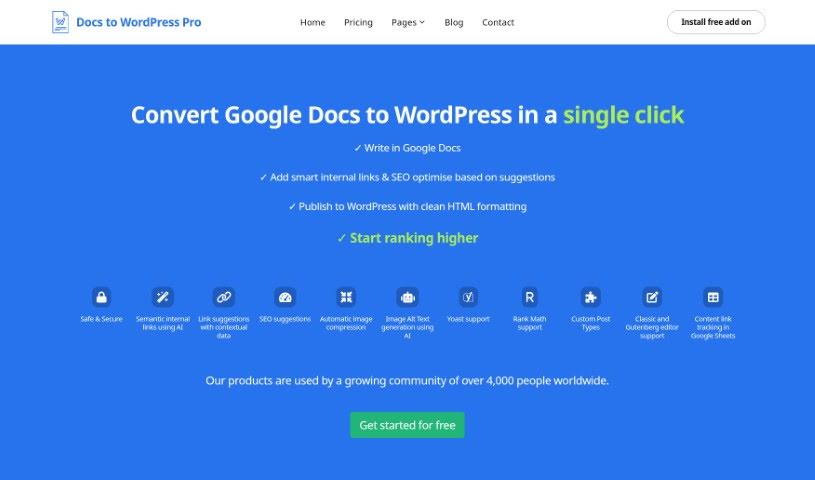
Screenshot of Docs To Wp Pro

Docs To Wp Pro

Discover what Docs To Wp Pro is and how to use it effectively in 2025. We'll explore its features and see how it stacks up against other blogging tools.

Screenshot

What is Docs To Wp Pro?

Docs To Wp Pro is a really handy tool that lets you move your content from Google Docs straight into WordPress, all with just one click. It’s designed to make your writing and publishing process smoother. You can write your pieces in Google Docs, and then the tool helps you add smart internal links, gives you suggestions to improve your SEO, and publishes everything to WordPress with nice, clean HTML. Basically, Docs To Wp Pro is here to help you create better content, boost your SEO, and hopefully climb those search engine rankings. It also handles your content transfer safely, uses AI for smart internal links, offers SEO tips, compresses images automatically, generates AI-powered alt text for images, and even works with popular plugins like Yoast and Rank Math. All in all, it’s built to simplify how you get your content from your docs to your WordPress site and make sure it’s optimized.

Who created Docs To Wp Pro?

Docs To Wp Pro comes from a company that specializes in conversion services, including that neat one-click Google Docs to WordPress feature. This particular product first appeared on December 19, 2023. It’s part of a larger collection of tools used by a global community of over 4,000 people. While the founder and the specific company name aren’t spelled out in the details I have, getting started is super easy. You can install the Docs to WordPress Pro add-on directly from the Google Workspace Marketplace. Once it’s installed, you can start using it right away without needing to sign into a separate website or portal.

What is Docs To Wp Pro used for?

  • Effortlessly moving content from Google Docs to WordPress.
  • Simplifying tasks like picking categories, adding tags, setting meta descriptions and titles, and uploading featured images.
  • Creating and formatting content in Google Docs, then publishing it to WordPress with clean HTML.
  • Converting your Google Docs content into a format that WordPress understands, ensuring accurate HTML.
  • Generating AI captions for images to make them more accessible, help users on slower connections, and improve your SEO.
  • Automatically compressing images before they go to WordPress, which keeps your media library tidy and your website loading fast.
  • Building internal links using AI to help boost your SEO performance.
  • Providing SEO suggestions covering things like keyword placement, how often you use keywords, content readability, alt text, meta descriptions, and other best practices.
  • Supporting both the Classic and Gutenberg editors for your WordPress posts.
  • Helping you optimize your content for SEO before you hit publish on WordPress.

Who is Docs To Wp Pro for?

  • Content creators
  • Bloggers
  • Digital marketers
  • SEO specialists
  • Journalists
  • Copywriters
  • Web Developers
  • Small Business Owners
  • Affiliate Marketers
  • Educators

How to use Docs To Wp Pro?

Using Docs To Wp Pro is pretty straightforward. Just follow these simple steps:

  1. First, write your content in Google Docs. Get your ideas down there.
  2. Next, add any internal links you need and use the SEO suggestions to make your content shine.
  3. Then, install the “Docs to WordPress Pro” add-on from the Google Workspace Marketplace. It’s a quick process.
  4. After installation, add your site details to connect it. Then you can start enjoying that one-click publishing to WordPress!
  5. Here’s a quick look at what Docs To Wp Pro does for you:
    • Automatic image compression keeps your media library looking neat and your site fast.
    • AI helps generate Alt Text for your images.
    • You get support for Yoast and Rank Math, two popular SEO plugins.
    • It supports both the Classic and Gutenberg editors.
    • You can track your content links in Google Sheets.
    • And best of all, no separate login is required – it all works through Google Docs!

By following these steps and taking advantage of everything Docs To Wp Pro offers, you can smoothly transfer your Google Docs content to WordPress, making the whole process much more efficient and your content better optimized.

Related AI Tools

Discover more tools in similar categories that might interest you

Stay Updated with AI Tools

Get weekly updates on the latest AI tools, trends, and insights delivered to your inbox

Join 25,000+ AI enthusiasts. No spam, unsubscribe anytime.