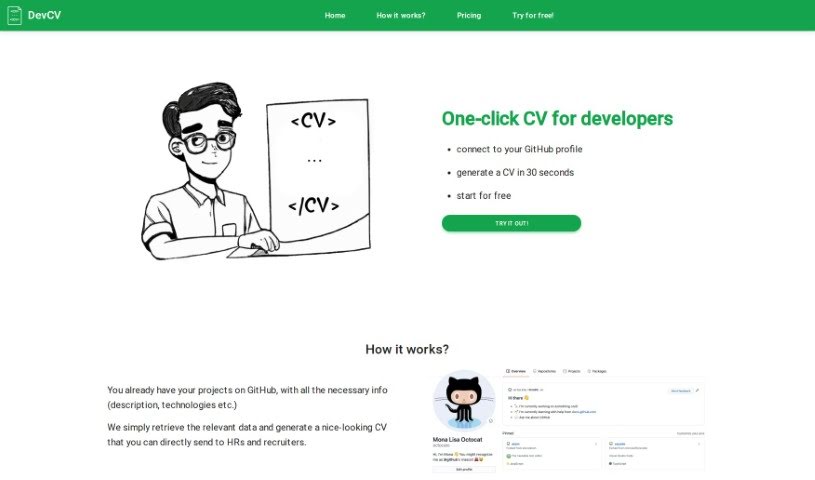
Screenshot of DevCV

DevCV

Discover DevCV, an AI tool that turns your GitHub profile into a professional CV. Learn how to use its features in 2025 and compare it with other resume builders.

Screenshot

What is DevCV?

DevCV is a really neat AI-powered tool that takes your GitHub profile and turns it into a professional CV. It pulls in all your relevant project details and then generates a good-looking CV that you can send straight to HR folks and recruiters. What’s cool is that it uses generative AI to write your project summaries and descriptions for you. No more struggling to come up with long, creative write-ups yourself! DevCV has a couple of subscription options, costing $1 or $2 per download. For that, you get things like unlimited CV updates, PDF downloads, access to their AI tools, and you can even choose whether to keep the DevCV logo on your CV or not.

The AI technology behind DevCV is pretty smart. It fetches project descriptions and the technologies you’ve used directly from your connected GitHub profile. This makes sure the information in your CV is accurate and relevant. You can update your CV as often as you need to, download it as a PDF, and decide about the logo based on which subscription you pick.

Who created DevCV?

DevCV was actually created by a single founder, and it first launched on July 22, 2023. It’s an AI-powered tool that transforms GitHub profiles into professional CVs, making it super easy for developers to share their work. The platform grabs all the important project information from your GitHub profile and then creates well-organized CVs, complete with project descriptions and the technologies you used. You can update your CV multiple times, download it as a PDF, and choose between subscription plans that either include or exclude the DevCV logo.

Who is DevCV for?

  • Developers

How to use DevCV?

Using DevCV is pretty straightforward. Here’s how you can get started:

  1. Connect Your GitHub Profile: Just head over to the DevCV website and click the button that says “connect to your GitHub profile.” It’s right there to get you going.
  2. Generate Your CV: DevCV will then grab all the important data from your GitHub profile – think project descriptions and the technologies you’ve worked with. It uses all this to automatically create a professional-looking CV for you.
  3. AI-Powered Summaries: This is where the AI really shines. DevCV uses generative AI to whip up your project summaries and descriptions. This means you don’t have to spend time writing them yourself.
  4. Subscription Choices: DevCV offers two subscription choices. You can pay $1 per download and have the DevCV logo appear on your CV, or you can opt for the $2 per download option if you prefer to go without the logo.
  5. Unlimited Updates: You’re free to update your CV as many times as you need. This is great for keeping it current with your latest projects or skills.
  6. PDF Download: The tool lets you download your CV in PDF format, which is perfect for sharing or printing.
  7. No Registration Needed: You can jump right in and start creating your CV without needing to sign up or register first. Pretty convenient!
  8. Share with Recruiters: Once your CV is ready, you can send it directly to HR professionals and recruiters when you’re applying for jobs.

By following these simple steps, you can efficiently create and share a polished, professional CV using DevCV’s AI-powered platform.

Related AI Tools

Discover more tools in similar categories that might interest you

Adaface AI Resume Parser

Human Resource Recruitment
Learn More

Stay Updated with AI Tools

Get weekly updates on the latest AI tools, trends, and insights delivered to your inbox

Join 25,000+ AI enthusiasts. No spam, unsubscribe anytime.