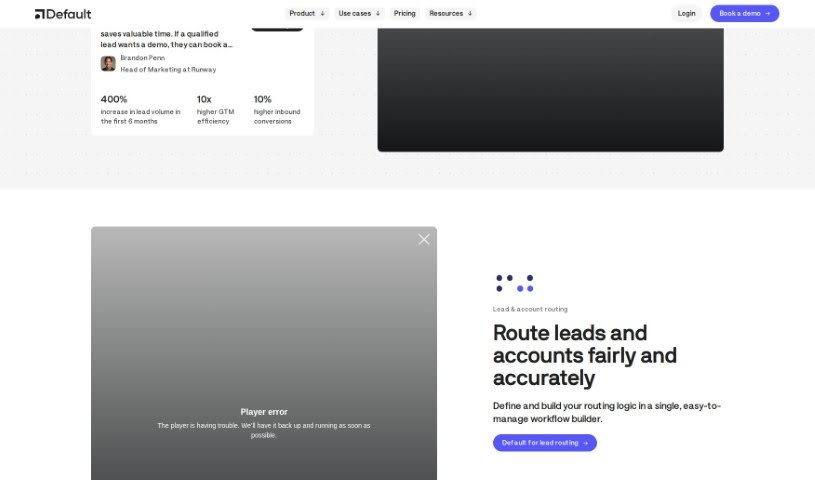
Screenshot of Default

Default

Discover what Default is and how to use it effectively in 2025. We'll explore its features and see how it stacks up against other Sales Tools.

Screenshot

What is Default?

Default is a really comprehensive platform for inbound go-to-market strategies. It’s designed to help B2B companies get better at qualifying leads, scheduling meetings, and routing them to the right people. Just recently, they landed a $6.6 million seed funding round, with Craft Ventures leading the way. This really shows how much potential Default has to make revenue team operations smoother and improve how leads are managed. Basically, with Default, businesses can simplify their whole go-to-market tech setup. It brings together features like scheduling, automated workflows, forms, and integrations, all tailored for different roles within revenue teams. The big goal here is to boost conversion rates, make operations run more smoothly, and speed up the sales pipeline. They do this by offering advanced ways to route leads, easy-to-use workflows, and lead forms that are built to convert.

Who created Default?

Default was founded by Josh Schlisserman, Makalie Reed, and Akbar Khan. They’ve built an all-in-one platform specifically for B2B teams, aiming to make qualifying, scheduling, and routing leads much simpler. The company recently secured $6.6 million in seed funding, with Craft Ventures leading the investment. Their aim is to really change how revenue teams are managed by providing integrated solutions for handling inbound leads.

What is Default used for?

Default is used for a whole range of things to manage inbound leads and streamline sales processes:

  • It offers integrated solutions for qualifying, scheduling, and routing leads that come in.
  • You can automate workflows for both the top and bottom of your sales funnel, using smart matching, data enrichment, and custom routing rules.
  • It provides forms designed to convert visitors into leads, helping to enrich that data and connect with your website.
  • Default can automate those repetitive tasks, like following up with leads, handling no-shows, or changing a lead’s lifecycle stage.
  • It makes revenue workflows simpler and gives you a clear view of where your leads are going.
  • You can build powerful, intuitive workflows for qualifying leads, scheduling meetings, and routing them.
  • It integrates smoothly with your existing sales and marketing tools, helping to automate and align efforts throughout the entire inbound lead process.
  • It allows for rapid scheduling, so you can book meetings and route leads almost instantly.
  • It helps manage account executives, B2B startups, lead enrichment, and overall lead management more efficiently.
  • It’s designed to accelerate sales, optimize marketing operations, and improve your overall go-to-market strategies.
  • You can convert more website visitors into qualified pipeline by using scheduler tools that are built for high conversion.
  • It helps you grow your pipeline and simplifies the entire process of qualification, scheduling, and automation, all within one platform.
  • Default automates inbound sales with workflows for scheduling, qualification, and enrichment.
  • It automates revenue workflows using powerful, customizable templates.
  • It connects seamlessly with most existing tools thanks to prebuilt integrations.
  • It automates pipeline conversion, lead routing, website scheduling, and any CRM automation, which is great for fast-growing teams.
  • It simplifies all your revenue workflows and provides visibility into lead routing.
  • It can save you a significant amount of time on manual routing – we’re talking about potentially 10 hours per week in some cases!
  • It automates inbound sales with scheduling, qualification, and enrichment workflows.
  • It automates top-of-funnel and bottom-of-funnel lead routing workflows using fuzzy matching, enrichment, and routing logic.
  • It automates revenue workflows with powerful, customizable templates.
  • It automates pipeline conversion, lead routing, website scheduling, and any CRM automation.
  • Workflows can be triggered by various events, including form submissions, meetings booked, webhooks, new CRM objects, changes to CRM objects, and assigned tags.
  • It consolidates your go-to-market tech stack into one, integrated platform.
  • This means you can eliminate the need for multiple separate tools for your revenue teams.
  • It streamlines operations and speeds up the sales pipeline, potentially doubling conversion rates.
  • It simplifies qualification, scheduling, and automation all within a single platform.
  • You can convert more visitors into qualified pipeline and grow your pipeline.
  • It helps you automate your top-of-funnel and bottom-of-funnel lead routing workflows with fuzzy matching, enrichment, and routing logic.
  • It converts more visitors into qualified pipeline using forms specifically designed for conversion.
  • You can turn more leads into qualified meetings, whether they come from your website or through scheduling links.
  • It helps you grow your pipeline and simplifies qualification, scheduling, and automation all in one place.
  • You can connect your website, build your workflow, and accelerate your pipeline in just minutes.
  • It automates all manual routing, saving you time and making things more efficient.
  • It automates pipeline conversion, lead routing, website scheduling, and CRM automation all within one platform.
  • It integrates seamlessly with your existing tools for a unified inbound process.
  • It automates top-of-funnel and bottom-of-funnel lead routing workflows with fuzzy matching, enrichment, and routing logic.
  • It helps convert more visitors into qualified pipeline using Demand Gen tools.
  • It acts as a unified RevOps platform, bringing together enrichment, routing, automation, scheduling, and qualification.
  • It automates repetitive tasks like lead follow-ups, handling no-shows, and changing lifecycle stages.
  • It connects seamlessly with most existing tools thanks to prebuilt integrations.
  • It automates workflows triggered by form submissions, meeting bookings, webhooks, new CRM objects, and changes to CRM objects.
  • It can automate CRM actions based on custom tags assigned to leads.
  • It converts more visitors into qualified pipeline using forms designed for conversion.
  • It automates workflows triggered by form submissions, scheduling links, webhooks, new CRM objects, CRM object changes, and assigned tags.
  • It automates CRM actions based on new CRM objects or updates to existing ones.
  • It simplifies revenue workflows and gives you visibility into where leads are routed.
  • It provides a high-converting scheduler to increase qualified meetings from your website or scheduling links.

Who is Default for?

Default is a great tool for:

  • RevOps leaders
  • Demand Gen leaders
  • People in sales, marketing, and operations roles
  • Go-to-market (GTM) teams

How to use Default?

Using the “Default” tool is pretty straightforward. Just follow these simple steps:

  1. Access the Tool: First, find the “Default” tool. You’ll likely access it through a software application, a website, or a specific platform.
  2. Login/Sign Up: If you need to, log in using your account details. If you’re new, you’ll need to sign up by providing the requested information.
  3. Get to Know the Interface: Take a moment to explore the tool’s interface, check out the menu options, and see what features are available. Understanding the layout will help you use it more effectively.
  4. Configure Your Settings: Adjust the settings to your liking. You can often personalize themes, set notification preferences, and tweak other customizable options.
  5. Try Out the Features: Play around with the tool’s different functions. Experiment with creating, editing, saving, or deleting items, depending on what the tool does.
  6. Use the Help Resources: If you get stuck or have questions, don’t hesitate to check out the tool’s help section, FAQs, or any available tutorials. They’re there to guide you.
  7. Start Using It: Begin using the tool for its intended purpose. Input your data, perform your tasks, and leverage its capabilities to achieve your goals efficiently.
  8. Save and Keep Your Data Safe: Make sure to save your work regularly to avoid losing anything. Also, look for options within the tool for data backup and security.
  9. Stay Updated: Keep an eye out for tool updates, as they often bring new features and improvements. Also, remember to do any recommended regular maintenance.
  10. Share Your Thoughts and Get Help: Provide feedback on your experience – it helps make the tool better! If you run into technical problems, reach out to customer support for assistance.

By following these steps, you’ll be able to use the “Default” tool effectively and really benefit from its features to make your work processes smoother.

Related AI Tools

Discover more tools in similar categories that might interest you

Stay Updated with AI Tools

Get weekly updates on the latest AI tools, trends, and insights delivered to your inbox

Join 25,000+ AI enthusiasts. No spam, unsubscribe anytime.