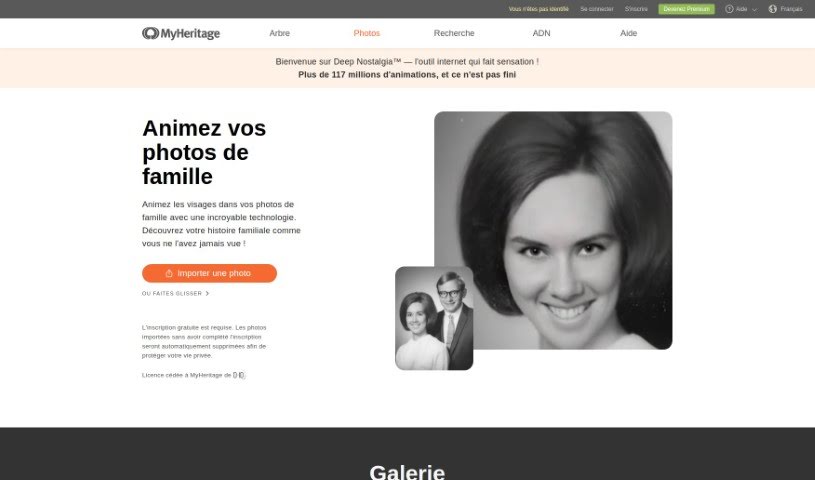
Screenshot of Deep Nostalgia

Deep Nostalgia

Discover what Deep Nostalgia is and learn how to use it effectively in 2025. We'll explore its features and see how it stacks up against other AI portrait generators.

Screenshot

What is Deep Nostalgia?

Deep Nostalgia is a really neat feature that breathes life into old photos by animating the faces within them. MyHeritage licensed this technology from D-ID, and it uses deep learning to create remarkably lifelike video clips from historical images. Essentially, Deep Nostalgia™ works by applying pre-made movement sequences, called drivers, developed by MyHeritage. Each driver has a set pattern of movements and gestures. When applied precisely to a face in a still photo, Deep Nostalgia™ generates a short video. This can make your ancestors appear to smile, blink, or even turn their heads, offering a truly unique way to connect with your past through visual storytelling.

Who created Deep Nostalgia?

Deep Nostalgia was developed by MyHeritage, a company well-known for its genealogy and DNA testing services. Gilad Japhet founded the company back in 2003, and it’s since become a major name in exploring family history. MyHeritage has introduced several innovative technologies, like Deep Nostalgia, which uses AI to animate old photos, and these have really captured people’s imaginations. The company keeps pushing forward, adding new ways for people to discover and celebrate their family heritage.

How to use Deep Nostalgia?

Ready to bring your old photos to life? Here’s how you can use Deep Nostalgia on MyHeritage:

  1. First, head over to the MyHeritage website and navigate to the “My Photos” section.
  2. Once you’ve picked the photo you want to animate, just click the “Animate” button.
  3. Got family photos tucked away in physical albums? No problem! You can use the MyHeritage mobile app to easily scan and import them, ready for animation.
  4. Make sure you download the MyHeritage app from either the App Store or Google Play to do this.
  5. To animate your photos, you’ll need a MyHeritage account. Creating one is simple and free right on the Deep Nostalgia page.
  6. If you have a Complete subscription, you can animate as many photos as you like. If not, you can still create a few animations for free before a subscription is needed.
  7. Just so you know, if you animate photos without a subscription, the video will have a small MyHeritage logo watermark. Subscribers get a clean video, no watermark!
  8. Remember, the Deep Nostalgia technology uses these special pre-made drivers to animate faces, creating high-quality videos that make historical photos look incredibly real.
  9. And your privacy is important to us. MyHeritage ensures your animated photos aren’t shared with any third parties.

Related AI Tools

Discover more tools in similar categories that might interest you

123RF AI Image Generator

Creative Image Generation
Learn More

Stay Updated with AI Tools

Get weekly updates on the latest AI tools, trends, and insights delivered to your inbox

Join 25,000+ AI enthusiasts. No spam, unsubscribe anytime.