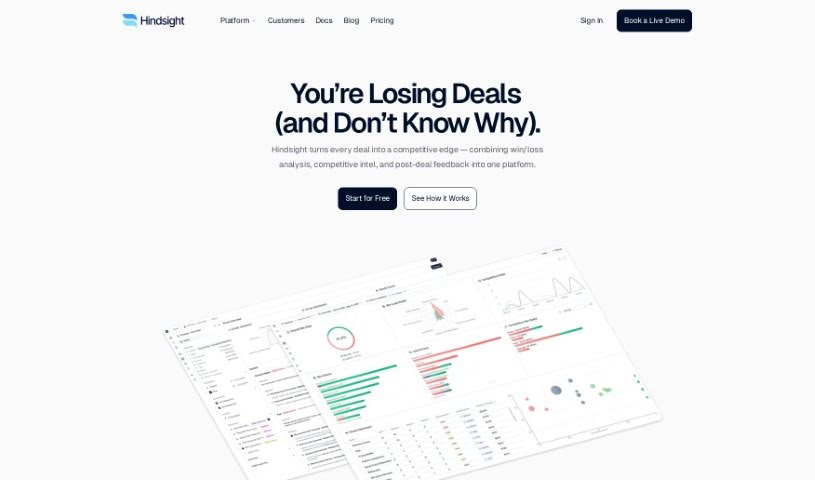
Screenshot of DealPage

DealPage

Discover what DealPage is and how to make the most of it in 2025. We'll dive into its features and see how it stacks up against other sales tools.

Screenshot

What is DealPage?

DealPage is a smart tool built for Solutions Engineers and Pre-sales teams. It is your AI assistant for creating really specific proposals, security documents, and all sorts of technical content, but way faster. It’s designed to make responding to RFPs and Security Questionnaires a breeze – much quicker, more efficient, and definitely more personal. You can build up a knowledge base to make the AI even smarter, automate your usual tasks, and even work with your team in real-time using its document editor. Plus, DealPage can connect with the tools you’re already using, which is super convenient.

Who created DealPage?

Jacob Simon, who’s also the CTO and Co-Founder, is the person behind DealPage. He launched this AI-powered tool on June 22, 2023, with the goal of helping Solutions Engineers and Pre-sales teams create customized proposals, security documents, and technical content more efficiently. DealPage comes packed with features like a knowledge base, a document editor, and integration options, all aimed at speeding up how teams handle RFPs and Security Questionnaires.

What is DealPage used for?

DealPage can help you with a whole bunch of things:

  • Speed up content creation: Generate highly customized proposals, security documents, and technical content much faster than usual.
  • Boost AI smarts: Give the AI more context about your products, services, and security details so it can perform better.
  • Automate your work: Streamline tasks like writing personalized responses to RFPs, RFIs, and SQs in just minutes.
  • Team collaboration: Work together in real-time by creating tasks, notifying colleagues, and reminding subject matter experts.
  • Save time and make money: Help sales engineering teams increase revenue and save significant amounts of time.
  • Reduce stress: Take the pressure off by automating those repetitive, tedious tasks.
  • Personalize everything: Create custom documents, presentations, and emails.
  • Get pipeline insights: Generate useful information about your sales pipeline on any topic.
  • Prep for meetings: Create materials for handing off projects and getting ready for one-on-one meetings.
  • Improve buyer support: Offer high-quality support and consulting during calls with potential clients.
  • Connect your tools: Easily link up with other tools you use via pre-built connectors.
  • Chat with Paige: Use Paige, the AI assistant, for all sorts of tasks.
  • Use your own templates: Upload your team’s standard collateral for easy access.
  • Sync content: Connect your tools with AI to keep content in sync and make it searchable.
  • Automate meeting notes: Automatically upload meeting transcripts and contracts.
  • Browser AI help: Chat with the AI assistant right in your browser to write emails or fill out forms.
  • Manage knowledge: Import and sync notes and content from your knowledge base.
  • Sync from Drive: Keep your documents, presentations, and spreadsheets synced from your team’s Google Drive.
  • Use GTM data: Manage and make the most of your Go-To-Market data.
  • Answer Slack questions: Handle repetitive questions in Slack automatically.
  • Search your CRM: Quickly find information within your Customer Relationship Management system.
  • Personalize sales materials: Tailor sales collateral to specific needs.
  • Master discovery calls: Conduct effective discovery calls to understand client needs.
  • Give great demos: Deliver highly personalized product demonstrations.
  • Learn about products: Get a better understanding of your own products.
  • Repeat support: Provide high-quality buyer support and consulting calls.
  • Repeat meeting prep: Create handoff materials and prepare for one-on-one meetings.
  • Learn from the past: Summarize and learn from your previous sales opportunities.

Who is DealPage for?

DealPage is a great fit for:

  • Solutions Engineers
  • Pre-sales teams
  • Sales Engineers

How to use DealPage?

Here’s a straightforward guide to using DealPage effectively:

  1. Get Set Up: Start by setting up DealPage. It doesn’t take long, but the time savings it offers are huge – users have mentioned saving about 6-8 hours each week!
  2. Explore the Features: DealPage is specifically designed for Solutions Engineers and Pre-sales teams, helping them create customized proposals, security documents, and technical content efficiently. It provides enterprise-grade LLM tools perfect for tasks like RFPs and Security Questionnaires. The built-in chat feature also makes it easy for team members to collaborate.
  3. Understand the Functionality: You can improve the AI’s performance by adding your own knowledge base. It also automates workflows, like drafting responses to RFPs, for example. Collaboration is key, and the real-time document editor makes it simple. The whole process is streamlined into four main steps: build your knowledge base, analyze RFPs, review the AI’s drafted responses, and then finalize your content.
  4. Integrate with Ease: DealPage can connect with the tools you’re already using, making things much more convenient. Plus, it takes enterprise security seriously, offering access control and hosting options to meet even the strictest requirements.
  5. Meet Paige, Your AI Assistant: Paige is the AI assistant built right into DealPage. She can give you instant, accurate information whenever you need it. You can use her to get insights into your sales pipeline, create various documents, work smoothly with your team, and make sure the data across all your tools stays current and consistent.
  6. Choose Your Pricing: DealPage offers different pricing plans to suit various team sizes and needs, from basic features to more advanced sales workflow management. Each plan gives you more capabilities to help run your operations more efficiently.

By following these steps, you can really make DealPage work for you, improving teamwork, simplifying your processes, and saving a ton of time in your pre-sales and sales efforts.

Related AI Tools

Discover more tools in similar categories that might interest you

Stay Updated with AI Tools

Get weekly updates on the latest AI tools, trends, and insights delivered to your inbox

Join 25,000+ AI enthusiasts. No spam, unsubscribe anytime.