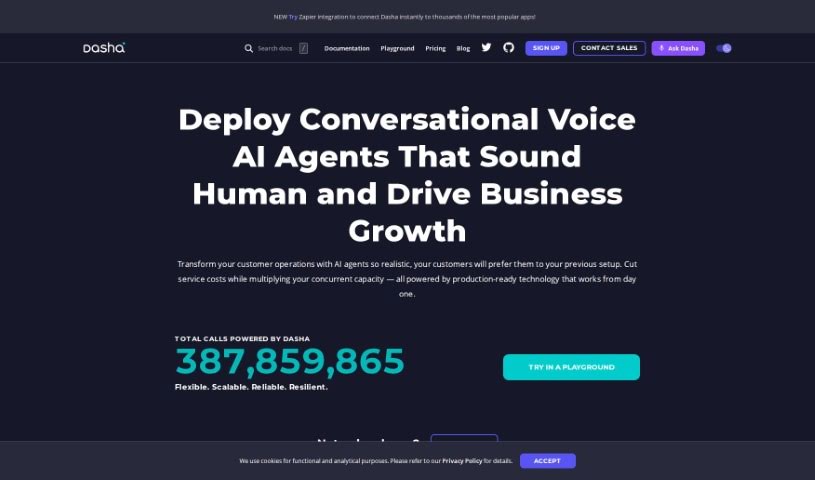
Screenshot of Dasha.ai

Dasha.ai

Discover Dasha.ai in 2025! Learn what this platform is, how to use its features effectively, and how it stacks up against other Character Chat Tools.

Screenshot

What is Dasha.ai?

Dasha.ai is a whitelabel platform that lets you build AI agents. These agents are designed to have natural conversations, both through voice and text. What’s really cool is how realistic they are; they feel a lot like talking to a real person. This is thanks to advanced language models, lifelike voice synthesis, and super-fast response times. Plus, DashaScript, their own programming language, gives you a lot of control to create AI agents that are perfectly suited for your specific business needs. You can even clone voices to create unique, brand-specific AI voices, and the platform works across different systems, making integration pretty straightforward.

Who created Dasha.ai?

Dasha.ai was brought to life by a team that’s really passionate about making user experiences better with lifelike conversational AI. Dasha.AI Inc. founded the platform, offering a flexible way for developers to add realistic voice and text interactions to all sorts of applications. They’ve developed DashaScript, a unique coding language that makes it possible to design complex conversations, complete with event-driven and declarative features.

What is Dasha.ai used for?

  • Realistic Conversational AI: It’s a platform for embedding lifelike voice and text interactions directly into your applications.
  • DashaScript Programmability: You can use DashaScript, an event-driven language, to craft intricate conversational flows.
  • Cross-Platform Support: Dasha applications can run on any internet-connected device that has a speaker and microphone – think web, desktop, mobile, IoT, and even call centers.
  • Integration Capabilities: You can easily connect Dasha with your existing systems and logic, making for a truly integrated conversational experience.
  • Developer Tools and Analytics: There’s a VSCode extension that helps with development, deployment, and analyzing your conversational applications.
  • Custom Voice Cloning: Want a unique voice for your AI agent? Dasha.ai lets you create brand-specific voices using advanced voice cloning.
  • Unique Voice Cloning: This feature allows for custom voice models that sound just like the voices you want, making interactions more engaging.
  • AI Agent Customization: You can design AI agents that perfectly match your unique business requirements using DashaScript.
  • Whitelabel Platform: It empowers customers to build and manage their AI agents without needing to code.
  • Prompting Techniques: You can use cutting-edge prompting techniques to boost your AI agent’s performance.
  • Advanced Prompting Techniques: Improve how your language models perform by using advanced prompting methods.
  • Robust Voicemail and Telephony Features: This helps you efficiently transfer calls between AI agents and human agents.
  • Flexibility and Customization: You can integrate external APIs to create highly tailored solutions.
  • Custom Voice Cloning (again!): Yes, you can create unique, brand-specific voices for AI agents using custom voice cloning techniques.
  • Advanced Prompting Techniques (again!): Dasha’s cutting-edge prompting techniques can really enhance your language model capabilities.
  • Robust Voicemail and Telephony Features (again!): This also enables call and channel bridging for smooth handoffs between AI and human agents.
  • DashaScript Customization and Flexibility: DashaScript offers unmatched customization and flexibility, letting you create AI agents that are truly one-of-a-kind for your business.

Who is Dasha.ai for?

  • Startups and businesses just getting going
  • Small and medium-sized businesses (SMBs)
  • Larger enterprises and corporations
  • Agencies and service providers
  • Developers who want to innovate without limits
  • Businesses looking to automate sales, customer service, and boost engagement
  • Any industry where reliable and realistic AI interactions are crucial

How to use Dasha.ai?

Here’s a straightforward guide to using Dasha.ai:

  1. Platform Overview: Dasha.ai provides a conversational AI platform for developers. You can use it to add lifelike voice and text interactions to applications across many different platforms.
  2. Programming Language: You’ll want to use DashaScript. It’s an event-driven language that lets you design complex conversational flows, even ones that can pass a limited Turing test.
  3. Cross-Platform Support: Dasha applications can run on any platform connected to the internet that has a speaker and microphone. This includes web, desktop, mobile, IoT devices, and call centers.
  4. Integration Capabilities: You can integrate Dasha with your existing infrastructure and logic using the Dasha SDK. This ensures a user experience that feels perfectly tailored.
  5. Developer Tools: Check out the VSCode extension. It’s got IntelliSense, a low-code GUI, and an analytics engine to make developing, deploying, and analyzing your conversational apps much easier.
  6. Free Tier: You can explore Dasha.ai’s features with a free tier, which is great for builders and testers before you decide to upgrade.
  7. Top Features: You get realistic conversational AI, DashaScript programmability, cross-platform support, integration capabilities, and helpful developer tools with analytics.
  8. FAQs: If you have questions about how Dasha.ai works, its capabilities, or platform compatibility, you can find answers in the FAQs.
  9. Pricing: Take a look at the pricing structure to see the different tiers and functionalities available.
  10. Customization: Dasha’s own agent programming language, DashaScript, offers incredible customization and flexibility. This means you can create AI agents that meet your unique business needs.

By following these steps, you can really make the most of Dasha.ai’s advanced conversational AI. It’s a great way to improve user experiences and build sophisticated AI agents more easily.


This guide was put together using information from the “dashaai.pdf” document provided by Dasha.ai.

Related AI Tools

Discover more tools in similar categories that might interest you

123RF AI Image Generator

Creative Image Generation
Learn More

Stay Updated with AI Tools

Get weekly updates on the latest AI tools, trends, and insights delivered to your inbox

Join 25,000+ AI enthusiasts. No spam, unsubscribe anytime.