008 Agent
Audio Transcription
Learn more
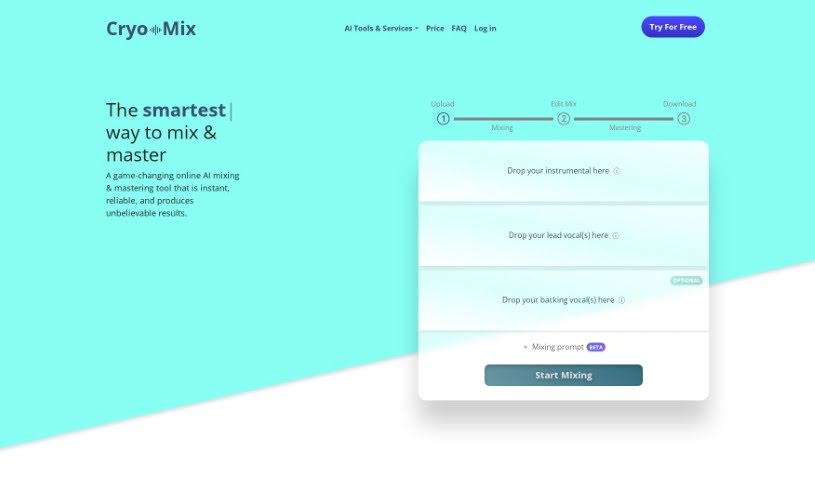
Discover what Cryo Mix is, an AI mixing tool for rap vocals created by platinum-certified engineer Craig McAllister, with features like Magic Touch and an
Cryo Mix is an online AI tool developed by Cryo, also known as Craig McAllister, a platinum-certified engineer specializing in mixing and mastering vocal tracks. The tool uses AI to improve vocal quality: you can adjust vocal volume, access advanced mix settings, and add backing or adlib layers. It supports WAV and MP3 files, is currently focused on rap music, and is known for fast, reliable results — particularly its ‘Magic Touch’ feature for vocals.
You can upload up to three files: a beat, a main vocal track, and a backing vocal track, with a processing limit of six minutes. Files are automatically deleted a week after your project is complete, and you retain all rights to your music. Subscriptions can be cancelled anytime; see the Cryo Mix website for pricing details. Additional AI-powered features include an AI Audio Separator for extracting stems and an AI Beat Optimizer for instrumentals. For best results, use 16-bit 44.1kHz WAV files.
Cryo Mix was created by Cryo (Craig McAllister), who has a background in electronics and electrical engineering and is a platinum-certified engineer. He launched the tool on October 28, 2022.
Subscribers get direct support, access to industry-trusted services, and can cancel anytime while retaining access until the end of the billing period.
Related
Discover more tools in similar categories
Weekly picks of the best AI tools we've researched and added — no spam, unsubscribe anytime.
Join 25,000+ AI enthusiasts. No spam, unsubscribe anytime.