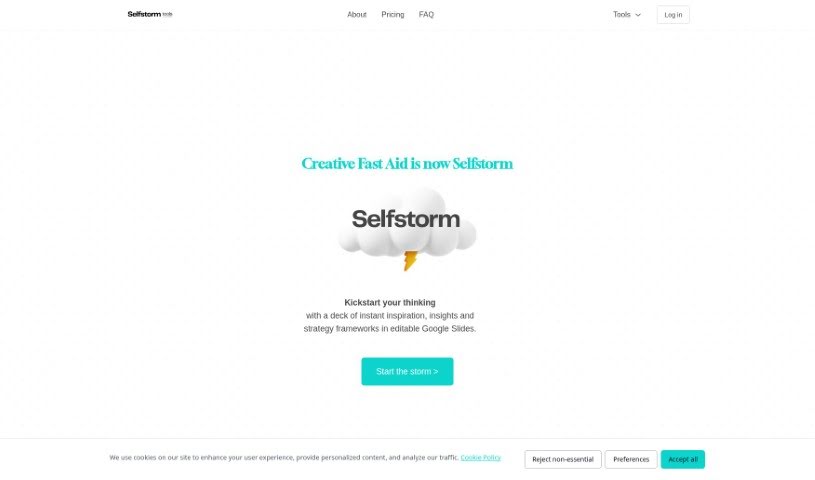
Screenshot of Creative Fast AID

Creative Fast AID

Discover what Creative Fast AID is and how to use it effectively in 2025. We'll explore its features and see how it stacks up against other Digital Marketing Tools.

Screenshot

What is Creative Fast AID?

The TRIAD Creative Fast AID is a smart tool, powered by AI and developed by TRIAD. It’s designed to help NGOs and brands come up with creative concepts and ideas for their campaigns. It is a brainstorming partner that gives you a whole list of campaign ideas. These are inspired by successful campaigns and common creative approaches TRIAD Agency uses. To get started, you just need to tell the AI a few things: the brand name, the NGO name, what product or service it’s for, and the cause the campaign supports. The goal here is to make creating campaigns much faster, promising a PDF presentation with 15 campaign ideas in about five minutes. If you need more help with your campaign after that, you can always ask for it. Just a heads-up, though: if you plan to use these ideas for commercial purposes, it’s a good idea to chat with TRIAD first.

Who created Creative Fast AID?

Creative Fast Aid was actually created by TRIAD, which is part of the Devin Band. It first launched on November 9, 2023. As an AI-powered tool, its main purpose is to help NGOs and brands generate creative campaign ideas quickly and efficiently. You can give it details like the brand name, NGO name, product or service, and the cause you’re focusing on. In return, you get a PDF presentation filled with 15 inspired ideas, all drawn from successful campaigns. The tool really aims to speed up the campaign creation process and offer users valuable inspiration. It’s known for its fast turnaround, usually delivering results in about five minutes.

What is Creative Fast AID used for?

  • For NGOs: It helps generate campaign ideas.
  • For Brands: It also generates campaign ideas.
  • Creative Concepts: It assists in creating fresh concepts for campaigns.
  • Inspiration: It provides a great source of inspiration for campaign ideas.
  • Streamlining: It makes the campaign creation process much smoother.
  • Comprehensive Lists: You get detailed lists of campaign ideas.
  • AI Prompting: You can prompt the AI by providing key details like brand name, NGO name, product/service, and the campaign’s cause.
  • Fast Results: Expect results in minutes thanks to its quick turnaround time.
  • AI-Driven Solution: It’s an AI solution for organizations looking for creative ideas.
  • Broad Appeal: It caters to both NGOs and brands needing campaign concepts.
  • Idea Generation: It generates campaign ideas for brands and NGOs alike.
  • Concept Assistance: It helps create creative concepts and ideas for campaigns.
  • Strategy Inspiration: It provides inspiration for developing campaign strategies.
  • Detailed Input: You can prompt the AI with brand name, NGO name, product/service, and cause information.
  • PDF Presentation: You’ll receive a PDF presentation featuring 15 campaign ideas based on successful campaigns.
  • Further Assistance: Users can request help with the campaign creation process.
  • Quick Turnaround: Results are delivered in minutes.
  • Targeted Support: It’s designed for both NGOs and brands needing creative campaign concepts.
  • AI Efficiency: It streamlines the campaign creation process using AI technology.
  • Creative Support: It supports organizations in need of creative campaign ideas.

How to use Creative Fast AID?

Here’s a simple, step-by-step guide to using Creative Fast Aid effectively:

  1. Access the Tool: First, open the Creative Fast Aid application on your device. Make sure you have a stable internet connection so everything runs smoothly.
  2. Log In or Sign Up: If you’re new, you’ll need to create an account with the necessary details. If you’ve used it before, just log in with your existing credentials to get to the features.
  3. Explore the Interface: Take a moment to get familiar with how the tool looks and works. Look around at the different sections and functions to see how best to navigate it.
  4. Upload Your Content: To get started, upload any media files or content you need help with. This could be images, videos, or even text documents.
  5. Choose Features: Based on what you need, select the specific features within Creative Fast Aid you want to use. You might need image editing tools or text analysis functions, for example.
  6. Apply Tools: Once you’ve picked the features, apply them to your uploaded content. Just follow the on-screen instructions to make the most of each tool.
  7. Review and Tweak: After applying the tools, check the output or any changes made to your content. Make any adjustments needed to get the results just right.
  8. Save or Export: When you’re happy with your edits or analysis, save your work or export the results to your device. Pick the file format that works best for you.
  9. Discover More: Don’t forget to explore all the other features Creative Fast Aid offers. Try out different tools to see how they can improve your creative projects.
  10. Get Help: If you run into any problems or have suggestions, feel free to reach out to the support team. They’re there to help with any issues you might encounter.

By following these steps, you can really make the most of Creative Fast Aid to boost your creative projects and make your workflow much smoother.

Related AI Tools

Discover more tools in similar categories that might interest you

Stay Updated with AI Tools

Get weekly updates on the latest AI tools, trends, and insights delivered to your inbox

Join 25,000+ AI enthusiasts. No spam, unsubscribe anytime.