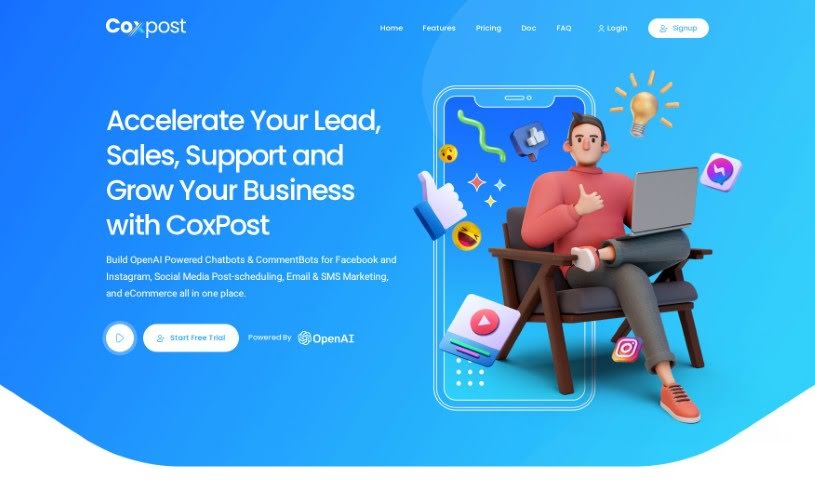
Screenshot of CoxPost

CoxPost

Discover what CoxPost is and how to make the most of it in 2025. We'll explore its features and see how it stacks up against other digital marketing tools.

Screenshot

What is CoxPost?

CoxPost is a smart tool that brings together social media management and marketing automation. It is your all-in-one hub for engaging customers online. It lets you build AI-powered chatbots for Facebook and Instagram, automatically reply to comments, and even sell products directly through Messenger and Instagram DMs. Plus, it helps with lead generation, email marketing, and SMS campaigns. You can easily create and customize chatbots, set up automated replies, schedule your social media posts ahead of time, and manage multiple platforms for customer support around the clock. CoxPost is designed for all sorts of businesses, from pet groomers and cleaning services to restaurants, legal firms, and financial advisors. They offer straightforward pricing plans, perfect for small businesses, with both monthly and yearly options.

Who created CoxPost?

David Mark is the mind behind CoxPost. He launched this AI-powered platform on September 23, 2023. It’s built to be a comprehensive solution, blending social media management with marketing automation. You’ll find features like an AI chatbot builder for Facebook and Instagram, automatic comment replies, ways to sell products directly, lead generation tools, and options for email and SMS marketing. Coxpost aims to serve a wide range of businesses and service providers across many industries, offering a simple pricing structure that’s great for small businesses.

What is CoxPost used for?

CoxPost is incredibly versatile, helping you with a bunch of marketing tasks:

  • Email Marketing: Build and manage your email campaigns.
  • Chatbot Creation: Easily design and customize chatbots using a drag-and-drop interface.
  • Audience Engagement: Keep your audience interested by automatically replying to comments on Facebook and Instagram.
  • Post Scheduling: Plan and schedule your social media posts in advance across different platforms.
  • Google My Business: Streamline your marketing efforts for Google My Business.
  • 24/7 Customer Support: Manage multiple social media accounts to offer continuous customer support.
  • Messenger Lead Collection: Gather email addresses directly within Messenger for your email marketing efforts.
  • Email List Segmentation: Organize your email subscribers into specific groups.
  • Email Template Design: Create attractive email templates for your communications.
  • SMS Marketing: Collect phone numbers through Messenger and segment them for SMS campaigns.
  • Direct Sales & Nurturing: Sell products, book appointments, nurture leads, and build relationships via Messenger, Instagram, or WooCommerce.
  • AI Chatbots: Build smart chatbots specifically for Facebook and Instagram.
  • Automated Replies: Set up automatic responses to comments on Facebook and Instagram.
  • Direct Selling: Sell products right within Messenger and Instagram DMs.
  • Lead Generation: Capture leads directly from your social media chats.
  • SMS Marketing: Reach customers via text messages.
  • Post Scheduling: Plan your social media content calendar.
  • Customer Support Management: Handle customer interactions across multiple platforms.

Who is CoxPost for?

CoxPost is a great fit for a wide range of users:

  • Small Businesses
  • Freelancers
  • Teams
  • Digital Agencies
  • Pet Groomers
  • Cleaning Services
  • Recruiting & HR Professionals
  • Sports & Training Centers
  • Photographers
  • Automotive Services
  • Movie Theaters / Concert Venues (for seating)
  • Tutors & Education Centers
  • Hair Salons
  • Home Service Providers
  • Restaurants (for reservations)
  • Gyms & Yoga Studios
  • Coaches & Trainers
  • Music Teachers
  • Sales & Marketing Professionals
  • Legal & Financial Services
  • Tech Support Teams
  • Professional Services
  • Personal Service Providers

How to use CoxPost?

CoxPost is a really flexible AI tool that helps with social media and marketing automation. Here’s a simple guide to get you started:

  1. Build Your Chatbots: Use the easy drag-and-drop tool to create smart chatbots for Facebook and Instagram.
  2. Automate Comment Replies: Set up automatic responses to comments on your Facebook and Instagram posts to keep your audience engaged.
  3. Sell Products Directly: Use the tool to sell items right within Messenger and Instagram DMs.
  4. Generate Leads: Capture potential customers from your social media chats.
  5. Email Marketing: Collect email addresses through Messenger to run targeted email campaigns.
  6. SMS Marketing: Gather phone numbers via Messenger and segment your lists for text message marketing.
  7. Schedule Posts: Plan and schedule your social media content in advance across different platforms.
  8. Google My Business: Make your Google My Business marketing simpler.
  9. Customer Support: Manage all your social media platforms to provide customer support 24/7.
  10. Choose a Plan: Pick a monthly or yearly subscription that works for you; discounts are often available.
  11. Cancellations & Refunds: You can cancel your subscription anytime. If you have questions about refunds, just ask.

By following these steps, you can really boost your social media marketing and customer engagement with CoxPost.

Related AI Tools

Discover more tools in similar categories that might interest you

Stay Updated with AI Tools

Get weekly updates on the latest AI tools, trends, and insights delivered to your inbox

Join 25,000+ AI enthusiasts. No spam, unsubscribe anytime.