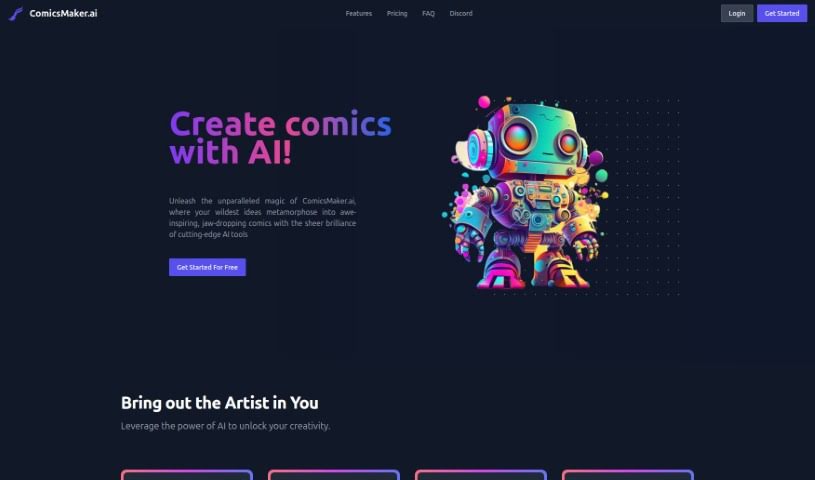
What is Comicsmaker?
ComicsMaker.ai is an online platform that uses artificial intelligence, specifically machine learning algorithms, to help you create comics. It’s packed with features like an AI art generator, tools for building custom layouts, and support for various comic styles, including manga and anime. You can upload your own images, turn sketches into finished panels, and then download your comics as PDF or CBZ files. While ComicsMaker.ai definitely makes the comic creation process much simpler, you’ll still need to bring your own creative ideas to the table to craft unique stories and visuals. Plus, since it’s an online platform, you can work on your comics from pretty much anywhere as long as you have an internet connection.
Who created Comicsmaker?
ComicsMaker was developed by a startup called ComicsMaker.ai. The company was founded by Tim Johnson, and the platform officially launched on June 18, 2024. Since then, it’s been giving users the chance to create comics using AI tools. ComicsMaker.ai offers a really user-friendly interface, a variety of styles to choose from for your comic art, and an AI art generator that can help you develop characters and plot ideas.
What is Comicsmaker used for?
- Crafting custom layouts that perfectly match your comic’s vision.
- Transforming your sketches into polished comic panels using the ControlNet feature.
- Uploading your own images for the AI to use as inspiration when generating artwork.
- Downloading your finished comics in convenient PDF or CBZ formats.
- Creating comics from anywhere thanks to its accessible online platform.
- Exploring various comic styles, whether you’re into superhero action, anime, or manga.
- Getting help with character development and plot creation through AI assistance.
- Simplifying the comic creation process, making it great for beginners.
- Saving your comics directly to your computer for safekeeping.
- Generating multiple art styles for a single panel to see different possibilities.
- Creating custom layouts that truly align with your comic’s vision.
- Converting your sketches into ready-to-use comic panels.
- Uploading personal images to serve as reference points for AI-generated artwork.
- Being accessible for beginners with its user-friendly design.
- Making comics from anywhere you have an internet connection.
- Saving your comics directly to your computer.
- Utilizing the ControlNet feature to transform sketches into comic panels.
- Creating custom layouts for your comic pages.
- Converting sketches into comic panels with ease.
- Uploading personal images to use as AI reference material.
- Downloading your created comics in PDF or CBZ formats.
- Creating comics in a range of styles, like superhero, anime, or manga.
- Assisting with character development and plot creation.
- Using AI to generate diverse interpretations of your images.
- Simplifying the comic creation process for those just starting out.
- Saving your comics directly to your computer.
- Accessing ComicsMaker.ai online from any location.
Who is Comicsmaker for?
- Artists
- Illustrators
- Comic creators
- Writers
How to use Comicsmaker?
To get the most out of ComicsMaker.ai, just follow these simple steps:
- Design Your Layouts: Start by using ComicsMaker.ai’s page designer to craft custom layouts that perfectly fit your comic’s vision. It’s a great way to plan your pages.
- Turn Sketches into Panels: Make sure you enable JavaScript! Then, you can use the ControlNet feature to transform your basic pencil sketches into vibrant comic panels that are ready for publication. It’s a really neat way to bring your drawings to life.
- Use Gallery Images: Feel free to upload your own personal images. The AI system will use these as references to generate unique comic artwork, giving your creations a personal touch.
- Download Your Work: Once you’re happy with your comic, you can download it in PDF or CBZ formats. This makes sharing and storing your work super easy.
- Enjoy the Accessibility: The platform offers a user-friendly interface that’s great for beginners. You don’t need to worry about designated start or end times; just jump in and create!
- Enable JavaScript: To really unlock the platform’s full creative potential and ensure everything works smoothly, make sure JavaScript is enabled in your browser.
- Explore All the Features: You’ll benefit from multiple comic styles, the ability to create comics online from anywhere, and help with character development and plot creation by using AI-generated content.
- Generate Diverse Art: You can select from various art styles for single panels. Plus, you can use the AI to create multiple different versions of each image, giving you lots of options.
- Commercial Use is Fine: You can use this tool for both commercial and non-commercial projects because the model has a permissive license, which is really helpful.
- Get Your Credits: When you create an account, you’ll get 100 free credits to start. If you want to keep generating AI artwork, you can always purchase more credits.
ComicsMaker.ai really stands out as a cost-effective tool. It uses a machine learning algorithm, lets you create custom layouts, offers manga and anime styles, helps you generate variations of images, includes the ControlNet feature, allows you to upload your own images, and lets you download in PDF or CBZ formats, among other things. It’s designed to handle a wide range of comic creation needs while keeping things user-friendly for all sorts of creators.