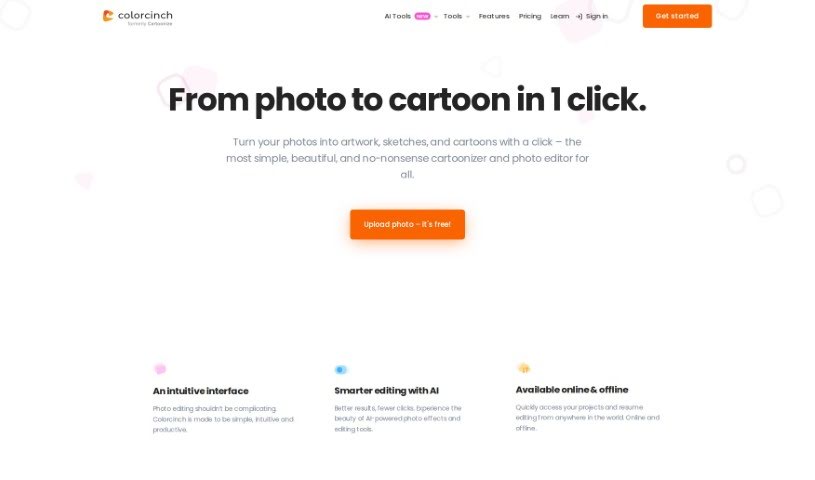
Screenshot of Colorcinch

Colorcinch

Discover Colorcinch in 2025! Learn what this user-friendly online photo editor and cartoonizer is, how to use its features like AI editing and background removal, and how it stacks up against other image generators.

Screenshot

What is Colorcinch?

Colorcinch is a fantastic online photo editor and cartoonizer that makes it super easy to turn your photos into cartoons, sketches, and all sorts of artwork. Seriously, it’s just one click! You don’t need to install any software, which is a big plus. It’s packed with features like background removal, cropping, resizing, filters, and a whole bunch of cool artistic effects. Plus, it uses AI-powered tools to make your photo editing smarter and quicker. Need more assets? Colorcinch has you covered with a huge stock library of over 4 million photos, graphics, and icons. You can even export your creations in high resolution, up to 400 DPI, so they look great for printing. The best part? It’s free to use, letting you easily personalize and style your images for social media or even professional work.

Who created Colorcinch?

Colorcinch was developed with the goal of providing a really user-friendly online photo editor. It’s designed to transform your photos into artwork, sketches, and cartoons with just a single click. While the specific founder and detailed company information aren’t readily available, what we do know is that Colorcinch offers a comprehensive suite of editing features. These include powerful AI-driven tools for smarter editing and access to a vast stock library, giving you plenty of options for customizing your images. You can also export your finished work in high resolution, ensuring excellent print quality.

What is Colorcinch used for?

Colorcinch is incredibly versatile! Here’s a rundown of what you can do with it:

  • Instantly transform photos into cartoons: Get that artistic look with just one click.
  • Leverage AI-powered photo editing: Make your editing smarter and more efficient.
  • Enjoy extensive photo editing features: Think background removal, color adjustments, and so much more.
  • Access a massive stock library: Over 4 million photos, graphics, and icons are at your fingertips.
  • Export high-resolution images: Get excellent print quality with exports up to 400 DPI.
  • Customize your images extensively: Beyond cartoons, play with background removal and color adjustments.
  • Explore a rich stock library: Over 4 million photos, graphics, and icons are available.
  • Export images up to 400 DPI: Perfect for professional printing.
  • Utilize AI-powered tools: For smarter, more efficient editing.
  • Access extensive editing features: Like background removers and color adjustments.
  • Explore a rich stock library: With over 4 million photos, graphics, and icons.
  • Export images up to 400 DPI: For excellent print quality.

Who is Colorcinch for?

Colorcinch is a great tool for a wide range of creative individuals and professionals, including:

  • Photographers
  • Graphic designers
  • Artists
  • Illustrators
  • Social media managers
  • Content creators
  • Marketing professionals
  • Social media influencers

How to use Colorcinch?

Using Colorcinch is a breeze! Just follow these simple steps:

  1. Upload Your Image: Start by uploading the photo you want to edit directly onto the Colorcinch online platform. It’s straightforward and quick.
  2. One-Click Cartoonization: Ready for the magic? With just a single click, you can transform your photo into a cool cartoon using Colorcinch’s super user-friendly cartoonizer tool.
  3. AI-Powered Editing: Take advantage of the advanced AI tools that make photo editing smart and efficient. You can explore features like background removal, color adjustments, and many others for complete customization.
  4. Extensive Toolkit: You’ll find a wide array of editing features here, including background removal, image cropping, resizing, filters, and various artistic effects, all enhanced by AI.
  5. Rich Stock Library: Make the most of the extensive stock library, which offers over 4 million photos, graphics, and icons to really boost your projects.
  6. High-Resolution Export: When you’re happy with your edit, export your images with excellent print quality, all the way up to 400 DPI.

Whether your goal is to create eye-catching cartoons, polish images for social media, or prepare professional-grade visuals, Colorcinch offers a smooth and completely free online photo editing experience. Jump into a world of creativity and customization with Colorcinch’s intuitive platform, accessible whenever and wherever you need it.

Just a heads-up, Colorcinch also offers Plus subscription options that come with extra perks. And if you ever need to cancel your subscription, you can easily do that right from your Colorcinch account.

Have fun exploring all the amazing possibilities for image editing and cartoonization with Colorcinch!

Related AI Tools

Discover more tools in similar categories that might interest you

123RF AI Image Generator

Creative Image Generation
Learn More

Stay Updated with AI Tools

Get weekly updates on the latest AI tools, trends, and insights delivered to your inbox

Join 25,000+ AI enthusiasts. No spam, unsubscribe anytime.