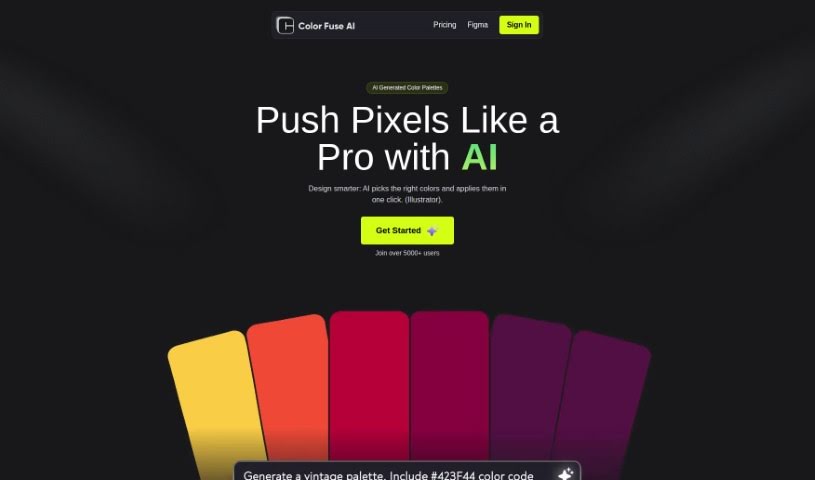
Screenshot of Color Fuse AI

Color Fuse AI

Discover what Color Fuse AI is and how to use it effectively in 2025. We'll explore its features and see how it stacks up against other photo editors.

Screenshot

What is Color Fuse AI?

Color Fuse AI is a handy tool designed to make your design projects shine. It uses artificial intelligence to suggest and apply color palettes with just a single click, right inside popular design software like Illustrator and Photoshop. It is your AI color assistant! You can get AI-generated color schemes, tweak them how you like, chat with a helpful AI chatbot for support, and even save your favorite palettes to use later, from anywhere. The whole idea is to speed up how you pick colors, so you don’t have to spend ages sifting through endless options or get stuck wondering which colors work best together. Color Fuse AI is available in both a free version and a pro subscription, with the pro option giving you even more cool features.

Who created Color Fuse AI?

Color Fuse AI is a platform that leverages AI to create color palettes for your design work. While we don’t have specific details about the founder, the company’s main focus is on providing AI-generated color schemes and palettes to make the design process smoother. You can use this AI technology to quickly add colors to your projects in design tools like Illustrator and Photoshop, saving you time and effort when choosing colors. The platform offers both free and pro subscription plans, giving you access to different features. With over 4000 users already benefiting from the service, Color Fuse AI is all about simplifying color selection for designers.

Who is Color Fuse AI for?

  • Designers
  • Artists
  • Illustrators
  • Graphic designers
  • UI/UX Designers

How to use Color Fuse AI?

Ready to give Color Fuse AI a try? Here’s a simple rundown:

  1. Get Started: You can access Color Fuse AI directly within your favorite design tools, like Illustrator and Photoshop (version 2022 or newer).
  2. Choose Your Plan: Pick either the Free or Pro subscription to get the features you need.
    • Free Plan: This includes access to the AI Chatbot, AI Color Scheme Generation, Palette Customization, a Color Palettes Generator, and the One-Click Palette Application feature for Illustrator, plus more.
    • Pro Plan: This plan unlocks extra benefits, such as the ability to save your palettes and access them from any device or location.
  3. Generate Color Palettes: Let the AI help you find the perfect colors for your design projects. You’ll get AI-generated color palettes quickly and easily.
  4. Apply Colors: Use the handy One-Click feature to apply the generated color palettes to your designs without any fuss.
  5. Save and Access Color Palettes (This is a Pro Feature):
    • If you go with the Pro subscription, you can save all your custom color palettes and get to them whenever and wherever you need them.
  6. Got Questions? Check out the FAQs section for more help and support.

By following these steps, you can really make the most of Color Fuse AI to simplify your design workflow, making color selection and application a breeze for all your projects.

Related AI Tools

Discover more tools in similar categories that might interest you

123RF AI Image Generator

Creative Image Generation
Learn More

Stay Updated with AI Tools

Get weekly updates on the latest AI tools, trends, and insights delivered to your inbox

Join 25,000+ AI enthusiasts. No spam, unsubscribe anytime.