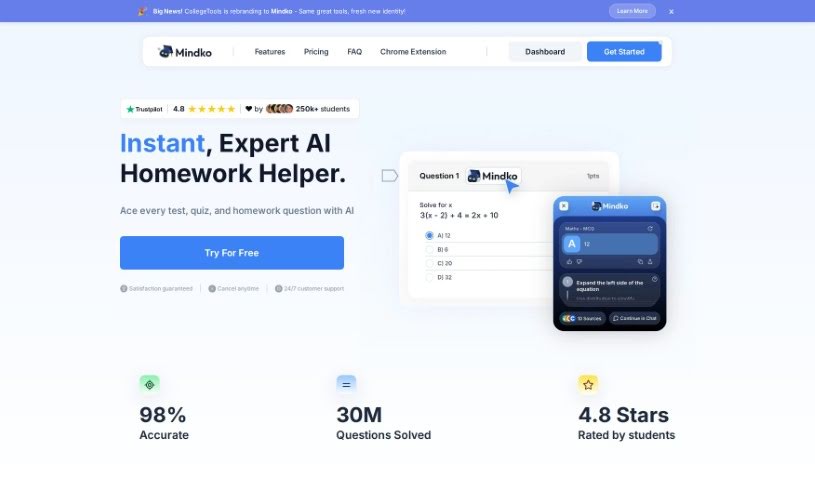
Screenshot of College Tools

College Tools

Discover what College Tools is and how to use it effectively in 2025. We'll explore its features, compare it to other college student tools, and show you how it can help boost your grades.

Screenshot

What is College Tools?

College Tools is a handy Chrome extension powered by AI, built to help students nail their academic assignments by giving them accurate quiz answers. It works with over 50 different learning platforms, and it’s packed with features like performance analytics, progress tracking, and easy subscription management. Plus, it operates discreetly, so your privacy is always protected. It plays nicely with major educational platforms like Blackboard and McGraw Hill, too.

Students who’ve used College Tools often say great things about it. They find it super helpful for getting step-by-step explanations for answers, which really helps them get a handle on tough questions and ultimately do better in their classes. People also love how it supports so many different learning platforms and helps them improve their grades.

If you’re thinking about giving College Tools a try, you’ll find it straightforward to manage your subscription, use its intuitive dashboards, and take advantage of its smart algorithms for getting those quiz answers right. The extension is designed to integrate smoothly with various learning management systems, and it even has a stealth mode for when you need to be extra discreet.

Who created College Tools?

Gabriel Mitchell founded College Tools, launching it on February 23, 2023. It’s an AI-driven Chrome extension created to help students tackle their assignments by providing accurate quiz solutions across more than 50 learning platforms. It also prioritizes user privacy with its undetectable operation modes. The tool offers features such as performance analytics, progress tracking, and subscription management, all accessible through a user-friendly dashboard. College Tools also uses advanced algorithms to help with multiple-choice questions, assist during exams, and provide clear explanations so students can better understand the material.

What is College Tools used for?

  • Subscription management: Keep track of your plan easily.
  • Automatic question answering: Get quick answers to your quiz questions.
  • Platform support: Works with Blackboard and McGraw Hill, among others.
  • Boosting grades: Helps improve your overall academic performance.
  • Easy issue reporting: Report any problems you encounter simply.
  • Stealth and camouflage mode: Ensures user privacy by operating discreetly.
  • LMS-integrated exam assistant: Acts as a helpful tool during exams on learning platforms.
  • Performance analytics: Track your academic progress and performance.
  • Progress tracking: Monitor how you’re doing over time.
  • Broad platform support: Works with documentation, email, Instagram, and TikTok for help.
  • Universal Compatibility: Works across all websites.
  • Assignment guidance: Helps students navigate their academic tasks.
  • Accurate quiz solutions: Provides correct answers for quizzes.
  • Extensive platform support: Compatible with over 50 learning platforms.
  • Website integration: Works seamlessly with any website.
  • User-friendly dashboard: Access analytics and tracking tools easily.
  • Discreet operation: Stealth and camouflage modes protect your privacy.
  • Productivity enhancement: Helps you work more efficiently.
  • Multiple-choice assistance: Answers multiple-choice questions automatically.
  • Subscription management: Manage your subscription with ease.
  • Privacy guarantee: Offers a 100% privacy guarantee.
  • Key platform support: Specifically supports Blackboard and McGraw Hill.
  • Grade improvement: Aids in boosting your grades.
  • Performance tracking: Monitors your academic progress.
  • Multi-channel support: Get help via documentation, email, Instagram, and TikTok.
  • Academic performance boost: Improves your grades with accurate quiz answers.
  • Major platform compatibility: Works with all major educational platforms.
  • Effortless answering: Makes answering questions simple.
  • Material understanding: Helps you grasp the subject matter better.
  • Academic success: Contributes to achieving better academic results.
  • Instant answers: Get quick snapshots of answers.
  • Stealth mode: Use it without others noticing.
  • Productivity boost: Enhances your overall productivity.

Who is College Tools for?

  • Students: Anyone currently enrolled in academic programs.
  • Educators: Teachers and professors who want to understand student tools.
  • Tutors: Individuals who provide academic support.
  • Content creators: Those who make educational materials.
  • Ambassadors: People who promote educational tools.
  • College students: Specifically, those pursuing higher education.
  • Academics: Scholars and researchers.
  • Researchers: Individuals conducting academic studies.
  • Teachers: Educators at various levels.
  • Academic Professionals: Anyone working in an educational setting.
  • Anyone using educational platforms: If you interact with online learning systems, this is for you.

How to use College Tools?

To get the most out of College Tools, just follow these simple steps:

  1. Installation:
    • First, download the College Tools Chrome extension from the Chrome Web Store.
  2. Compatibility Check:
    • Make sure the tool works with your specific learning platform. It’s designed for over 50, including popular ones like Blackboard and McGraw Hill.
  3. Using the Tool:
    • When you’re on a supported website and need help, just click the College Tools button. You’ll get instant answers or guidance.
  4. Explore Features:
    • Take advantage of the stealth mode for discreet use. You can also track your performance and use the user-friendly dashboard to see your progress.
  5. Prioritize Privacy:
    • Use the stealth and camouflage modes to ensure your usage remains private and undetectable.
  6. Get Support:
    • If you need help or have questions, support is available through their documentation, email, Instagram, and TikTok channels.
  7. Improve Academic Performance:
    • Use the accurate quiz solutions to save time. This lets you focus more on understanding the material itself.
  8. Manage Your Subscription:
    • It’s easy to manage your subscription through the straightforward dashboard provided by the tool.
  9. Seamless Integration:
    • The extension integrates smoothly with various learning platforms, so it feels like a natural part of your study process.
  10. Dashboard Usage:
    • Make full use of the user-friendly dashboard to access performance analytics, track your progress, and utilize other helpful tools.

Just remember, College Tools is specifically made for academic quizzes. It’s great for multiple-choice questions and works as a handy Chrome extension to support your studies.

Related AI Tools

Discover more tools in similar categories that might interest you

Academic Help Free Essay Generator

Education Academic Writing
Learn More

Stay Updated with AI Tools

Get weekly updates on the latest AI tools, trends, and insights delivered to your inbox

Join 25,000+ AI enthusiasts. No spam, unsubscribe anytime.