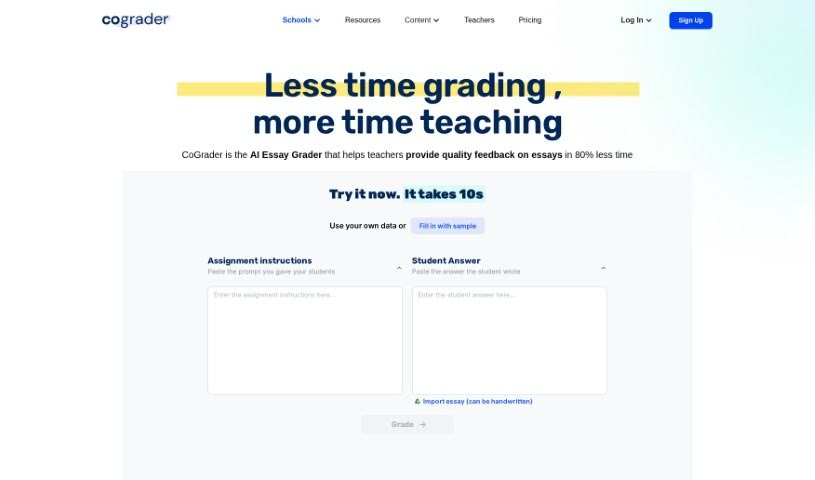
What is CoGrader?
CoGrader is an AI tool designed to help educators grade essays more efficiently. It is a smart assistant that can speed up the grading process. You can easily import assignments from popular platforms like Google Classroom, Canvas, and Schoology. Then, you set your grading criteria, and CoGrader provides detailed feedback and justification reports for each student. You always have the final say, of course, making any adjustments before submitting grades. The goal here is to save teachers time, ensure grading is fair and consistent, and give students more helpful feedback. Teachers often mention how efficient it is and how thorough the feedback is. Plus, CoGrader really cares about student privacy. It uses codes to match assignments to students, so personal information stays secure and FERPA compliant. The grade suggestions are usually quite accurate, with only a small difference of about 5% compared to grading by hand. Ultimately, CoGrader offers AI-driven suggestions to help educators, but the final responsibility for grades and feedback always stays with the teacher.
Who created CoGrader?
According to testimonials and a document called “cograder.pdf,” J. Taylor is the founder of CoGrader. The company has backing from UC Berkeley and is used in over 1000 schools. CoGrader integrates with Google Classroom, using Artificial Intelligence (AI) to streamline grading, provide feedback, and offer class analytics. Users seem really happy with it, often pointing out how much time it saves and the detailed feedback it gives students.
What is CoGrader used for?
CoGrader helps educators in a bunch of ways:
- Easy Assignment Import: You can seamlessly import student assignments directly from Google Classroom, Canvas, and Schoology for grading.
- Save Time: It significantly streamlines the grading process, saving you precious time and effort.
- Fair & Consistent Grading: By removing human biases, CoGrader helps ensure fairness and consistency in how you grade.
- Fast, Detailed Feedback: Students get comprehensive feedback almost instantly, helping them understand their work better.
- Class Performance Insights: You can access class analytics to get a clear picture of how the whole class is performing.
- Bulk Export: Need to export assignments in bulk? CoGrader handles it from platforms like Canvas and Schoology with just one click.
- Instant AI Feedback: Get draft feedback on assignments right away thanks to AI integration.
- Detailed Reports: Receive in-depth feedback and justification reports for each student.
- Review & Adjust: You can easily review and adjust the AI-generated grades and feedback to ensure each student gets the right attention.
- AI Detection: The tool can help detect if students have used ChatGPT or other AI systems for their assignments.
- Full Google Classroom Integration: Import assignments from Google Classroom, grade them, provide feedback, review, and then export everything back to Google Classroom with a single click.
- AI for Feedback & Analytics: Use AI to get instant draft feedback on student work and view class data analytics.
- Objective Grading: Save time and ensure fairness and consistency with CoGrader’s objective grading system.
- Student Understanding: Provide lightning-fast, comprehensive feedback to students so they can better understand their performance.
- Informed Planning: Analyze class performance to pinpoint challenges and strengths, which helps with planning.
- Canvas & Schoology Imports: Import assignments in bulk from Canvas and Schoology with just one click.
- Specific & Timely Feedback: Help educators give specific, timely feedback, saving time, ensuring consistency, reducing bias, and promoting academic integrity.
- Better Grading Experience: Reduce the administrative load on educators and foster a more interactive classroom.
- Swift, Accurate Grading: Transform grading into a quick, efficient, and accurate process, freeing up teachers to focus more on students.
- Save Time & Improve Feedback: Simply put, it saves grading time and provides better feedback for students.
- Class Analytics: Get class analytics to spot challenges and strengths.
- Bulk Export: Export assignments in bulk with one click.
- AI Detection: Detect if students used ChatGPT for assignments.
- Detailed Reports: Generate detailed feedback and justification reports.
- Fairness & Consistency: Ensure grading is fair and consistent.
- Customizable Criteria: Customize grading criteria and align them with state standards.
- Streamline & Save Hours: Streamline the grading process and save hours or even days.
- Mitigate Subjectivity: Reduce subjectivity in scoring and offer comprehensive feedback.
- Instant AI Feedback & Analytics: Use AI for instant feedback on assignments and view class data analytics.
- Faster Student Feedback: Provide better and faster feedback to students so they can understand their performance.
- Better Planning: Access class analytics to identify challenges and strengths for improved planning.
- User-Friendly Design: Enjoy a user-friendly and intuitive design that’s easy to use.
- Student Privacy: Protect student privacy with FERPA compliance and secure information handling.
- Grading Assistance: Help educators by drafting initial feedback and grade suggestions, ensuring fair and consistent grading.
Who is CoGrader for?
- Teachers
- Educators
- School staff
How to use CoGrader?
Here’s how to get the most out of CoGrader:
- Import Assignments: Start by importing assignments. CoGrader works smoothly with Google Classroom, Canvas, and Schoology.
- Set Your Grading Criteria: You can use a rubric template based on your state’s standards, or you can create your own custom grading criteria to match your teaching goals and evaluation standards.
- Get Grades, Feedback, and Reports: CoGrader will generate detailed feedback and justification reports for each student. These reports highlight areas for improvement along with the assigned grade.
- Review and Make Adjustments: Remember, you’re the teacher, so you have the final say. Look over the grades and feedback CoGrader provides and tweak them as needed to make sure every student gets the attention they deserve.
- Protect Student Privacy: CoGrader is committed to student privacy and is FERPA-compliant. Student names are anonymized, and personal information is kept secure using Google’s OAuth2 system.
- Use the AI Features: Think of CoGrader as your teaching assistant. It streamlines grading by giving you initial feedback and grade suggestions. It can even help you spot if students have used AI tools like ChatGPT on their assignments.
- Start Using It: Why not sign up for a free trial during the beta phase? See for yourself how CoGrader can save you time and make grading better.
- Training and Support: CoGrader is designed to be easy and intuitive, but if you need a hand, extra training and support are available.
- Double-Check Grades: While CoGrader is accurate, it’s always a good idea to review and validate the grades and feedback before finalizing them. After all, you’re the one ultimately responsible for the grades.
- Compare to Traditional Grading: CoGrader offers some great advantages over traditional grading, like specific and timely feedback, saving you time, ensuring consistency, reducing bias, and boosting academic integrity.
By following these steps, educators can really use CoGrader’s AI features to make grading smoother, give students meaningful feedback, and free up valuable time for more impactful teaching. You’ll be able to spend less time on administrative tasks and more time connecting with your students.