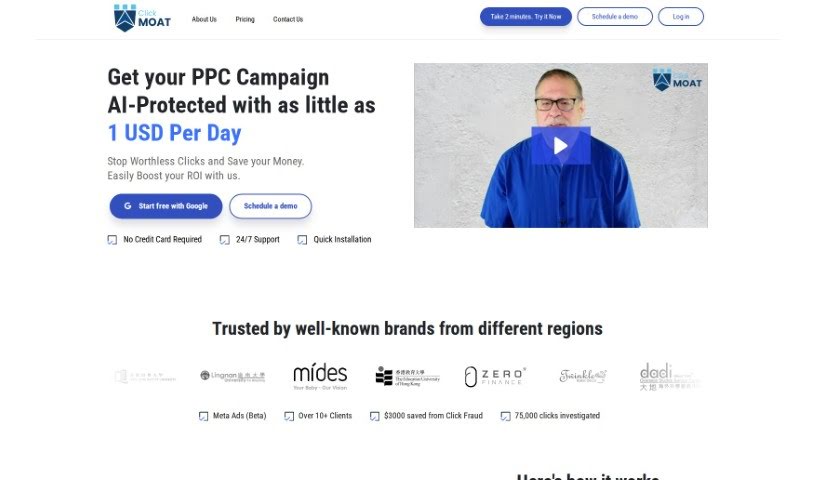
Screenshot of Clickmoat

Clickmoat

Discover what Clickmoat is and learn how to use it effectively in 2025. We'll explore its features and see how it stacks up against other digital marketing tools.

Screenshot

What Exactly is Clickmoat?

ClickMoat is a service specifically built to protect your ad campaigns from the sneaky problem of click fraud. It is a digital bodyguard for your advertising spend. The main goal here is to use AI-powered protection for your Pay-Per-Click (PPC) campaigns. This helps companies stop wasting money on fake clicks and instead focus on getting the best possible return on their investment (ROI). You can actually try ClickMoat out for a full 30 days for free before any billing kicks in. It’s designed to integrate smoothly with your Google Ads account, making it pretty straightforward for you to set up and start protecting your ads right away. Right now, ClickMoat works with Google AdWords, but they’ve got plans to bring this protection to other big platforms like Facebook and Bing down the road.

So, Who’s Behind Clickmoat?

Clickmoat was actually started by a team who were really fed up with click fraud messing up online advertising. They saw how much money businesses were losing. So, they created this company to offer AI-powered protection specifically for PPC campaigns. Their mission is clear: stop wasted ad spend and boost ROI. The platform itself is built to work seamlessly with Google Ads, and as mentioned, they’re looking to expand to other popular platforms like Facebook and Bing in the future.

Who Should Be Using Clickmoat?

While ClickMoat is fantastic for protecting against certain types of unwanted traffic, it’s important to note who it’s not for. It’s designed to filter out:

  • Academic Researchers (who might be studying traffic patterns)
  • Internet Bots (malicious or otherwise)
  • Spamming Software
  • Random Clicks (accidental or otherwise)

Essentially, if you’re involved in digital marketing, running online ads, or managing marketing campaigns, ClickMoat is a tool you’ll want to consider. It’s built for:

  • Digital marketers
  • Online Advertisers
  • Marketing Managers

How Do I Actually Use Clickmoat?

Ready to start protecting your ad campaigns from click fraud with ClickMoat? It’s a pretty straightforward process. Here’s a step-by-step guide:

  1. Get Started with a Free Trial: First things first, sign up for ClickMoat. You’ll get a generous 30-day free trial to test everything out.
  2. Connect Your Google Ads: Next, you’ll need to link ClickMoat to your Google Ads account. This usually involves pasting a couple of codes they provide.
  3. Let the AI Do Its Thing: Once connected, ClickMoat’s smart AI algorithm will automatically start managing and protecting your ads. You don’t have to do much here; it works in the background.
  4. Check Your Progress: You can keep an eye on how your campaigns are doing by logging into your Google Ads account. The dashboard will show you the results for the last 7 and 30 days.
  5. Pick a Plan: When your free trial wraps up, you’ll need to choose a plan. There’s a default option, but you can also select another plan or even ask the ClickMoat team to create a custom one just for you.
  6. Payment Options: Paying is easy. You can use credit cards, debit cards, or if you’re a larger organization, you might be able to set up pre-authorized debit agreements.
  7. Nonprofit Discounts: If your organization is a nonprofit, definitely reach out to ClickMoat support! They often offer discounted rates on certain plans.
  8. Mind Your Limits: To keep the service running smoothly without any interruptions, make sure you stay within your monthly spending limit. If you think you might go over, you can often opt for automatic upgrades.
  9. Future Platform Support: Just a reminder, ClickMoat currently works with Google AdWords. They are planning to add support for other platforms like Facebook and Bing in the future, so keep an eye out for that!

By following these steps, you can really make the most of ClickMoat to boost your PPC campaign ROI and keep those pesky click fraudsters at bay.

Related AI Tools

Discover more tools in similar categories that might interest you

Stay Updated with AI Tools

Get weekly updates on the latest AI tools, trends, and insights delivered to your inbox

Join 25,000+ AI enthusiasts. No spam, unsubscribe anytime.